
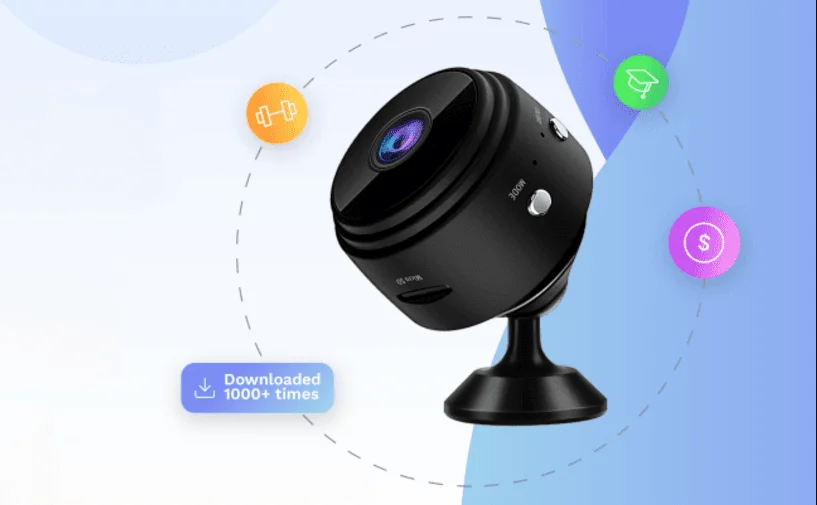
Maction V720 Surveillance Camera
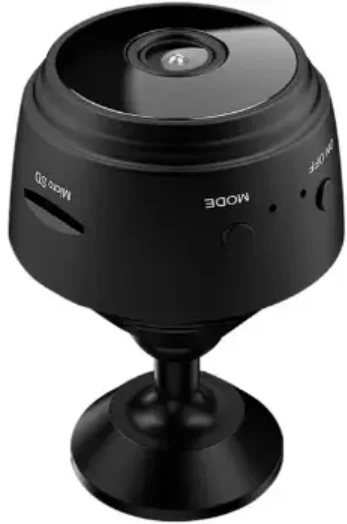
Device function explanation
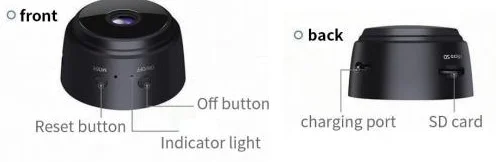
Add device
- Open the “v720” app and click “+” in the upper right corner of the page to start the binding process.

- Turn on and reset the device according to the instructions below. When the reset is successful, the blue indicator flashes quickly. Click Next when finished.

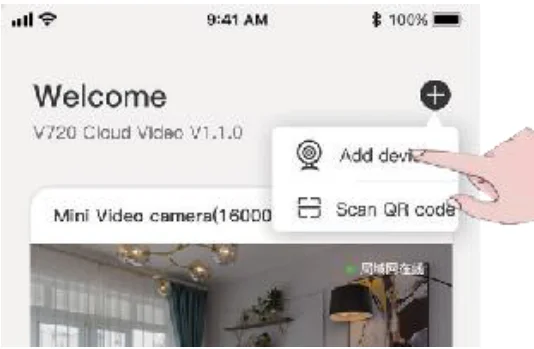
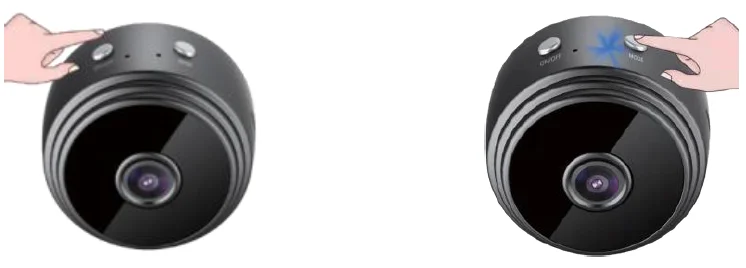
- Press the ON/OFF button to power on
- Press and hold the Mode button to reset the device
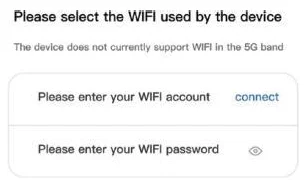
- Select or enter the WiFi account you want to use and fill in the password

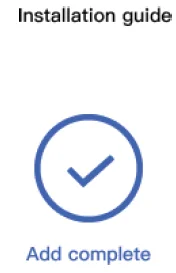
- Wait for the device to be bound successfully.

AP mode
- Press and hold the mode button until the blue indicator of the camera flashes quickly, and then release it.
- Mobile phone turn on the WIFI and connect to the WIFI hotspot starting with “NAX_”.
- Return to the “v720” app and refresh the dropdown list. When the device displays, that means the short-range mode connection is successful.
Matters needing attention
- The applicable working temperature of this product is -10°C~50°C. Please do not use this product in an environment where the temperature is too high or too low.
- This product is a precision electronic product. Please do not use this product in an environment that is excessively wet or may cause water to enter the product.
- To better use this product, please avoid the front and side of the lens close to the glass, white wall, and other reflective objects, in order to avoid the picture being bright near and dark in the distance or whitish.
- Please ensure that this product is installed within the range of the Wi-Fi signal coverage, and placed as far as possible in a location with better Wi-Fi signal, and try to install it far away from the microwave oven or other locations that may affect the signal.
This device complies with part 15 of the FCC Rules. Operation is subject to the following two conditions: (1) This device may not cause harmful interference, and (2) this device must accept any interference received, including interference that may cause undesired operation.
Any Changes or modifications not expressly approved by the party responsible for compliance could void the user’s authority to operate the equipment.
Note:
This equipment has been tested and found to comply with the limits for a Class B digital device, pursuant to part 15 of the FCC Rules. These limits are designed to provide reasonable protection against harmful interference in a residential installation.
This equipment generates uses and can radiate radio frequency energy and, if not installed and used in accordance with the instructions, may cause harmful interference to radio communications. However, there is no guarantee that interference will not occur in a particular installation. If this equipment does cause harmful interference to radio or television reception, which can be determined by turning the equipment off and on, the user is encouraged to try to correct the interference by one or more of the following measures:
- Reorient or relocate the receiving antenna.
- Increase the separation between the equipment and receiver.
- Connect the equipment into an outlet on a circuit different from that to which the receiver is connected.
- Consult the dealer or an experienced radio/TV technician for help.
- This equipment complies with FCC radiation exposure limits set forth for an uncontrolled environment. This equipment should be installed and operated with a minimum distance of 20cm between the radiator & your body.
For more Manuals by Blogs, visit ManualsLibraryy
Maction V720 Surveillance Camera-FAQs
How do I set up the V720 Wi-Fi camera?
Download the camera app, power on the V720, connect it to your home Wi-Fi, and follow the on-screen instructions in the app to complete setup.
What are the main features of the V720 camera?
The V720 offers 1080p HD video, motion detection, night vision, compact design, and remote monitoring via your smartphone.
Does the V720 camera support night vision?
Yes, it has infrared night vision that lets you monitor your property in low-light conditions up to 39 feet.
Can I use the V720 without Wi-Fi?
Yes. You can connect it via a direct cable, Bluetooth, or the camera’s Wi-Fi hotspot. Some models may also support cellular connections.
What size SD card do I need for the V720?
A 32GB to 64GB card is suitable for normal use. For high-resolution or continuous recording, 128GB or larger is recommended.
Why is my V720 camera showing “offline”?
This usually indicates a Wi-Fi connection issue. Ensure the camera is powered on, within range of your network, and that your router is functioning properly.
Can the V720 camera capture audio?
Yes, it supports audio recording in addition to video.
How far can the V720 see at night?
Its night vision allows clear viewing up to 39 feet in darkness.
Is it possible to record offline with the V720?
Yes, recording can be stored directly on an SD card if the camera is offline or Wi-Fi is unavailable.