Blog Post

Dartwood Mini Bubble Machine User Guide feat

Dartwood Mini Bubble Machine User Guide

Dartwood Mini Bubble MachineIn the Box Introduction to Parts Note: INDOOR: A 5V/2A USB Power Adapter is required (not included) OUTDOOR: Recommended to use a regular portable power bank (not included). How to Add Bubble Liquid Remove the top cover by sliding it back and lifting it up. Pull out the plug and add the […]

Read More
Google Nest WiFi Point Extender User Manual feat

Google Nest WiFi Point Extender User Manual

Google Nest WiFi Point Extender Being part of your home means respecting your privacy. Here’s how to control your privacy on your Google Nest Wifi point. Microphones are built into the Nest Wifi point so you can use your voice to ask the Google Assistant for help, make calls, and more. Audio is only sent […]

Read More
Dartwood Label Maker User Manual feat

Dartwood Label Maker User Manual

Dartwood Label MakerIn the Box Setup Open the top of the label maker. Push the tab on the top and lift up. Undo the roll of label stickers and pull the end out from the bottom of the roll. Close the top until it clicks. Make sure the end of the sticker roll is coming […]

Read More
Dartwood Mini Sewing Machine for Kids-feat image

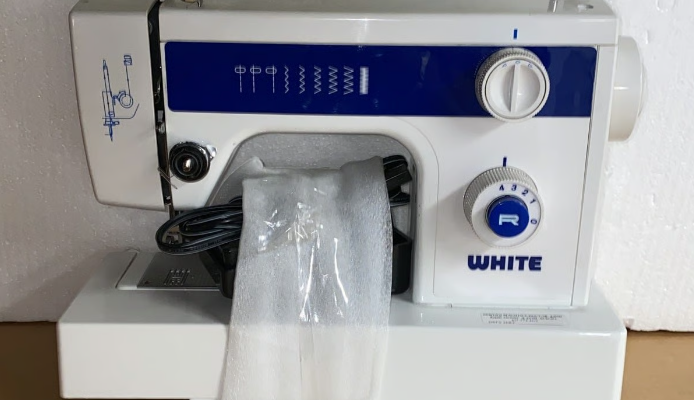
Dartwood Mini Sewing Machine for Kids User Manual

Dartwood Mini Sewing Machine for Kids Package Includes 1 x Sewing Machine 4 x Bobbins 1 x Needle 1 x Threader 1 x Foot Pedal 1 x AC/DC Adaptor 1 x User Manual Safety Information Always disconnect or remove the power supply (including batteries) when changing needles or threading. Please keep the machine out of […]

Read More
Sony ICF-C707 AM-FM Clock Radio-featured

Sony ICF-C707 AM-FM Clock Radio User Manual

Sony ICF-C707 AM-FM Clock Radio WARNING To reduce the risk of fire or electric shock, do not expose this apparatus to rain or moisture. To reduce the risk of fire, do not cover the ventilation of the apparatus with newspapers, tablecloths, curtains, etc. And do not place lighted candles on the apparatus. To reduce the […]

Read More
Aqara Wall Outlet H2 EU featured image

Aqara Wall Outlet H2 EU User Guide

Aqara Wall Outlet H2 EU Product Instruction Wall Outlet H2 EU is a smart wall outlet product based on the Zigbee protocol. The maximum Work current reaches 16A, and it can realize remote control, timing control, power metering, equipment group control, and other socket intelligent functions. At the same time, it also supports access to […]

Read More
Wyze Duo Cam Pan featured image

Wyze Duo Cam Pan User Manual

Wyze Duo Cam Pan INTRODUCTION This manual provides instructions for the installation, operation, and maintenance of your WYZE Duo Cam Pan Indoor/Outdoor 1965 2K 360° Pan Tit Smart Home Security Camera. Please read this manual thoroughly before using the product to ensure proper functionality and safety. WHAT’S IN THE Box Verify that all components are […]

Read More
Kodak Easyshare C340 5 MP Digital Camera-featured

Kodak Easyshare C340 5 MP Digital Camera User Guide

Kodak Easyshare C340 5 MP Digital Camera Product features Front View Grip Mode dial/Power button Shutter button Flash button Self-timer/Burst button Flash Speaker Viewfinder Lens DC-In (3V), for optional AC adapter Side View Dock connector Tripod socket LCD screen Viewfinder Ready light Review button Menu button LCD On/Off/Status button Delete button Zoom (Wide Angle/Telephoto) 4-way […]

Read More
VTech CS6919 Cordless Phone-featured

VTech CS6919 Cordless Phone User Guide

VTech CS6919 Cordless Phone What’s in the box Your telephone package contains the following items. Save your sales receipt and original packaging in case it is necessary to ship your telephone for warranty service. NOTE To purchase replacement batteries or power adapters, visit our website at www.vtechphones.com or call 1 (800) 595-9511. In Canada, go […]

Read More