
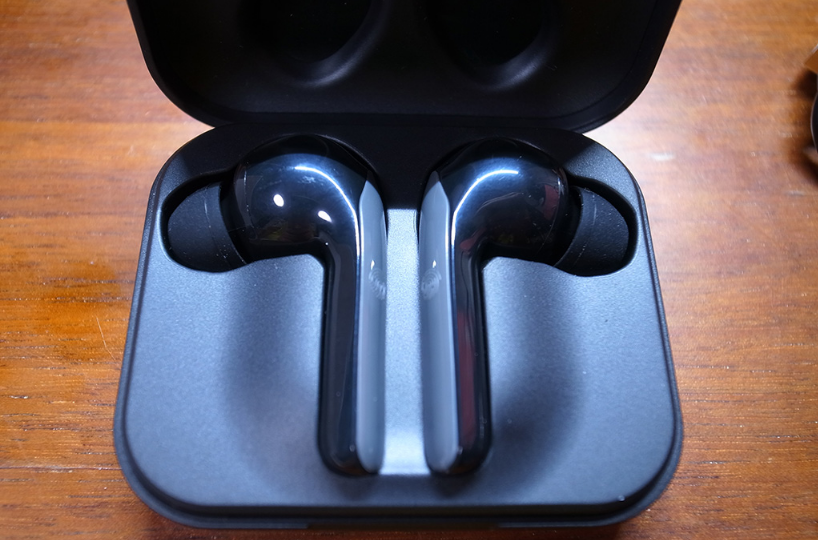

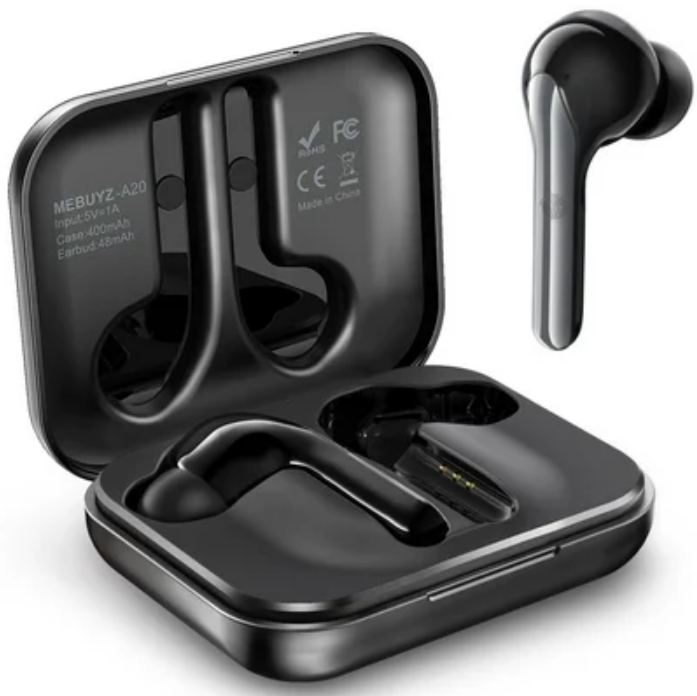
MeBuyz A20 True Wireless Bluetooth Earbuds
Safety Information
Read all safety information before using the device to ensure safe and proper use.
- Do not expose the device to physical impact or damage.
- Use manufacturer-approved chargers and accessories.
- Prevent the charger port and battery terminals from conductive elements.
- Using or storing the device outside of the recommended temperature ranges may damage the device or reduce the battery’s lifespan.
- Do not use your device in a hot environment or near fire.
- Comply with all safety warnings and regulations.
Important Reminder
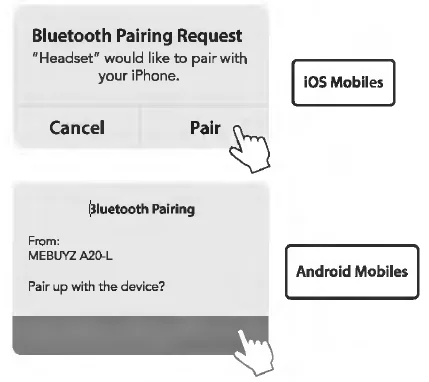
MEBUYZ A20 is equipped with Qualcomm’s 3020 Soc, which allows both earbuds to connect to your device. After the “MEBUYZ A20-R” is paired with your device, the “Bluetooth Pairing Request” pop-up appears. Please select “Pair” to complete the initial pairing process.
Package Content
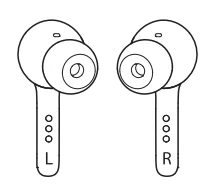
Earbuds
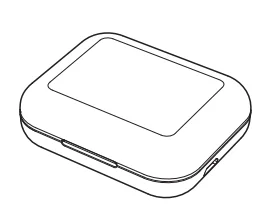
Charging case
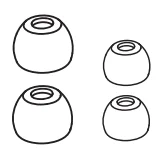
2 Pairs of silicone ear tips S&L
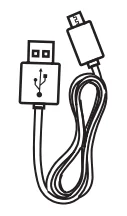
USB charging cable
Product Overview
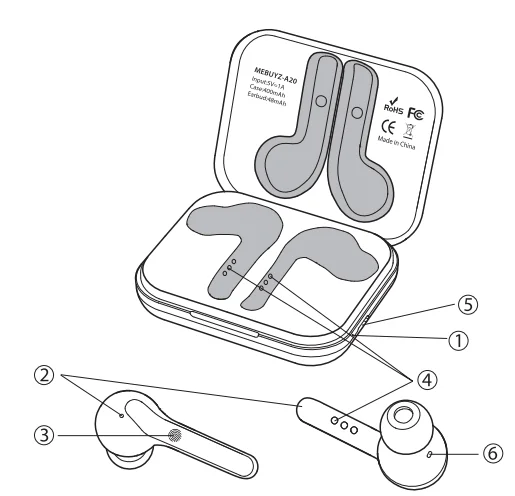
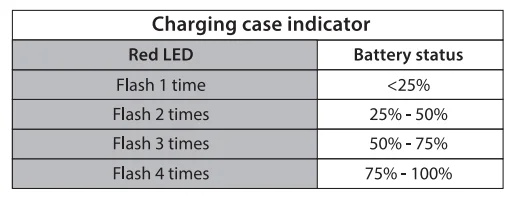
- Charging case indicator
- Earbuds microphones (Dual Mic)
- Multi-function touch pad
- Charging contacts
- Micro USB charging port
- Earbuds indicator
Wearing
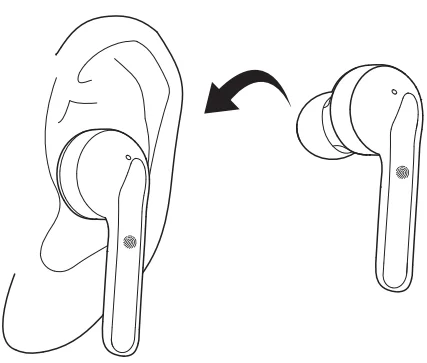
- Choose the suitable ear tip size to fit your ear for comfort and best audio performance.
- Insert the earbuds into the inner canal of your ears.
- Turn and find the most comfortable position.
Charging
Please put the earbuds back into the charging case, and fully charge the earbuds and charging case for the first use or reuse after a long idle time.
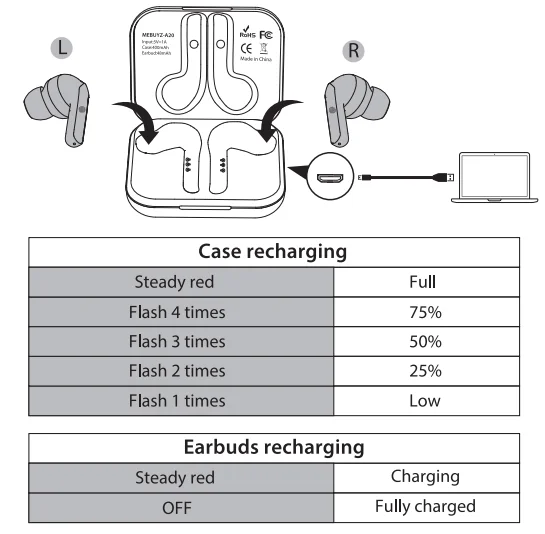
You can check the battery levels of your A20 earbuds on the connected phone. To preserve battery lifespan, fully charge at least once every 45 days.
Turn On / Off
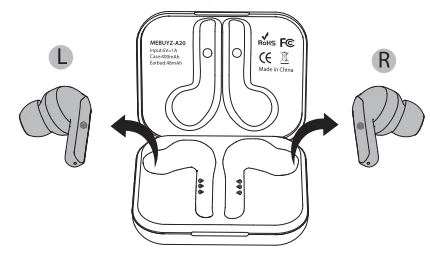
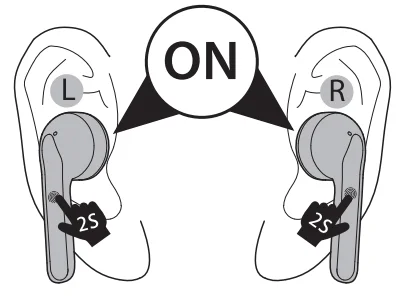
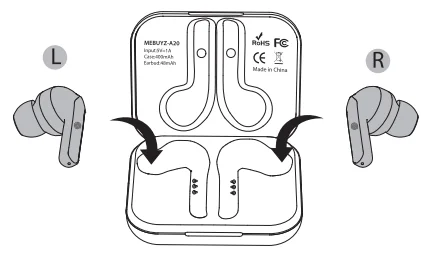
- The earbuds switch on automatically when taken out of the charging case. To manually switch on, tap and hold the touch pad on both earbuds for 2 seconds.


- The earbuds switch off automatically when placed back in the charging case. To manually switch off, tap and hold the touchpad on both your earbuds for 5 seconds simultaneously.
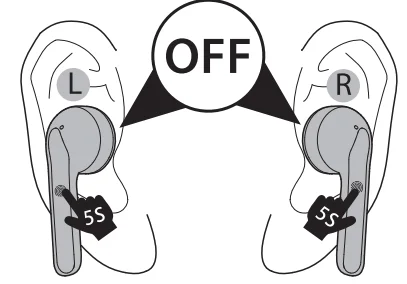
Manually turn off one earbud by holding either of the touchpads for 5 seconds, and the band earbuds will then switch off. -Q- OFF Flash red 3 times (Earbuds status indicator). If your earbuds are disconnected from your mobile device after 5 minutes, your earbuds will turn off automatically.
Pairing
- Enter pairing mode when the earbuds are switched on.

- Go to Bluetooth settings on your device and select “MEBUYZ A20-R”.

- After “MEBUYZ A20-R” is paired, the “Bluetooth Pairing Request” pop-up appears. Select “Pair” and both Land R earbuds pairing processes are completed.

- After the initial pairing, you can use either one earbud separately (Mono Mode) or both earbuds simultaneously (TWS Mode).
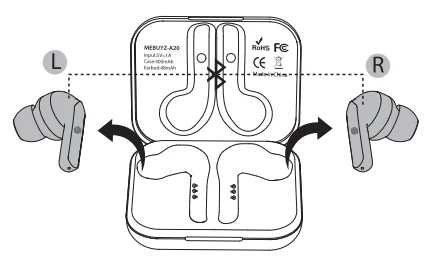
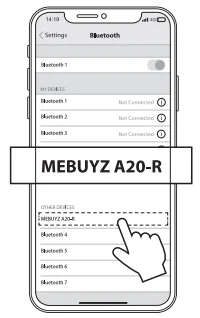
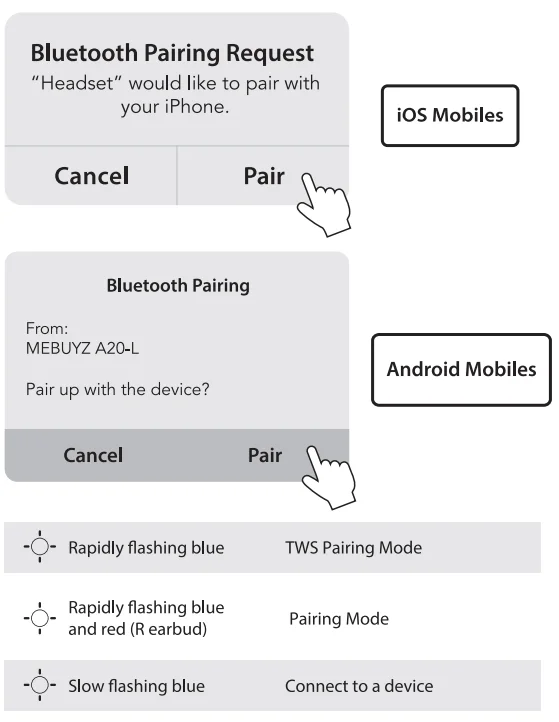
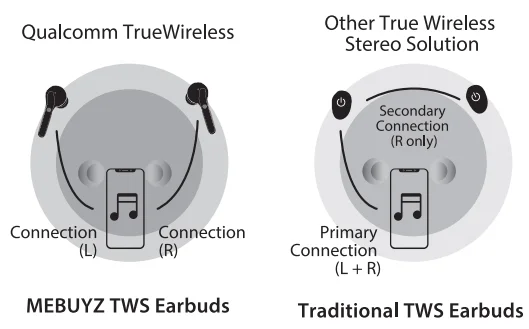
If the “MEBUYZ A20-L” did not connect successfully at the initial setup, please delete the previous “MEBUYZ A20-R” paired record on your device (Operation example: Settings> Bluetooth > Select Forget This Device), put both earbuds back into the charging case. Then re-pair them as Steps 1, 2, 3. At TWS mode, another earbud will automatically connect to your device in 3-5 seconds brief pause after the first earbud is switched off.
Controls
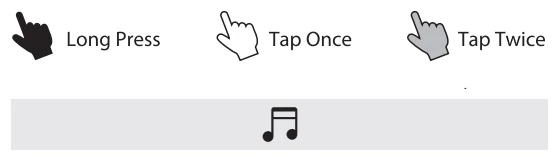
- Pause: Tap the multi-function touchpad on the right earbud twice.

- Play: Tap the multi-function touch pad on either one earbud once.

- Switch Songs. Next Track: Tap and hold the multi-function touch pad on the right earbud for 2 seconds. Previous Track: Tap and hold the multi-function touch pad on the left earbud for 2 seconds.

- Adjust Volume
- Volume Up: Tap the multi-function touch pad on the right earbud once.
- Volume Down: Tap the multi-function touch pad on the left earbud once
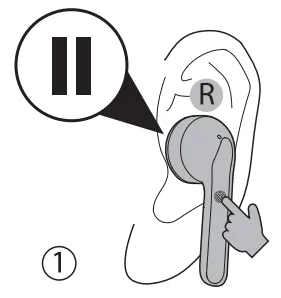
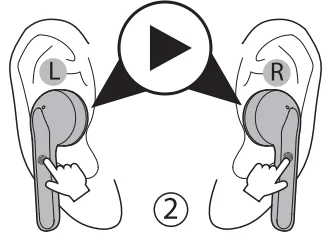
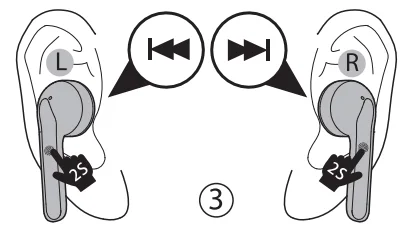
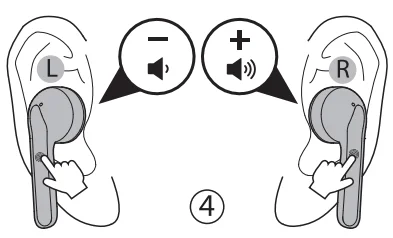
Answer a Call: Tap the multi-function touchpad on either one earbud once when “Incoming Call”.
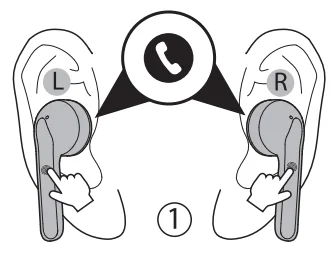
End/ Reject a Call: Tap and hold the multi-function touchpad on either one earbud for 2 seconds.
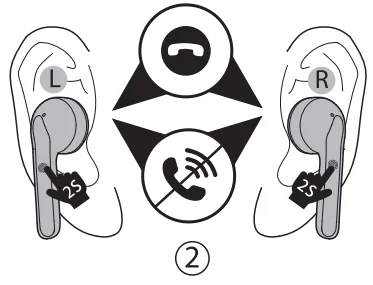
Activate Siri / Other voice control software: Tap the multi-function touch pad on the left earbud twice.
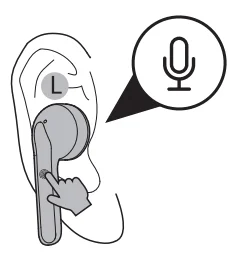
Tap the touchpad on the left earbud twice again to turn off Siri or other voice control software.
Reset
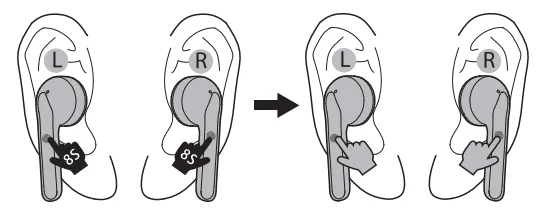
- Manually turn off the earbuds (Tap and hold on the touchpad for 5 seconds), and delete/ forget both the “MEBUYZ A20-R” and “MEBUYZ A20-L” in your device Bluetooth list.
- Tap and hold the touchpad on both earbuds for 8 seconds simultaneously until you hear 1 tone of”Ding” (indicators flash red & blue), then release.
- Tap the touchpad on both earbuds twice simultaneously, and you will hear 3 tones of “Ding” (indicators flash blue). Reset the earbuds successfully!
- Redo the Pairing operation (See pages 8 and 9)
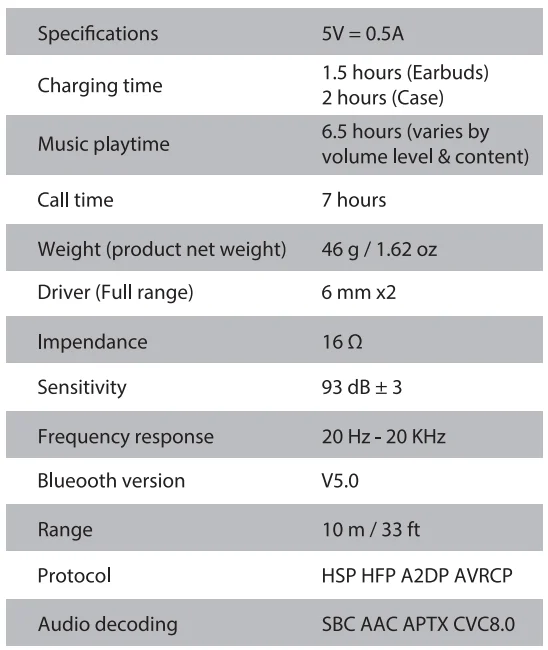
Specifications
FOR MORE MANUALS BY MEBUYZ, VISIT MANUALSLIBRARYY
MeBuyz A20 True Wireless Bluetooth Earbuds-FAQs
1. How do I pair my MeBuyz A20 earbuds with my phone?
Power on both earbuds by pressing and holding the touch area for 3 seconds. Wait a few seconds for them to enter pairing mode. Then, enable Bluetooth on your phone and select “MeBuyz A20” from the available devices.
2. Why won’t my earbuds connect to my device?
Ensure both earbuds and your device are fully charged. Turn on Bluetooth on your device, and if needed, forget the earbuds from the Bluetooth list and try pairing again.
3. Can I use these earbuds with any device?
Yes. They work with most Bluetooth-enabled devices, including Samsung, Apple, Google, and other brands.
4. How do I know if my earbuds are charging?
When placed in the case, the LED indicator will light up. Red or amber usually means charging, while green or blue indicates a full charge.
5. Do the earbuds stop charging automatically?
Yes. The charging case stops supplying power once the earbuds are fully charged, preventing overcharging.
6. Can I connect the earbuds to more than one device at a time?
Yes. These earbuds support multipoint connectivity, allowing them to connect to two devices simultaneously. Some devices may support three.
7. How do I reset my MeBuyz A20 earbuds?
Place the earbuds in the case and press and hold the touch area for 10 seconds until the LED flashes. This will reset them to factory settings.
8. How do I store my earbuds when not in use?
Always keep the earbuds in the charging case when not in use to protect them from dust, moisture, and accidental damage.
9. How long does it take to fully charge the earbuds?
It usually takes around 1–2 hours for the earbuds to fully charge in the case.