
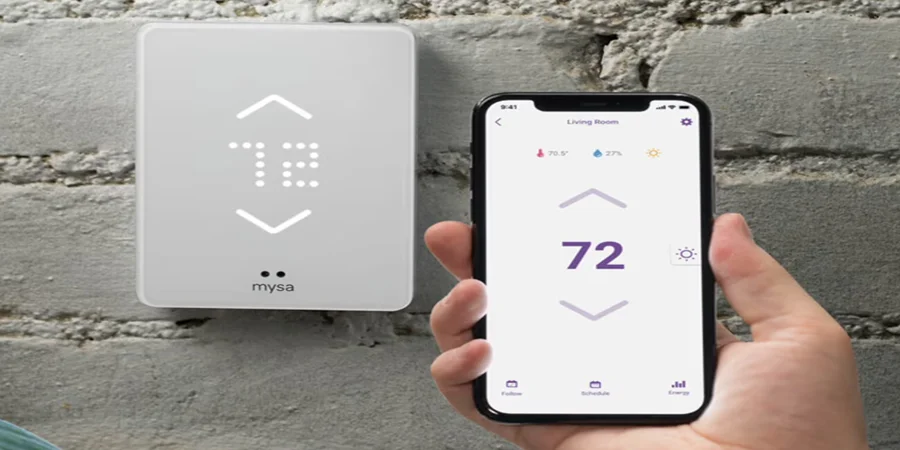

Mysa for Air Conditioners
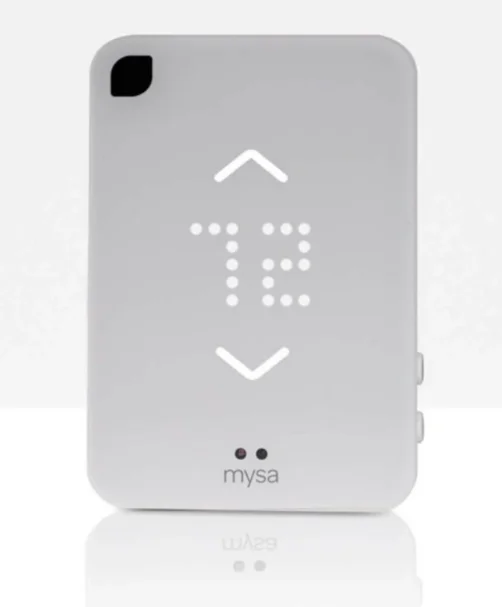
What’s in the Box?

- 1x Mysa Smart Thermostat for AC
- 1x AC Adapter
- 1x Micro USB Cable
- 2x Mounting Strips
- 2x Adhesive Wire Ties
- 1x Tabletop Stand
What you’ll need
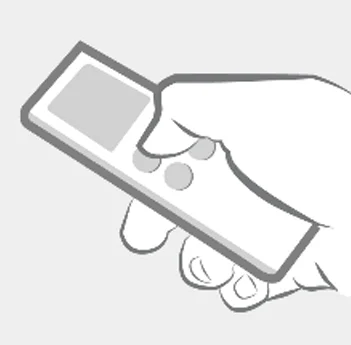
- The LCD remote for your AC unit

- A nearby wall outlet

- Your AC unit powered ON
Download the Mysa App
The Mysa app is where all your important smart features live! Use it to easily set Schedules, set up Geofencing for when you’re on the move, and monitor your Energy Usage to find more ways to save.

Download the latest version of the Mysa app from the Google Play Store or App Store and create an account (or log in to your existing account).
Getting Started
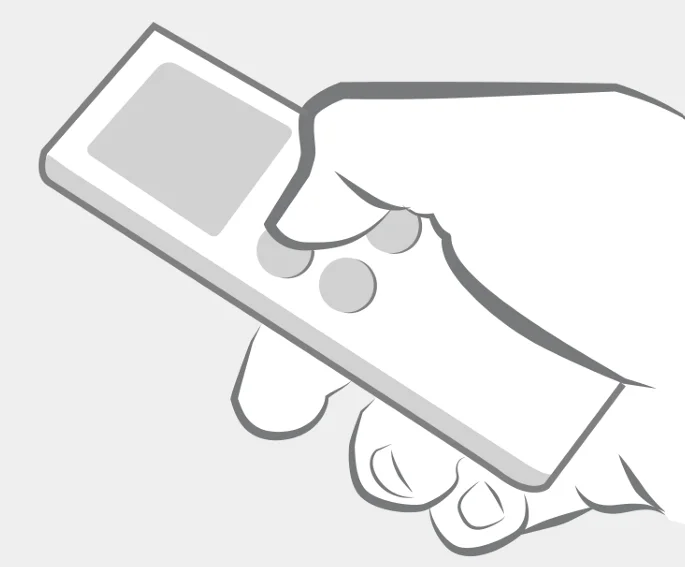
Have your AC’s existing remote on hand and ensure that your AC unit is powered ON.
Mysa for AC can read the Command Codes directly from your AC’s existing remote.
Power ON your Mysa.
Before connecting your Mysa to the app, make sure your Mysa is powered ON. Simply plug the power block into the nearest wall outlet and connect the included USB cable to your Mysa.
Pairing your Mysa
How to pair:
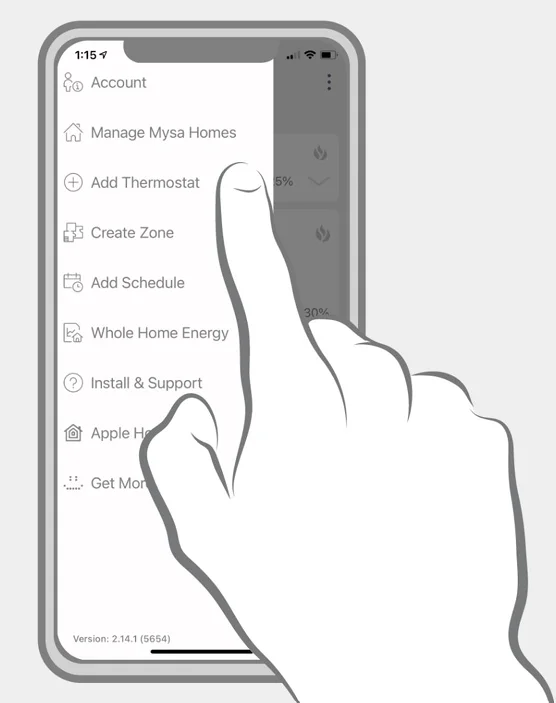
- Open the Mysa App.
- Navigate to Add Thermostat.
- Select Mysa AC.
- Follow the app instructions or video in the next section.

After connecting to WiFi: - Select your AC brand.
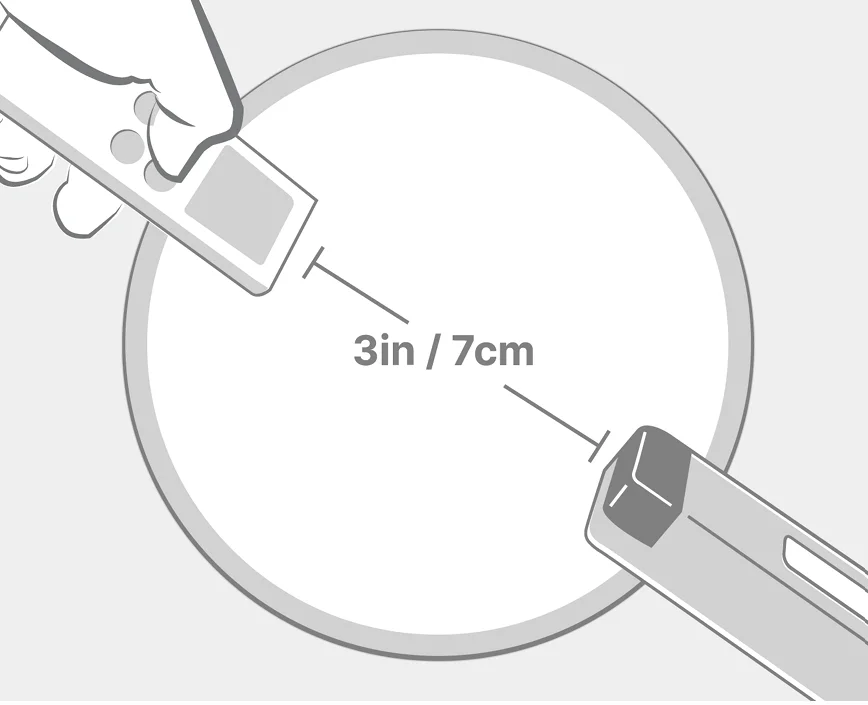
- Point and click your AC unit’s LCD remote Power button directly at Mysa.
- Test the Command Codes for your AC unit.
- Wait for Mysa to complete downloading all Command Codes.
Display Icons
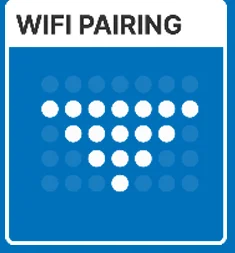
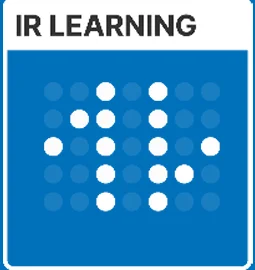
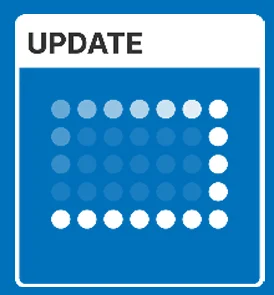
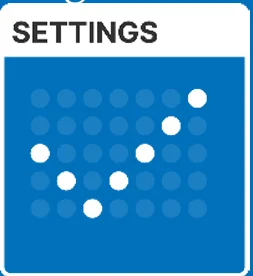
Five common display icons will appear on your Mysa’s faceplate display when pairing or updating.
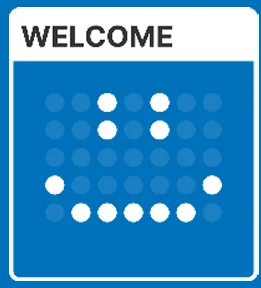
- You’ll see Mysa smile on startup or after successful pairing.

- The arrow means Mysa is ready to begin the WiFi pairing process.

- Two flashing arrows mean Mysa is pairing with your AC’s remote & downloading command codes.

- That spinning rectangle means Mysa is getting a software update from us over the internet.

- Check! This will pop up when you change your settings from the app.
Placement
Where to set up Mysa for AC
Your Mysa for AC comes with two easy display options. You can wall-mount your Mysa for a thermostat look-and-feel, or you can use the included tabletop stand to place it on a flat surface anywhere in the room.
Pro Tip: Your Mysa for AC must have a direct ‘line of sight’ to your AC unit.
Wall Mounting Instructions
When wall-mounting your Mysa for AC, it is important to ensure that it has a direct “sight line” to your air conditioner or mini-split. For the most comfortable experience, we recommend that Mysa for AC be set up near your regular seating area, or on an opposite wall. This helps to ensure that your ideal temperature can be maintained for the entire room. Mounting Mysa to the wall is as simple as peeling the plastic from the included adhesive mounting strips, applying them to the back of your Mysa where indicated, and positioning it on a wall with a clear ‘line of sight’ to your air conditioner or mini-split. When positioning your Mysa on the wall after the mounting strips have been applied, press and hold with firm pressure for a period of 30 seconds to ensure adhesion. You may also wish to use the included cable clips — simply remove the adhesive backing and wall mount per your preference.
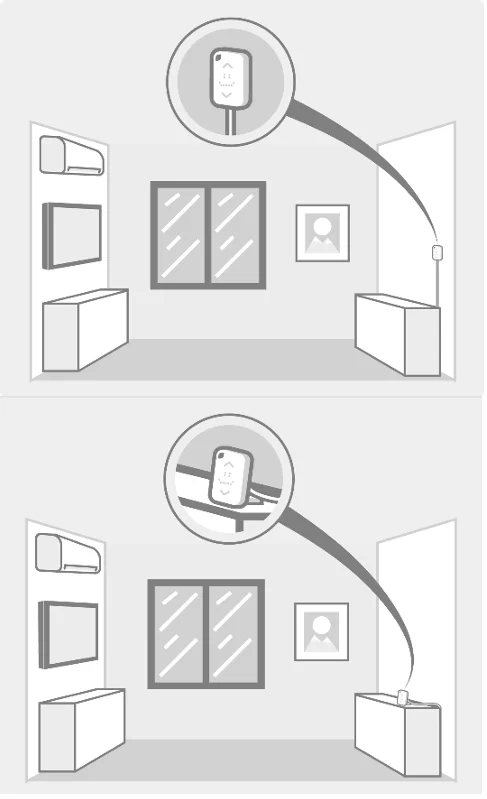
Table Top Instructions
For tabletop placement of your Mysa for AC, simply remove the included tabletop stand from the box and align the two pins on the stand with the two holes located on the back of the Mysa. Insert the pins until there is a solid connection, and the lines on the pins align. No ‘wiggle’ should occur when placed on your table.
Manual Controls
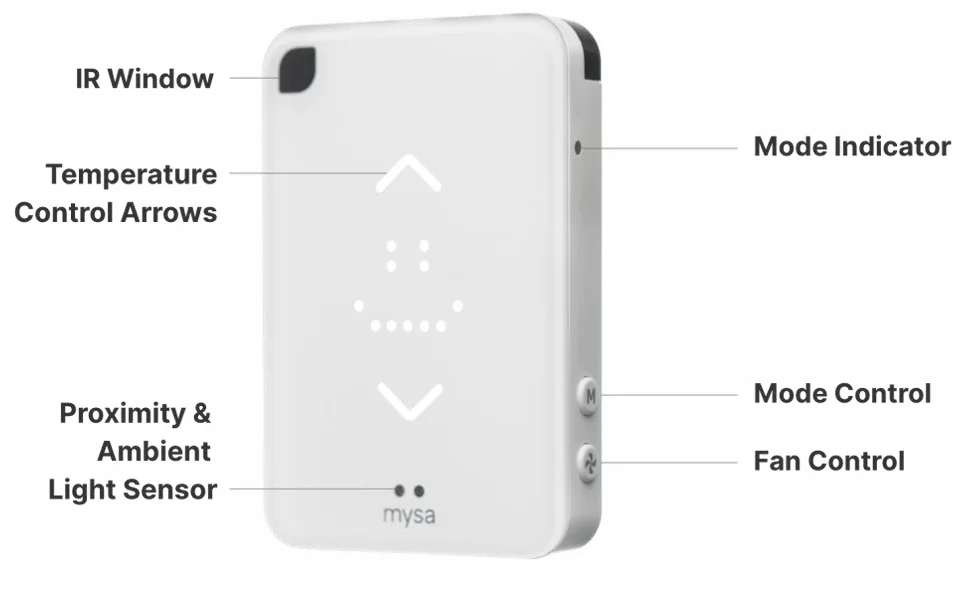
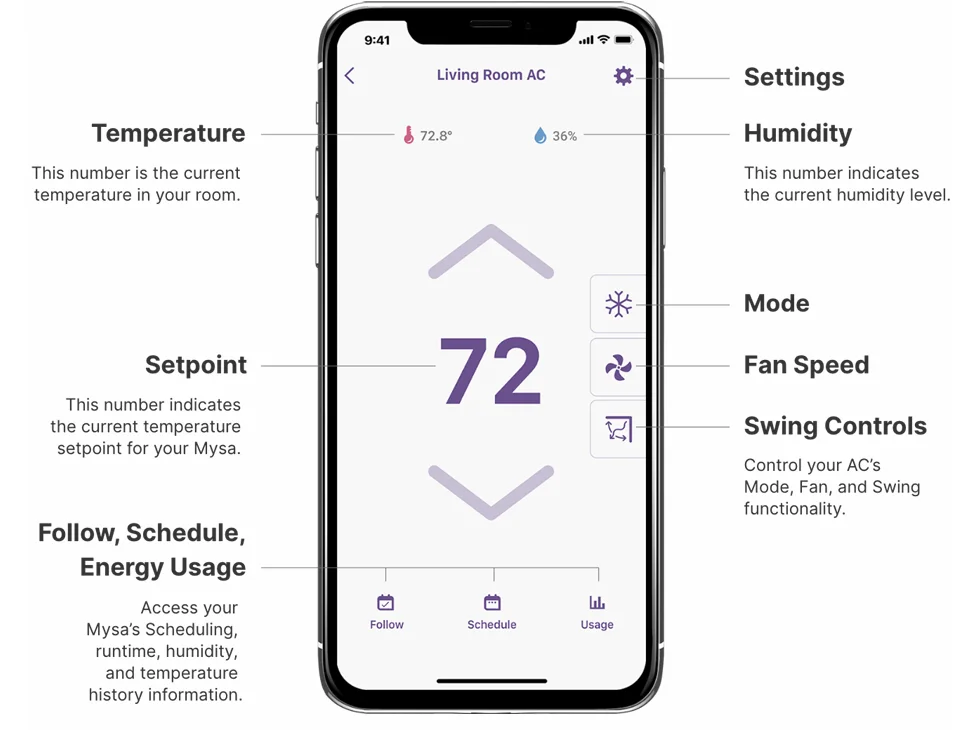
Mysa for AC can be adjusted manually by pressing the Up or Down arrow to increase or decrease the temperature. Mysa for AC will display the room temperature at all times. When manually adjusting the temperature, the setpoint will be displayed, allowing you to set your ideal room temperature. Additionally, Mysa for AC lets you select Mode and Fan control for your air conditioner using two side buttons.
Side Buttons
Mysa for AC also has side buttons for manual control over Mode and Fan settings.
- Top (M) Button: Mode Control – tap to manually cycle through available Modes.
- Bottom (Fan) Button: Fan Control – tap to manually cycle through Fan Speeds.
Display Icons for Mode and Fan
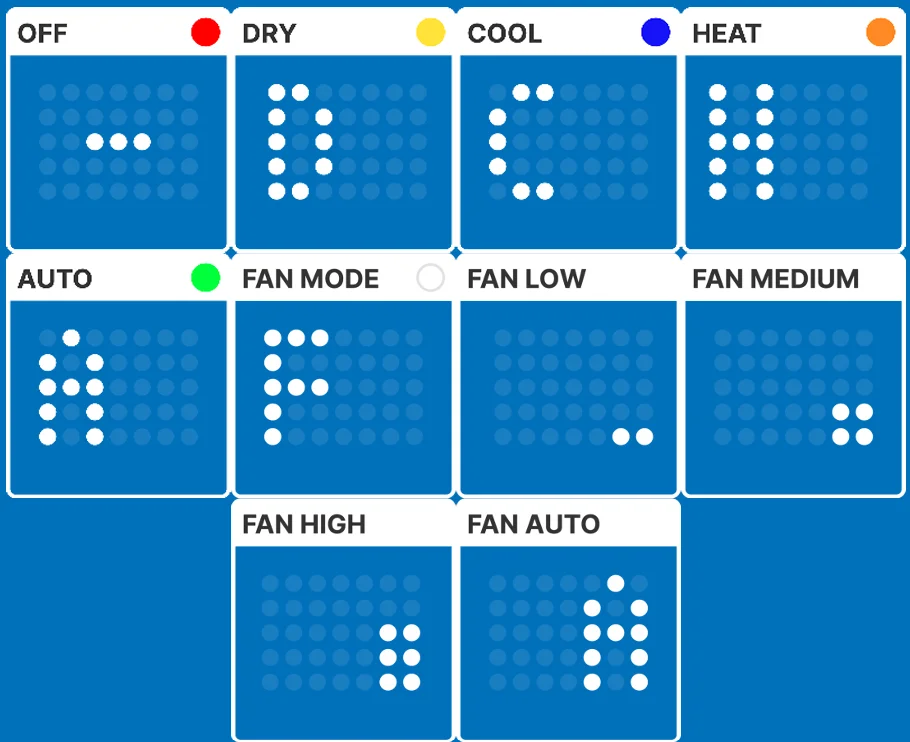
Mysa for AC uses a number of modes to control various actions performed by your AC. These modes are indicated on your Mysa with icons and LED colours.
App Controls
The Mysa app works seamlessly across all three of our products, allowing for easy remote access, Scheduling, Geofencing, and more! There are also many controls unique to Mysa for AC within the app. Here’s an example of what Mysa for AC’s thermostat control screen looks like on your smartphone:
App Features
- Mobile App
Adjust your home’s cooling or heating from anywhere on your Android or iOS device. - Scheduling
Use the app to set a schedule for your home’s cooling or heating in less than a minute. - Geolocation
Mysa uses your location to detect if anyone is home, so that you’re not paying to cool or heat an empty house. - A Smarter Home
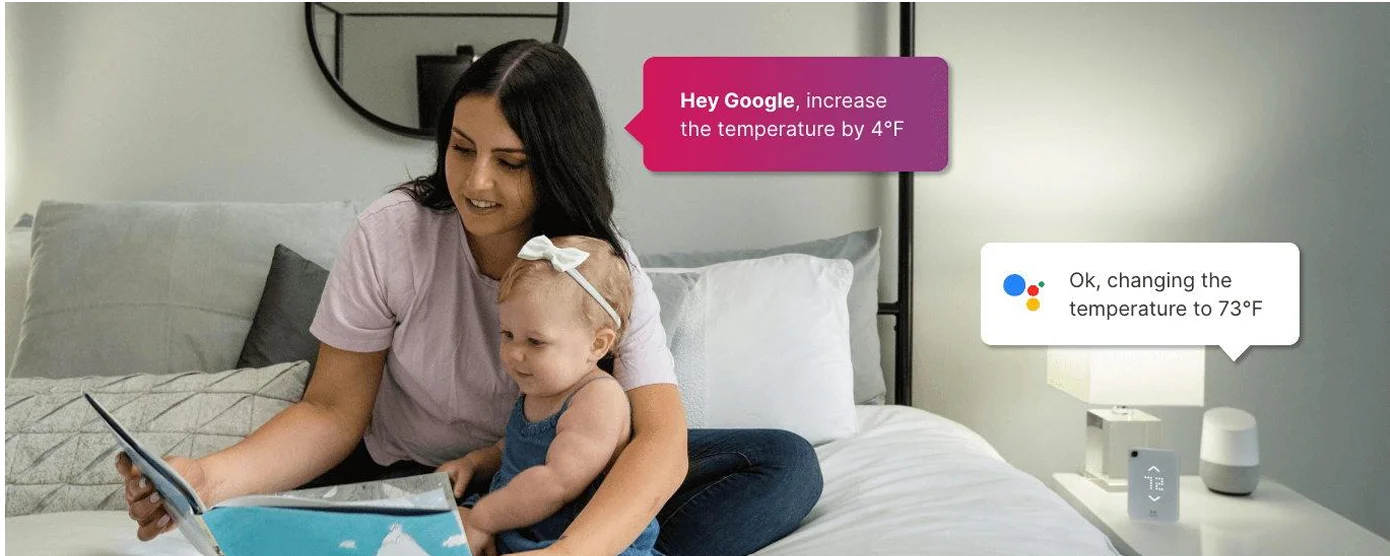
Control your Mysa with your voice assistant or favourite smart home platform. - Lockout
Enjoy the peace of mind that comes with knowing you’re in control of your preferred temperature setting. - Energy Usage
Mysa shows your AC’s runtime, temperature history, and humidity, helping you find ways to grow your energy savings. - Thermostat Control
See and adjust your room temperature, humidity, and control your AC’s fan speed and modes, right at your Mysa. - Vacation Mode
Enjoying a well-deserved break? The Mysa app’s Vacation feature will help you save energy while you’re away. - Shared Access
Share access to your account easily so others can control your Mysas through the Mysa app.
Smart Home Integrations
Mysa for AC works with your favourite voice assistant, making it easy to adjust your home’s temperature and keep your favourite spaces perfectly comfortable.
High five! You’re all set : )
It’s time to enjoy the comfort, convenience, and control of Mysa! If you still have questions or need help, feel free to contact one of our awesome team members. We’re always here for you.
For more manuals by Mysa, visit ManualsLibraryy
Mysa for Air Conditioners-FAQs
How much does Mysa cost?
Mysa thermostats are usually priced in the mid-range compared to other smart thermostats. The cost varies depending on the model and features, but it is generally considered affordable for the energy savings and smart control it offers.
How does Mysa work?
Mysa works by learning the signals from your air conditioner’s remote control. It uses infrared technology to send commands directly to your AC unit, allowing you to control temperature, modes, and scheduling through a mobile app.
Is Mysa compatible with all air conditioners?
Mysa is compatible with most ductless mini-split systems, window ACs, and portable units that use an infrared remote with a display. However, it may not work with systems that lack remote-based control.
Does Mysa require a C-wire?
Yes, some Mysa models need a C-wire for continuous power. If your setup doesn’t have one, you can use a compatible C-wire adapter to ensure proper operation.
What are the benefits of using Mysa?
Mysa helps you save energy, control your AC remotely, and create custom schedules. It also allows you to monitor usage and maintain a comfortable indoor climate more efficiently.
Does Mysa work without Wi-Fi?
Mysa can still operate basic functions without Wi-Fi, such as maintaining temperature schedules. However, app control and remote access require an internet connection.
Can I install Mysa myself?
Yes, many users can install Mysa themselves by following the setup instructions in the app. However, if you’re unsure about wiring or safety, it’s best to hire a professional.
What is the difference between Mysa and Mysa Lite?
Mysa Lite offers basic smart thermostat features like remote control and scheduling, while standard Mysa models include more advanced features such as detailed energy tracking and enhanced smart integrations.
Does Mysa help save electricity?
Yes, Mysa reduces energy consumption by optimizing temperature settings, automating schedules, and preventing unnecessary cooling when you’re not home.