
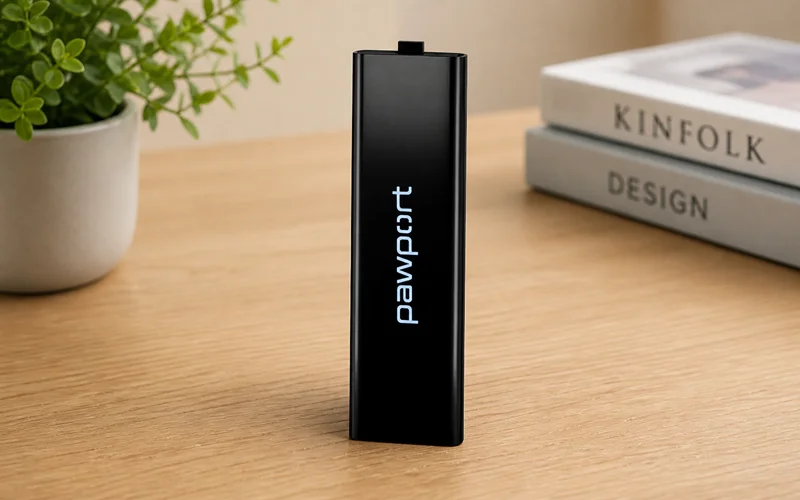

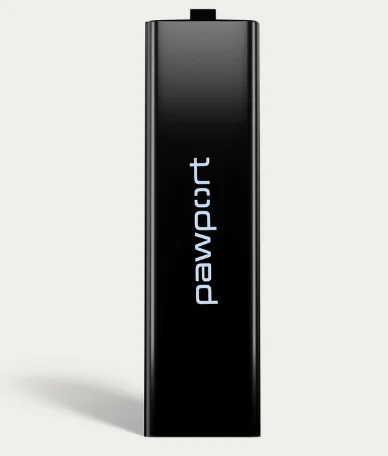
Pawport Rechargeable Lithium-Ion Battery
WARNING
Important Safety Information – Please Read First.
Before you begin installations, please read all instructions, safety information, and warnings provided in this manual and in the included safety documentation. This product contains a rechargeable lithium-ion battery. Improper handling may result in fire, explosion, leakage, or injury.
- Only use official Pawport Batteries and charging accessories.
- Do not attempt to disassemble, crush, puncture, or modify the Battery.
- Keep away from heat sources, open flames, and moisture.
- Do not use the Battery if it appears swollen, damaged, or is leaking.
- Charge only using the designated Pawport charger or Smart Pet Door, and in a well-ventilated area.
- Store Batteries in a cool, dry place, away from children and pets.
To dispose of the Battery, follow local laws and recycling regulations. Contact your local waste authority or electronics recycler for proper disposal instructions.
Hate to read?
We feel you! Scan below to view the instructional video and follow along.
1. Locate the battery compartment
Open the Smart Pet Door by pressing the open/close  button on the top control panel. The battery compartment is located on the top of the right door. Tap the sleep/restart button once to put the door into sleep mode.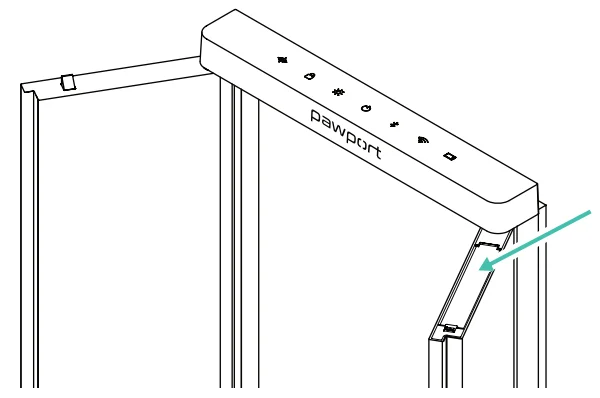
2. Open battery compartment
Use the tab on the battery compartment cover to lift the cover up and open it all the way.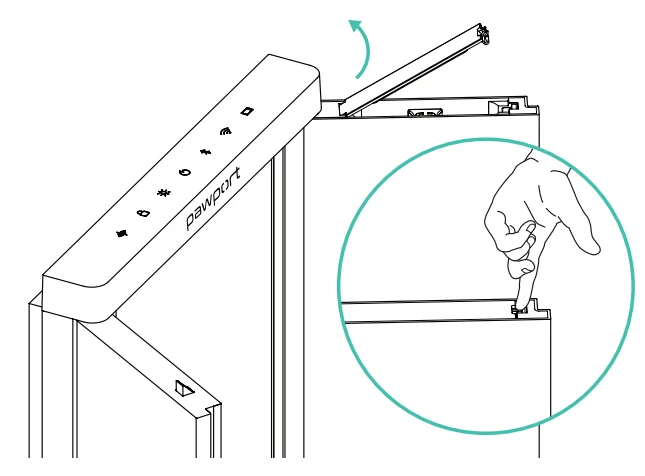
3. Insert Battery
Hold the Battery by the handle and insert it with the Pawport logo facing the front face of the door, as shown. The handle on the Battery should be facing up.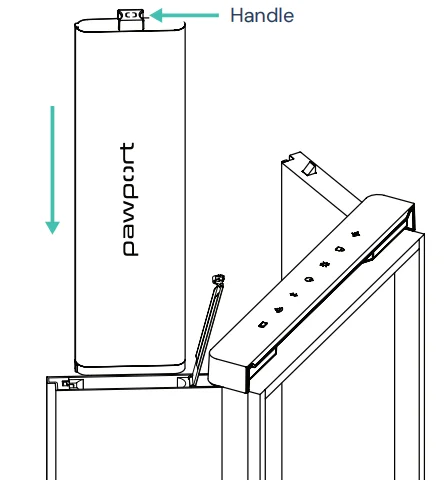
4. Secure
Ensure that the Battery is fully inserted into the compartment, then close the battery compartment cover. You will hear a small “click” to confirm it is closed.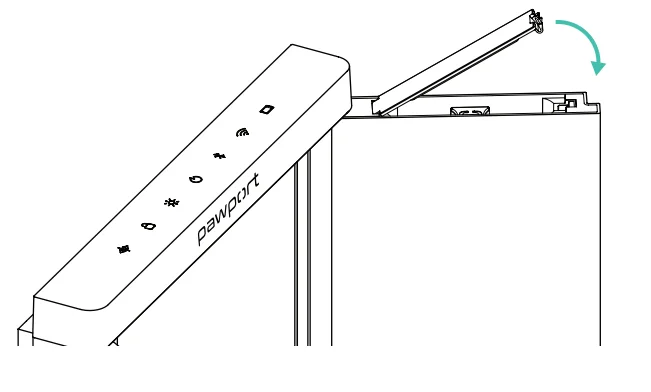
Need help?
For More Manuals By Pawport, Visit ManualsLibraryy.
Pawport Rechargeable Lithium-Ion Battery-FAQs
What is the Pawport rechargeable lithium-ion battery used for?
The Pawport rechargeable lithium-ion battery powers the Pawport Smart Pet Door, enabling cordless operation without constant plugging in. It ensures your pet door remains functional during outages and offers flexibility for installations where direct power access is not convenient.
How long does the Pawport battery last on a full charge?
Battery life depends on the model and usage. The larger 57.6Ah battery can last around three to five weeks, while the smaller 6.4Ah version provides up to 24 hours as backup power during outages. Usage patterns and lighting settings significantly affect duration.
How do you charge the Pawport lithium-ion battery?
You can charge the Pawport battery using a USB-C cable connected to the pet door, an optional charging dock, or a compatible solar panel. Charging can be done without removing the battery, making the process simple and convenient for everyday use.
How long does it take to charge the battery fully?
Charging time varies depending on battery size. The larger Pawport battery typically takes around 16 hours to fully charge, while the smaller backup battery charges in just a few hours. Charging speed depends on the power source and charging method used.
Can the Pawport Smart Pet Door work without a battery?
Yes, the Smart Pet Door can operate without a battery if it remains plugged in or hardwired. However, having a rechargeable lithium-ion battery is recommended to ensure uninterrupted operation during power outages or when using the door in cordless mode.
Does leaving the LED lights on affect battery life?
Yes, keeping the LED lights on continuously can significantly drain the battery faster. To extend battery life, it is recommended to dim the lights or set a schedule so they turn off during inactive hours, reducing unnecessary power consumption.
What is the safe operating temperature for the battery?
The Pawport rechargeable lithium-ion battery should operate within a temperature range of 0°C to 50°C. Using the battery outside this range may reduce performance or cause safety concerns, so it’s important to install and use it in suitable environmental conditions.
Is the Pawport battery suitable for backup power?
Yes, the smaller 6.4Ah battery is specifically designed as a backup power source, keeping the pet door operational for up to 24 hours during outages. It ensures your pet can still access the door even if your home loses electricity temporarily.
Can I replace or swap the Pawport battery easily?
Yes, the battery is designed for quick replacement. You can remove it by lifting the battery cover and pulling it out. This makes it easy to swap batteries or keep a spare charged unit ready for uninterrupted operation when needed.
What are the key benefits of using a lithium-ion battery in Pawport?
Lithium-ion batteries provide high energy density, lightweight design, and reliable performance. They allow longer runtimes and efficient charging compared to traditional batteries, making them ideal for smart pet devices that require consistent and portable power solutions.