
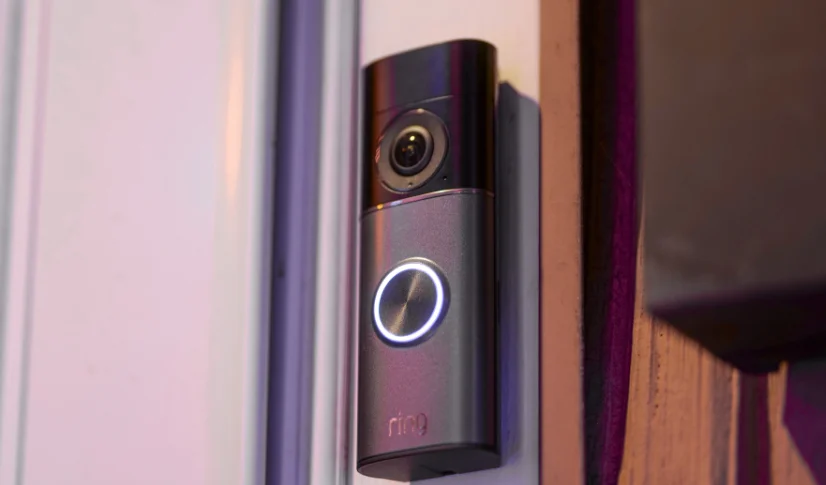

Ring Wired Doorbell Pro 3rd Gen
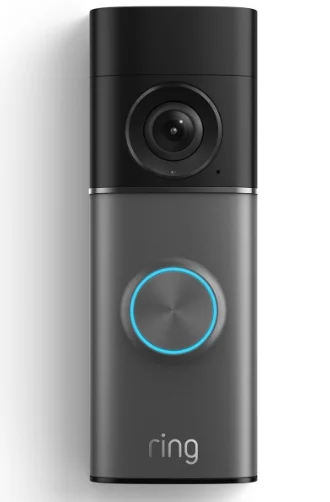
The Ring Wired Doorbell Pro 3rd Gen is a premium hardwired video doorbell designed to bring top-tier security and clarity to your home entryway. It captures ultra-sharp Retinal 4K video with up to 10× enhanced zoom, so you can clearly see faces, packages, and finer details at your doorstep, and delivers true-to-life color even in low light thanks to advanced Adaptive Night Vision. Integrated 3D motion detection with customizable zones helps reduce false alerts, while two-way talk with Audio+ lets you communicate with visitors straight from your phone or connected devices. Built to work with your existing doorbell wiring and controlled through the Ring app, this wired doorbell offers reliable performance with smart home integration, though a Ring Protect subscription unlocks additional features like video history and advanced alerts.
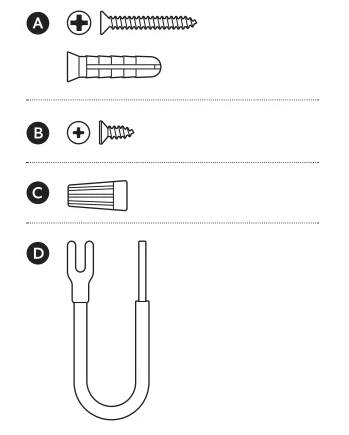
Hardware included
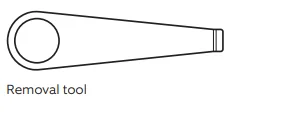
Tools included
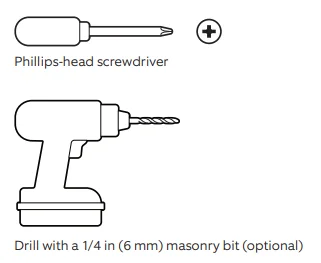
Tools needed
- Download the Ring app.

- Scan the QR code.

- Remove the protective wrap.


Doorbell installation
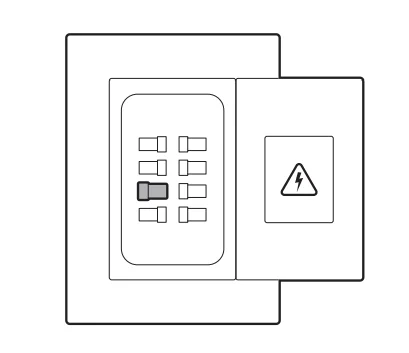
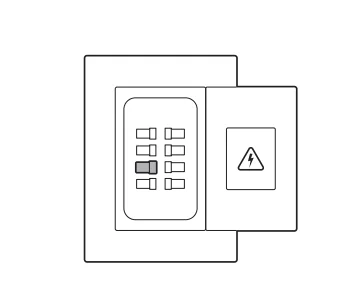
- Shut off the power at the breaker. NOTE: If you are unsure which breaker to flip, turn off the master breaker or contact an electrician.CAUTION! You’ll be working with electrical wires during the install process. If you are uncomfortable or inexperienced, consult with a licensed electrician. WARNING! If your home has multiple chimes, you will need to ensure any additional chimes are bypassed by connecting the wires connected to the Front and Trans together with wire nuts.

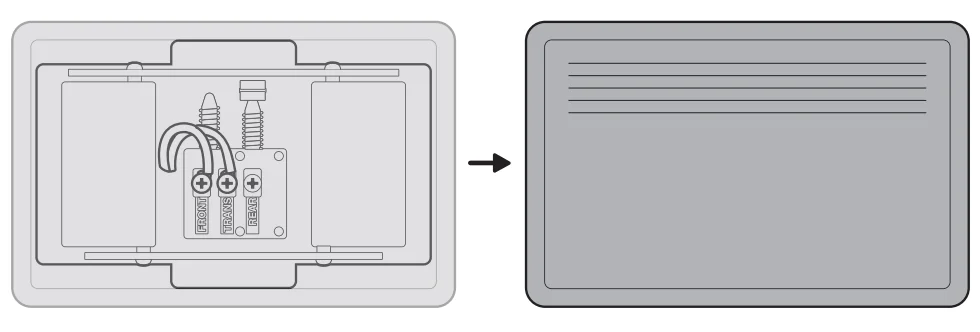
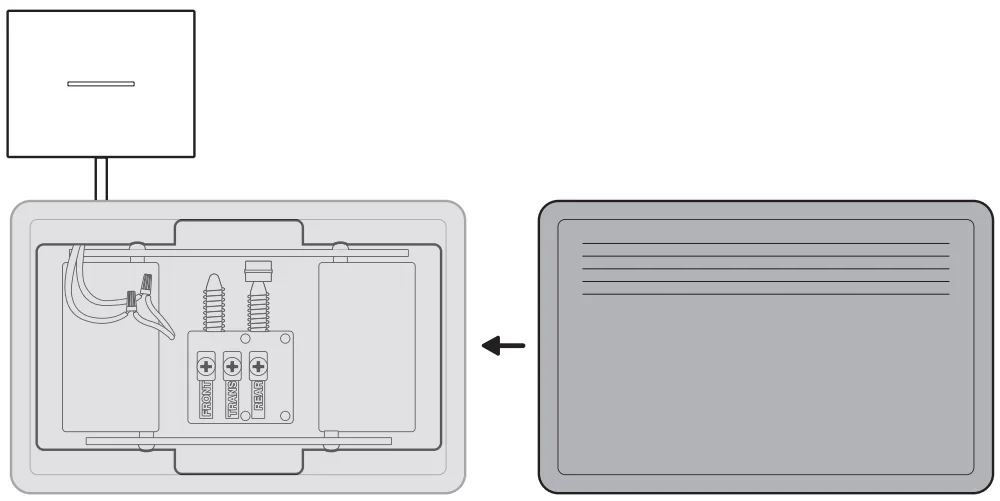
- Remove your doorbell chime’s cover.

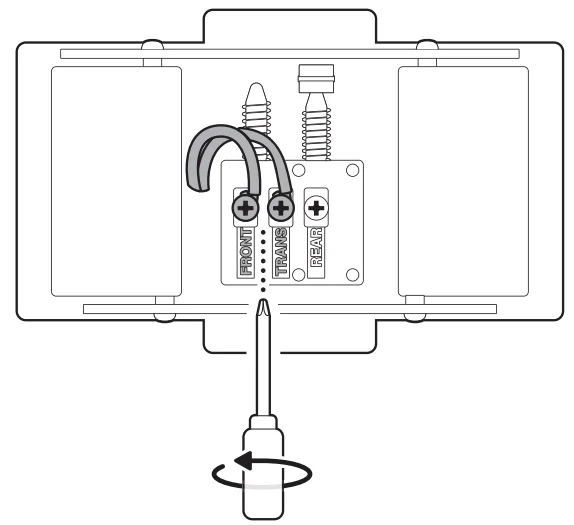
- Loosen the Front and Trans terminal screws and disconnect the attached wires. NOTE: The included Chime Kit Mini must be fitted, or the chime must be bypassed by connecting the Front and Trans wires with an included wire nut. If your home has more than one chime, the additional chimes must be bypassed.

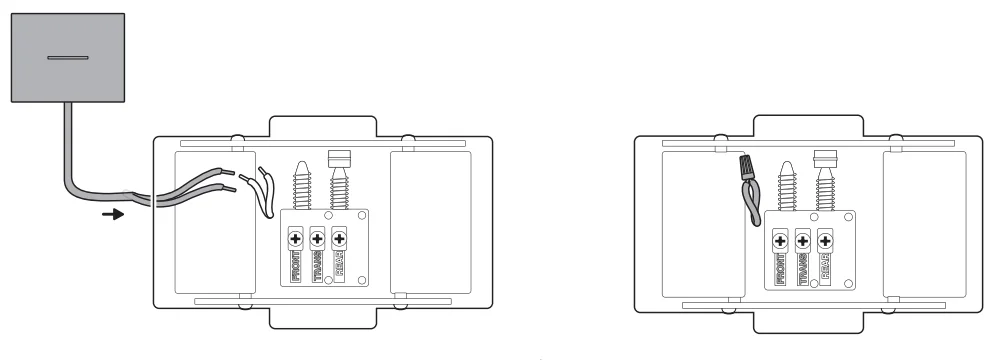
- Route the Chime Kit Mini’s wires inside your chime. NOTE: If you’re not connecting the Chime Kit Mini, bypass your chime by connecting the Front and Trans wires with a wire nut.

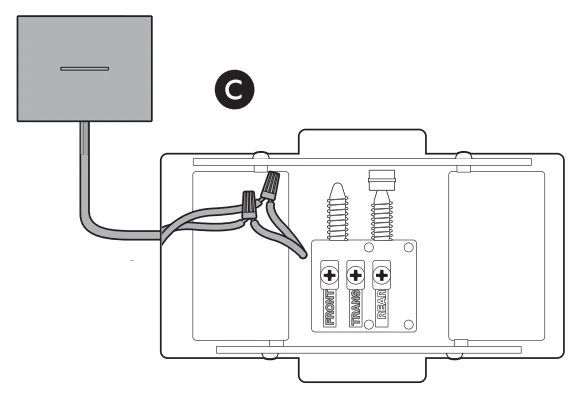
- Use the included wire nuts to connect each wire with the included Chime Kit Mini’s wires.

- Peel the double-sided tape backing on the Chime Kit Mini and hold it against the wall for 30 seconds in your desired install position.

- Re-attach your chime’s cover.

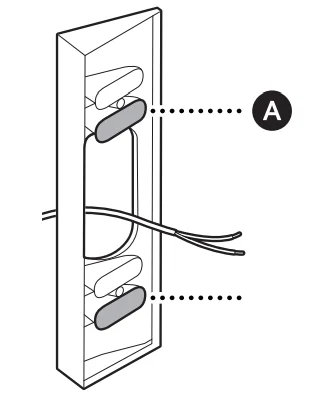
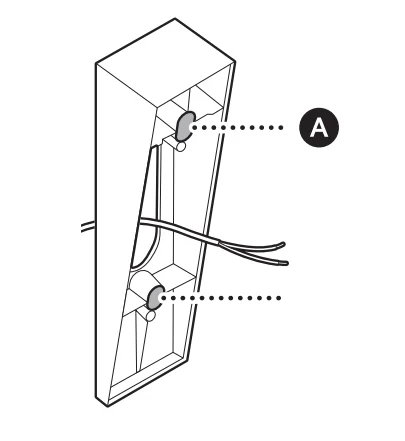
- (Optional) If using a corner mount, install the mount over your doorbell wires using the bottom holes in the top and bottom sections, ensuring it is facing in your desired viewing direction.

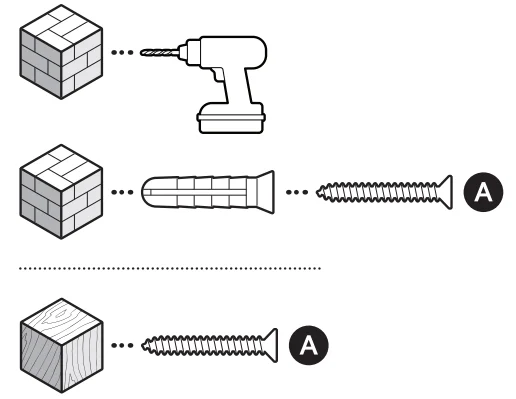
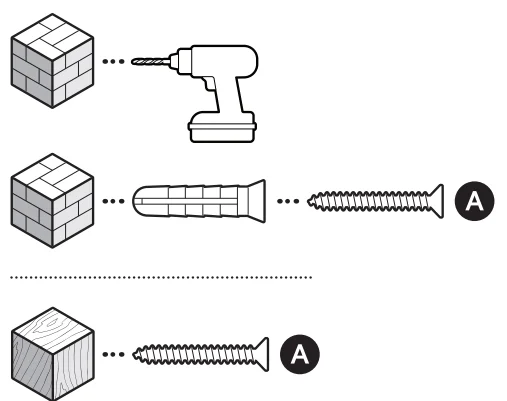
- On stucco, brick, or concrete, use a 6 mm (1/4 in) masonry bit to drill holes for the included wall anchors.

- (Optional) If using a wedge mount, install the mount over your doorbell wires using the screws included with your wedge kit, ensuring it is facing down.

- On stucco, brick, or concrete, use a 6 mm (1/4 in) masonry bit to drill holes for the included wall anchors.

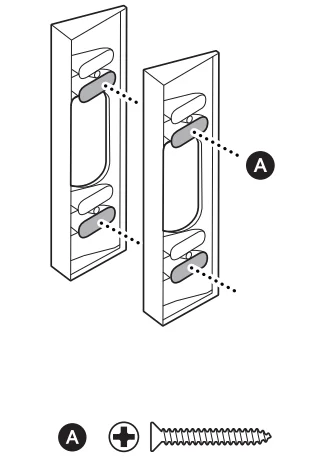
- (Optional) If installing multiple wedge or corner mounts, insert screws through both mounts to hold them together. NOTE: We do not recommend more than two.

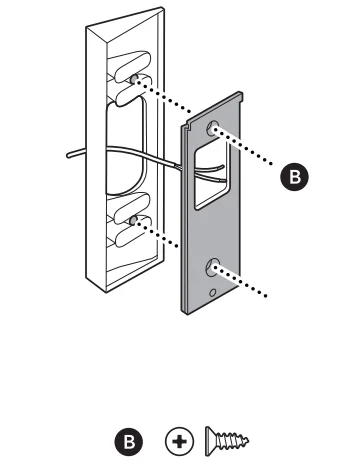
- Install the mounting bracket on your mount or directly over your doorbell wiring with the included screws.

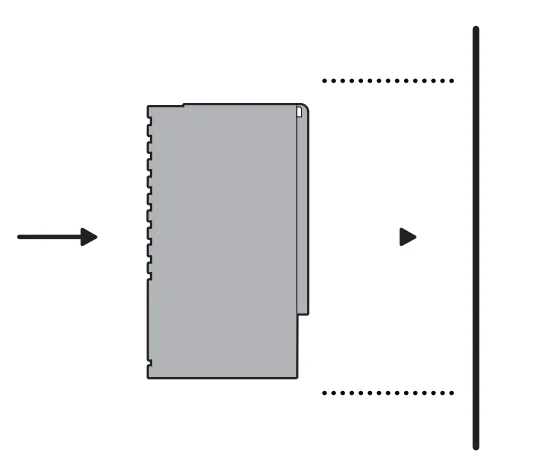
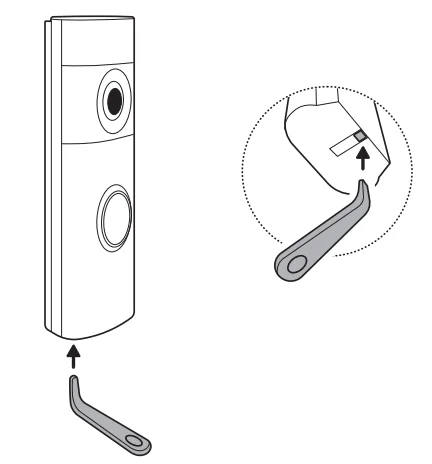
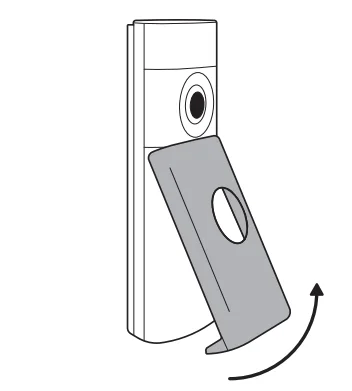
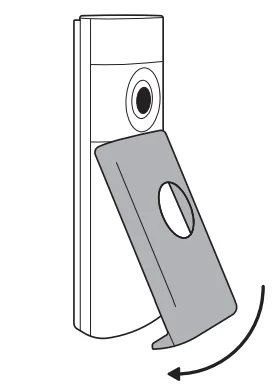
- Remove your doorbell’s faceplate by inserting the removal tool into the slot at the bottom of your doorbell.


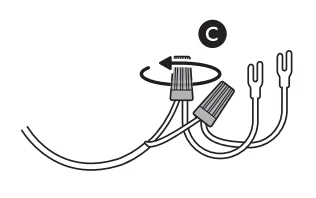
- Attach the included fork connectors to your doorbell wiring with wire nuts.

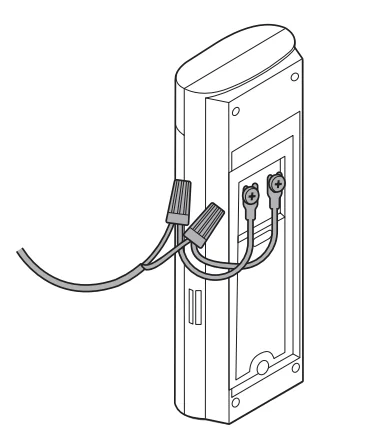
- Connect the fork connectors to your doorbell’s wire terminals.

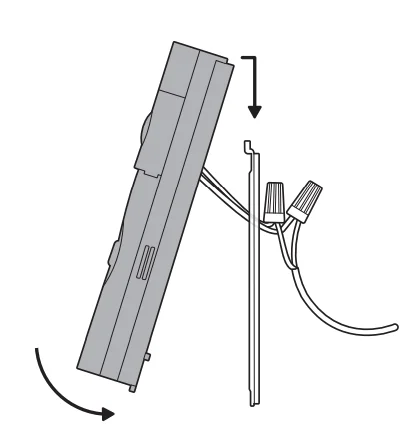
- Mount your doorbell by hooking it over the bracket and pushing down.

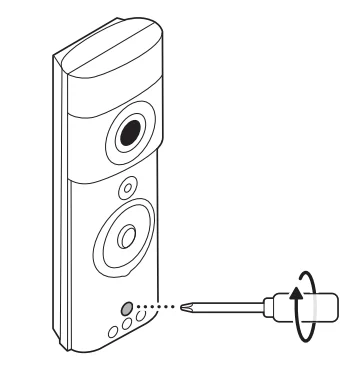
- Tighten the security screw.

- Restore power at the breaker.

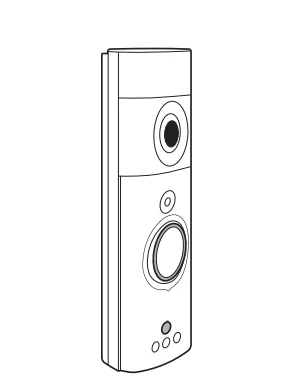
- Ring your doorbell to ensure everything is properly connected.

- Reattach the faceplate.

 : ring.com/contact
 : ring.com/help
For More Manuals By Ring, Visit ManualsLibraryy.
Ring Wired Doorbell Pro 3rd Gen-FAQs
Will there be a Ring Doorbell Pro 3?
Yes, Ring has released the Wired Video Doorbell Pro (3rd Gen), which serves as the latest evolution of its premium wired doorbell lineup. It features upgraded 4K video resolution, enhanced zoom capabilities, advanced 3D Motion Detection, and improved low-light performance. This model represents Ring’s most advanced wired doorbell to date, offering a sleek design and significant improvements over earlier Pro versions.
What features does the Ring Wired Doorbell Pro (3rd Gen) offer?
The Ring Wired Doorbell Pro (3rd Gen) delivers 4K clarity, 10x Enhanced Zoom, 3D Motion Detection with Bird’s Eye View, Low-Light Sight for better nighttime visibility, and two-way talk with enhanced audio. Because it is wired, it supports continuous power and consistent performance. These features make it one of Ring’s most feature-rich doorbells, designed for homeowners who want premium video quality and advanced security monitoring.
Is the Ring Wired Doorbell Pro (3rd Gen) battery-powered?
No, the Ring Wired Doorbell Pro (3rd Gen) requires hardwiring to an existing doorbell system or compatible transformer. Unlike battery-powered Ring models, it does not rely on a removable rechargeable battery. Being wired ensures consistent power, which supports higher-resolution video, advanced motion features, and more reliable performance without the need to recharge batteries.
What is the difference between Ring Doorbell 3 and Ring Doorbell 4?
The main difference between Ring Video Doorbell 3 and Ring Video Doorbell 4 is the addition of color Pre-Roll in the Doorbell 4. While the Doorbell 3 offers black-and-white Pre-Roll previews, the Doorbell 4 provides full-color previews of motion events captured before a notification is triggered. This enhancement improves visibility and gives users a clearer understanding of what happened before the alert.
Is Ring Doorbell 3 discontinued?
Yes, Ring Video Doorbell 3 has been discontinued and is no longer being manufactured. Ring continues to update its lineup with newer models that offer improved video quality, enhanced motion detection, and better overall performance. Customers looking for current options are typically directed toward the latest battery or wired models available through Ring’s official website and retail partners.
Why are some people getting rid of Ring doorbells?
Some users have expressed privacy concerns related to surveillance technology and neighborhood monitoring features. Public debates about data usage, tracking capabilities, and broader smart home privacy issues have influenced certain customers to disconnect or remove their devices. While many homeowners value the added security and convenience, others prefer alternatives due to evolving privacy expectations and personal concerns.
Can burglars disable a Ring doorbell?
Burglars can potentially disable a Ring doorbell if they have direct physical access to the device. They could attempt to remove it, damage it, cover the camera, or cut power in the case of wired models. However, Ring devices typically send alerts quickly when motion is detected, and video footage may already be stored in the cloud if a subscription is active, which can still provide valuable evidence.
What happens if my Ring Doorbell is stolen?
If your Ring doorbell is stolen, you should first report the incident to your local police department. Ring offers a theft replacement policy in many regions, provided you submit the required documentation, including a police report. After approval, Ring may replace the stolen device at no additional cost. It’s important not to disturb any potential evidence if authorities are investigating.
Can you use the Ring Wired Doorbell Pro without a subscription?
Yes, you can use the Ring Wired Doorbell Pro without a subscription for live view, motion alerts, and two-way talk. However, without a Ring subscription plan, you will not have access to video recording, cloud storage, or the ability to review past footage. A subscription unlocks event history and sharing features, which many users consider essential for full security functionality.
What are the disadvantages of a wired doorbell like the Ring Pro (3rd Gen)?
A wired doorbell requires an existing compatible wiring setup, which may limit installation flexibility compared to battery models. Installation can be more complex if wiring upgrades are needed. Additionally, if power is interrupted, the device may stop functioning unless connected to a backup source. However, wired models generally provide more stable performance and eliminate the need for battery charging.