

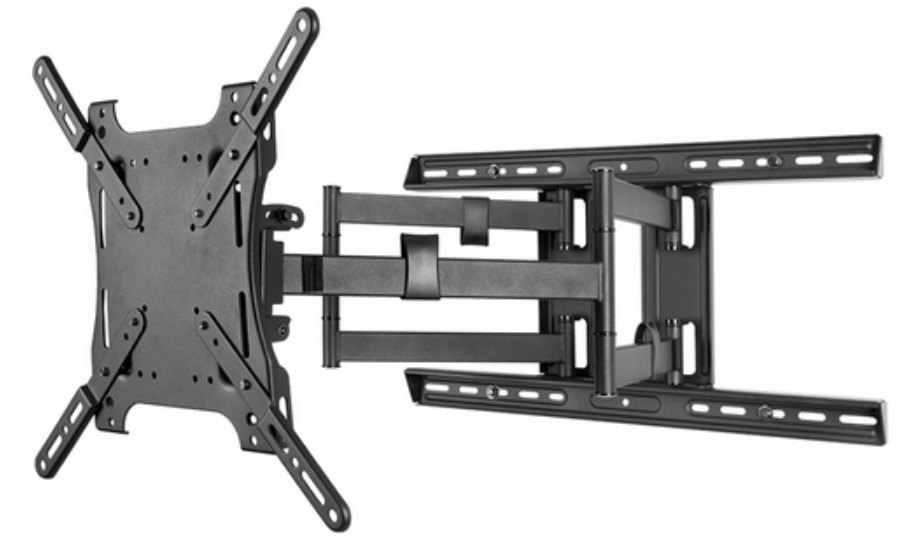
Strong SM-CB-ART2-XL Carbon Series Articulating Wall Mount
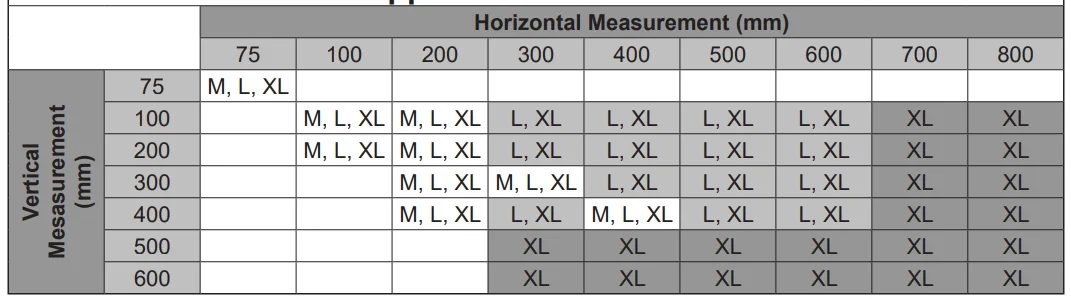
Supported VESA Patterns
SPECIFICATIONS
- Maximum Load:
- 200 lbs (90.71 kg) – SM-CB-ART2-XL
- Maximum Extension:
- Large – 26″
- X-Large – 31″
- Wire Management
- Pan/Swivel Range: 180°
- Tilt Range: -5° /+ 15
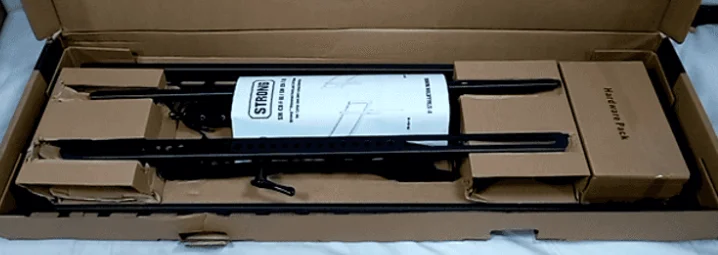
BOX CONTENTS
- Wall Arm Assembly (1)
- Horizontal Mounting Bars (2, Installed)
- Fixed TV Bracket (2)
- Adapter Plate (Installed)
- Cable Clips (3, Installed)
- Hardware Kit (1)
- Mounting Template (1)
TOOLS REQUIRED
- Power Drill
- 3/32″ & 5/16″ Drill Bits
- Level
- 1/2″ (13mm) Wrench
- Hammer
- Stud Finder
- Phillips Screw Driver
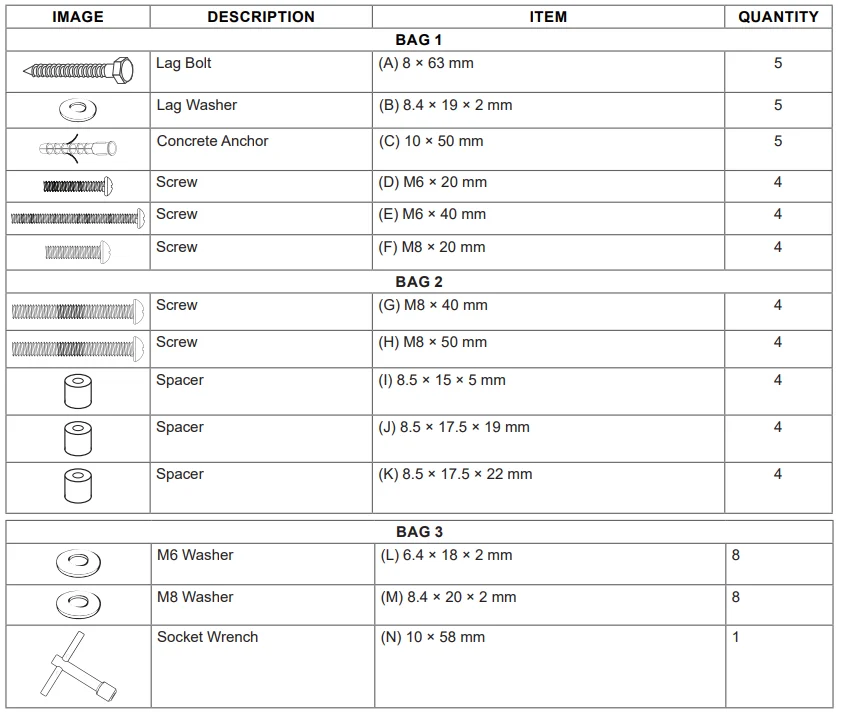
HARDWARE
INSTALLATION
Layout and Drilling
- Determine the general location of the display.
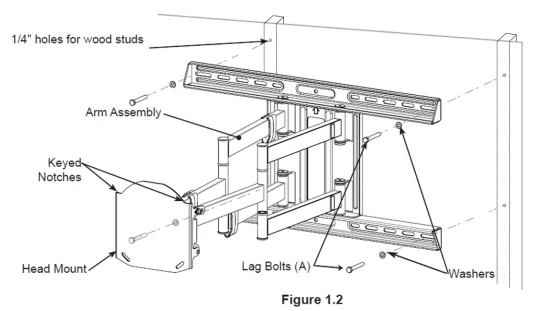
- Use a stud finder to find the nearest wall studs, if applicable, and mark their location. NOTE: Stud sizes must be a minimum of 2″x4″ and covered with no more than 3/8″ thick drywall.
- Tape template flat and level to the all surface, aligning the template’s slots with the stud markings on the wall. NOTE: Template corners fold up to catch debris.
- Use a pen or pointed object to mark bore locations.
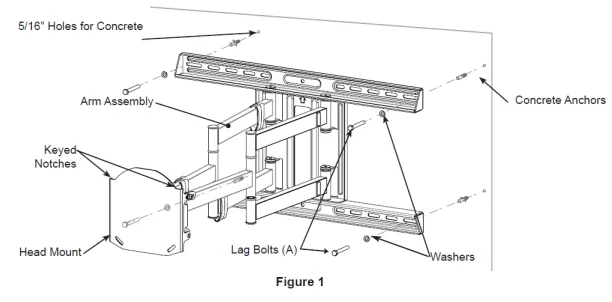
- Drill holes (Figure 1):
NOTE: Use a 3/32″ bit for drilling into wooden studs (x4).
NOTE: Use a 5/16″ bit for drilling into the concrete wall (x6).
NOTE: Two additional holes and provided anchors are needed for concrete installs.
ATTENTION: Be sure to drill holes centered within studs. Do not drill into mortar joints.
Wall Mounting of Arm Assembly
- If needed, hammer concrete anchors (C) into the wall (Figure 1).
- Apply washers (B) to lag bolts (A)
- Hold the Arm Assembly in place while applying lag bolts (A) with washers (B).
- Tighten bolts snugly without overtightening.
Mounting to a Wood Stud Wall
Assemble Display Bracket
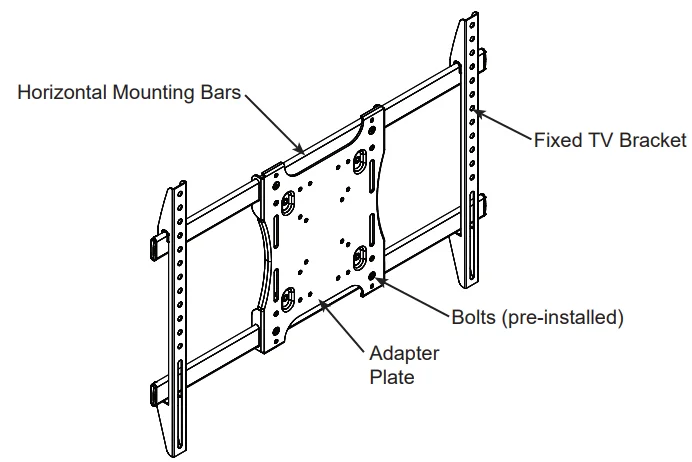
- Slide the fixed TV brackets onto each end of the Horizontal Mounting Bars (Figure 2).
Mount the Display Bracket to the Display Panel
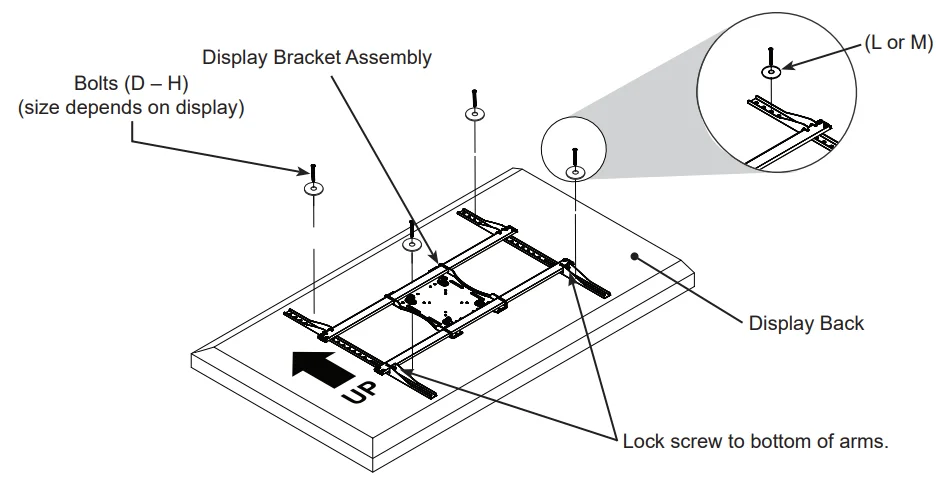
- Place the assembled Display Bracket on the back of the display with one Adapter Bracket aligned with a set of vertical mounting holes (Figure 3).
- Slide the other Adapter Bracket in or out until it aligns with the second set of vertical mounting holes. NOTE: The Adapter Plate should be horizontally centered on the back of the flat panel display. NOTE: There are eight positions for flexibility. Move the Adapter Brackets to the desired location. Adapter Brackets can be flipped around (if required).
- Attach the Adapter Brackets using four mounting bolts (D-H) and four washers (L or M). NOTE: Bolt size will depend on the thread pattern and the hole depth of the flat panel being installed.
- Once aligned, tighten all screws down with a Phillips Head screwdriver.
Attach the Screen to the Arm Assembly
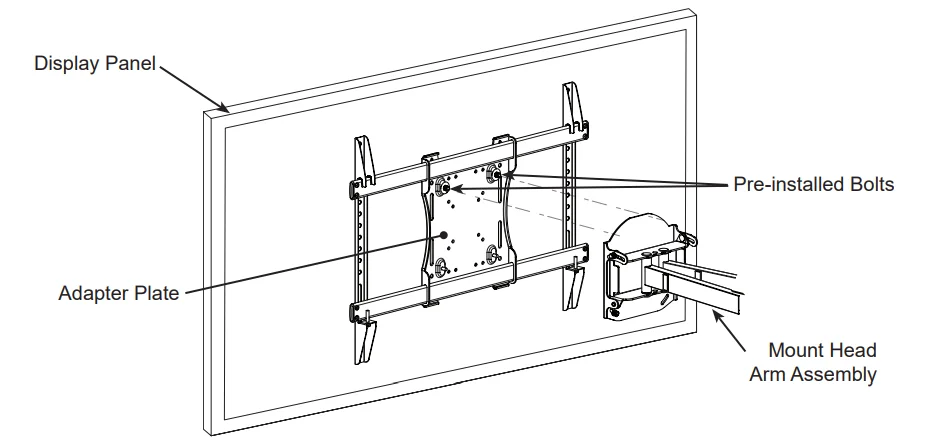
- Remove pre-installed hex nuts and nylon washers from the bottom bolts on the adapter plate using the provided socket wrench.
(N). - Lift the display and hook the two pre-installed bolts in the grooves on top of the Mounting Head (Figure 4).
- Insert the bottom two bolts (where hex nuts were previously installed) in the bottom two holes of the Mounting Head.
- Reinstall hex nuts and nylon washers, securing the mount head to the arms.
Cable Cover Attachment
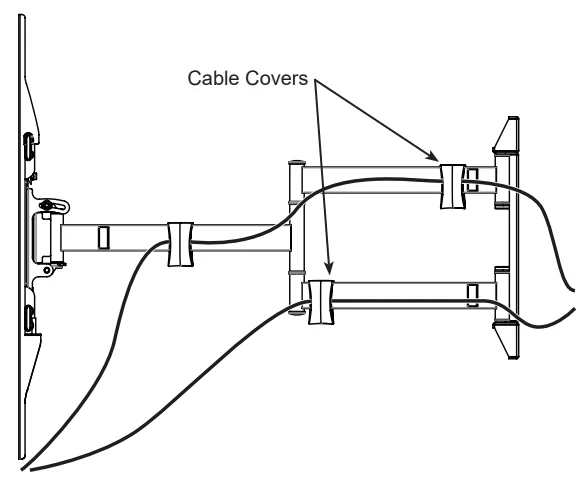
- Route electrical and data cables along the Arm Assembly and secure in place using the provided Cable Covers (Figure 5).
NOTE: Ensure enough slack is provided to allow for vertical and horizontal movement before attaching the Cable Covers.
ADJUSTMENTS
Tilt Adjustment
- Using the provided socket wrench (N), loosen tilt lock bolts on each side of the mount head (only enough to allow controlled
adjustment) (Figure 6). - Adjust tilt.
- Tighten locking Tilt Levers.
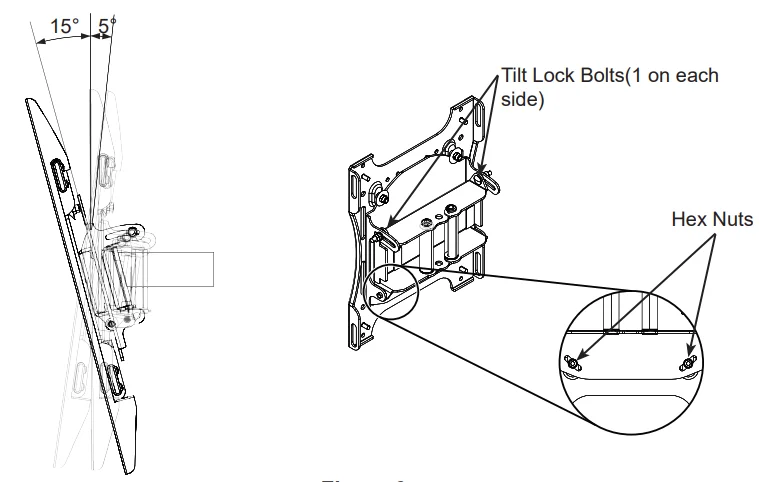
NOTE: Once the tilt levers are locked, the position of the levers can be adjusted without loosening or tightening the unit by pulling the levers outward and then repositioning them to a vertical, less obtrusive position.
Horizontal Adjustment
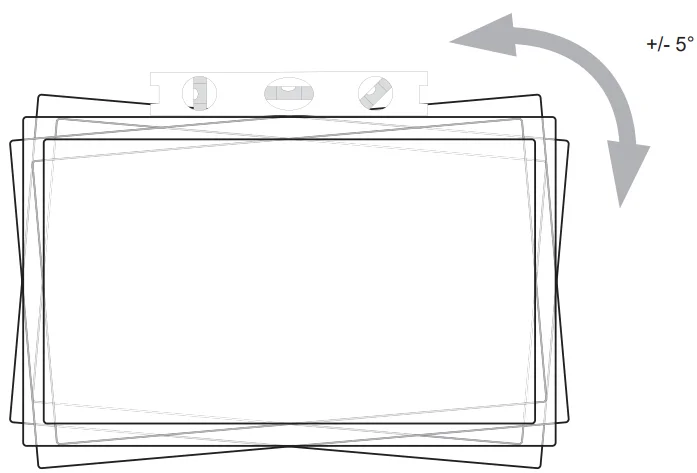
- To adjust the horizontal angle of the display, first slightly loosen the bottom two hex nuts with the provided socket wrench (N) on the back side of Mount Head. Then firmly hold opposite corners of the display and gently turn it into the desired position. When level, re-tighten hex nuts to lock in position (Figure 7).
FOR MORE MANUALS BY STRONG MOUNTS, VISIT MANUALSLIBRARYY
Strong SM-CB-ART2-XL Carbon Series Articulating Wall Mount-FAQs
1. What is the Strong SM-CB-ART2-XL Wall Mount used for?
This mount is designed for securely supporting large flat-panel TVs on a wall. It allows smooth extension, tilt, and swivel adjustments for better viewing angles.
2. What screen sizes are compatible with this wall mount?
The Strong SM-CB-ART2-XL is compatible with most flat-panel TVs ranging from 42 to 90 inches, depending on VESA mounting patterns and weight limits.
3. How much weight can the SM-CB-ART2-XL support?
This heavy-duty wall mount can safely support TVs weighing up to 175 lbs (79 kg) when installed correctly on a solid wall surface.
4. Does the mount support full motion?
Yes. It offers articulating motion, meaning you can extend, tilt, and swivel your TV to achieve the best possible viewing position from any angle in the room.
5. What is included in the package?
The box includes the mounting arms, wall plate, screws, spacers, washers, and installation manual. You’ll only need basic tools like a drill and screwdriver to complete the setup.
6. Can I install this mount by myself?
While the manual provides step-by-step instructions, it’s recommended to have two people for installation due to the size and weight of compatible TVs. Always follow the safety guidelines.
7. What kind of wall is best for mounting?
For maximum stability, install the mount on wood studs or concrete walls. Avoid mounting on drywall alone, as it cannot support the TV’s weight securely.
8. How do I adjust the tilt or swivel after installation?
Once mounted, you can gently loosen the adjustment knobs to tilt or swivel the TV. Tighten them afterward to lock the TV in the desired position without shifting.