
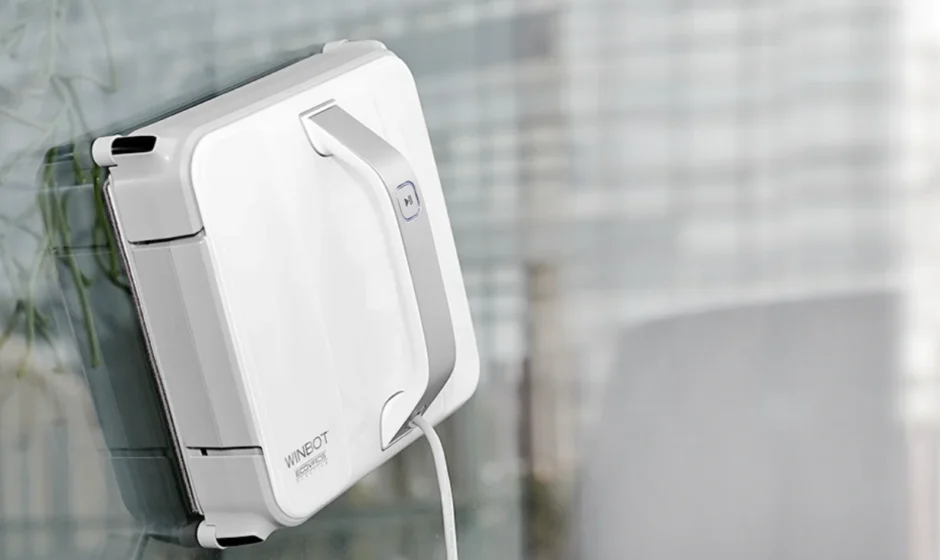

WINBOT 920 Window Cleaning Robot
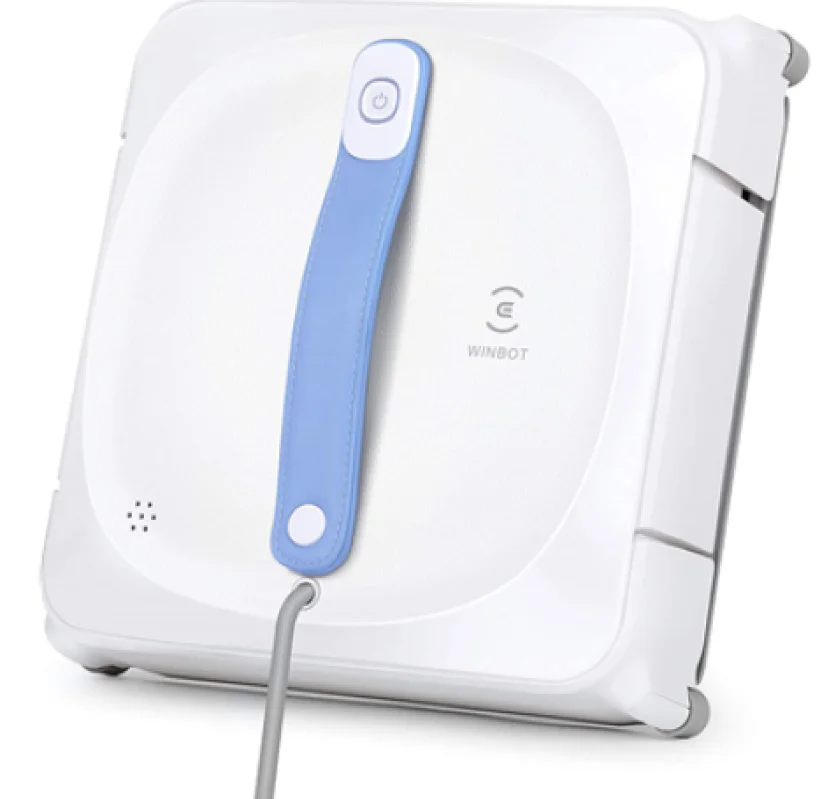
Important Safety Instructions
When using an electrical appliance, basic precautions should always be followed, including the following:
READ ALL INSTRUCTIONS BEFORE USING THIS APPLIANCE. SAVE THESE INSTRUCTIONS
- This appliance can be used by persons with reduced physical, sensory, or mental capabilities or a lack of experience and knowledge if they have been given supervision or instruction concerning the use of the appliance in a safe way and understand the hazards involved. Children shall not play with the appliance. The appliance is not to be used if it has been dropped, if there are visible signs of damage, or if it is leaking. Keep the appliance out of reach of children when it is energized.
- Do not use the Appliance in extremely hot or cold environments (below 0°C/32°F or above 40°C/104°F, above 65% humidity). The Appliance can be used to clean outside windows if it is properly tethered to a safe position with the Carabiner, the winds are calm, and it is not raining or snowing.
- Do not use this product in whole gale storms and force-10 winds, or in areas where the altitude exceeds 2000 meters(6162 feet).
- Please ensure the Appliance is plugged in while it is cleaning. The Appliance has a backup battery that charges during use. The Back-Up Battery powers the Appliance if it becomes unplugged or the electricity fails.
- Do not leave the Appliance unattended when it is plugged in.
- For household use ONLY. Do not use the Appliance in commercial or industrial environments.
- Do not use the Appliance on cracked glass.
- Only use accessories recommended or supplied by the manufacturer. Only use the Power Adapter supplied by the manufacturer.
- Please make sure your power supply voltage matches the power voltage marked on the Power Adapter.
- Do not use the Appliance on a framed window with a frame smaller than 5mm (0.2 inches).
- Do not use the Appliance on wet or greasy windows.
- Store the Appliance away from heat and flammable materials.
- Do not use the Appliance if it does not firmly attach to the glass or has visible signs of damage.
- To reduce the risk of electrical shock, do not put the Appliance in water or other liquids. Do not place or store the appliance where it can fall or be pulled into a tub or sink.
- Do not touch the power plug or the Appliance with wet hands.
- Do not charge the Appliance in extremely hot or cold environments, as it may affect the battery’s lifespan.
- When charging the Appliance, do not place it on other electrical appliances and keep it away from fire and liquid.
- Take care not to damage the power cord. Do not pull on or carry the Appliance by the power cord, use the power cord as a handle, close a window on the power cord, or put heavy weights on the power cord. Keep the power cord away from hot surfaces.
- Do not use with a damaged power cord or receptacle. Do not use the Appliance if it is not working properly, has been dropped, damaged, or come in contact with water. It must be repaired by the manufacturer or its service agent to avoid a hazard.
- If the supply cord is damaged, it must be replaced by the manufacturer or its service agent to avoid a hazard.
- The plug must be removed from the receptacle before cleaning or maintaining the Appliance. Do not unplug the Power Adapter by pulling on the power cord.
- The Back-Up Battery must be replaced by the manufacturer or its service agent to avoid a hazard.
- The Back-Up Battery must be removed and discarded according to local laws and regulations before disposal of the Appliance.
- The Appliance must be disconnected from the receptacle before removing the battery for disposal of the Appliance.
- Please dispose of used batteries according to local laws and regulations.
- Do not incinerate the Appliance even if it is severely damaged. The battery can explode in a fire.
- The Appliance must be used in accordance with the directions in this Instruction Manual. The company cannot be held liable or responsible for any damages or injuries caused by improper use.
- WARNING: For the purposes of recharging the battery, only use the detachable supply unit EA 10952/GM95-240375-D provided with this Appliance.
- The robot contains batteries that are only replaceable by skilled persons.
- The plug and the Power Adapter must be used indoors.
To satisfy RF exposure requirements, a separation distance of 20 cm or more should be maintained between this device and persons during device operation. To ensure compliance, operations at closer than this distance is not recommended. The antenna used for this transmitter must not be co-located in conjunction with any other antenna or transmitter.
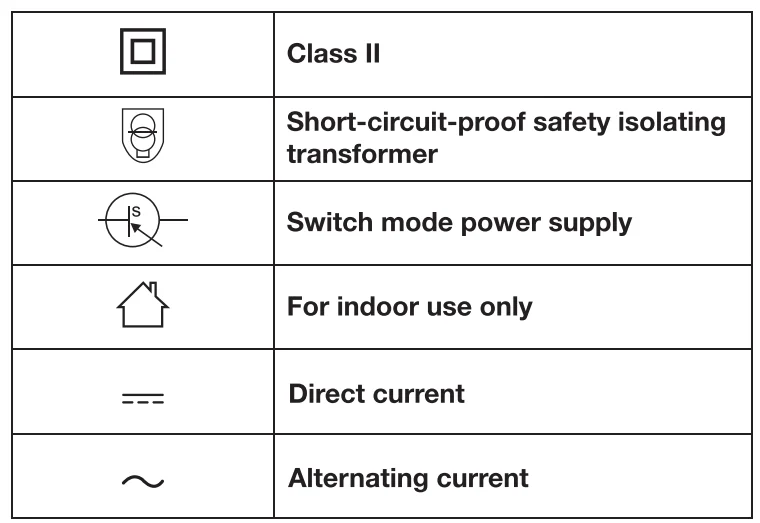
For EU Countries
For EU Declaration of Conformity information, visit https://www.ecovacs.com/globacompliance
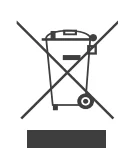
Correct Disposal of this Product
This marking indicates that this product should not be disposed of with other household waste throughout the EU. To prevent possible harm to the environment or human health from uncontrolled waste disposal, recycle it responsibly to promote the sustainable reuse of material resources. To recycle your used device, please use the return and collection systems or contact the retailer where the product was purchased. They can safely recycle this product.
Package Contents
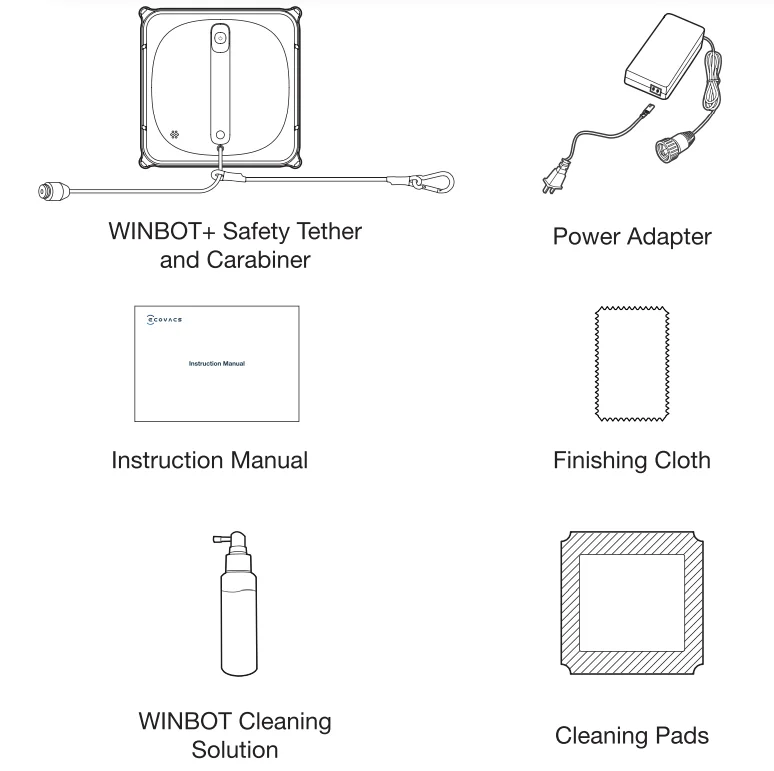
Note: Figures and illustrations are for reference only and may differ from actual product appearance. Product design and specifications are subject to change without notice.
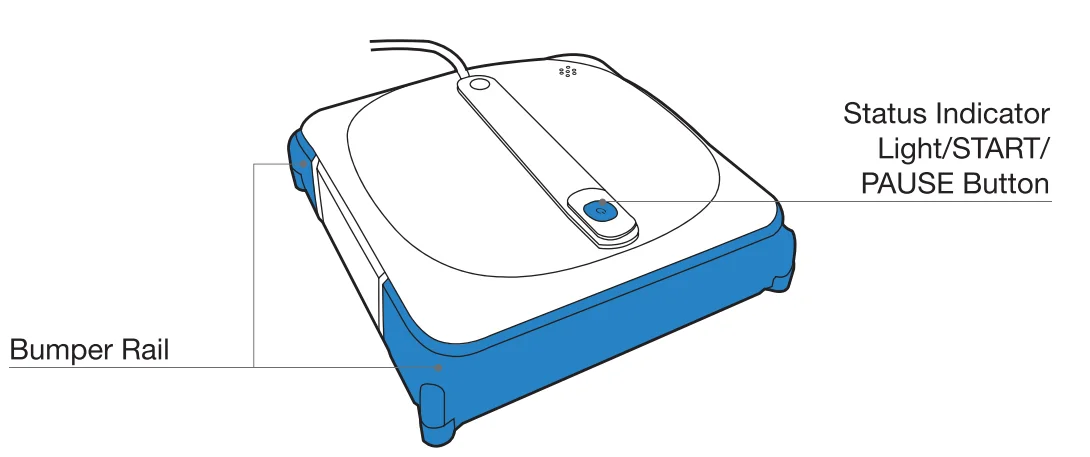
Product Diagram
WINBOT
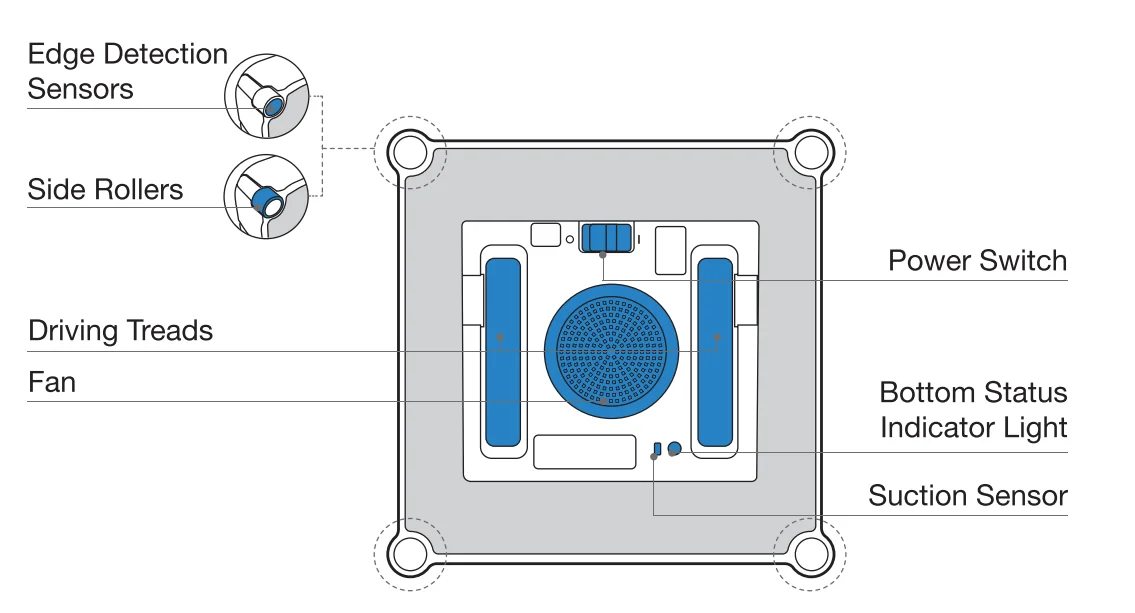
Bottom View
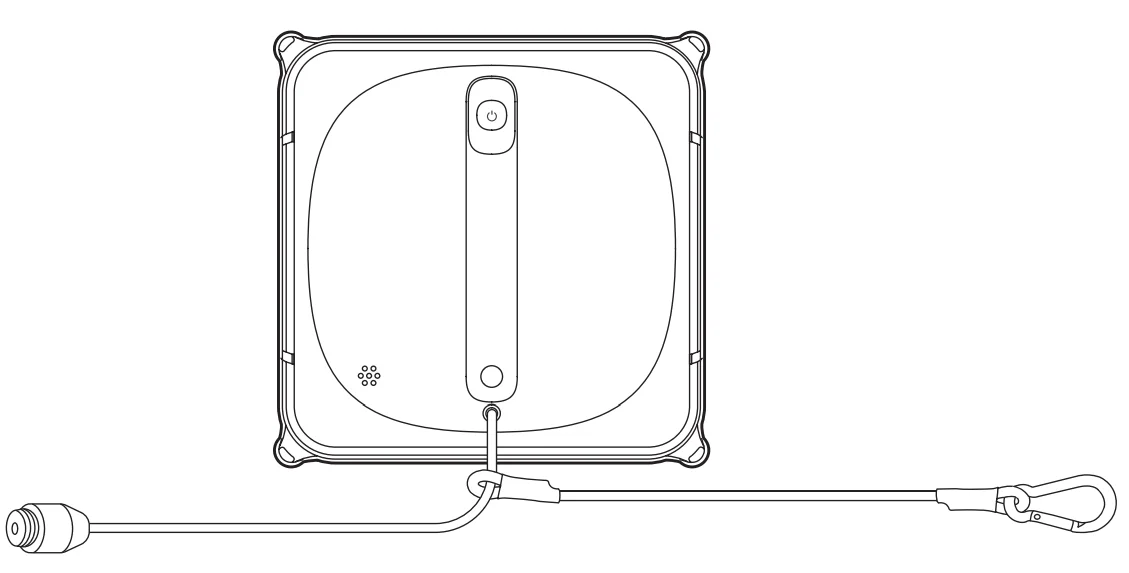
Notes Before Cleaning
Make sure the Safety Tether and Carabiner have been connected with WIN BOT before using. (Connected by default. Do not disconnect before cleaning.)
Note: Do not use WINBOT on a framed window with a frame narrower than 5 mm(0.2″).
Quick Start
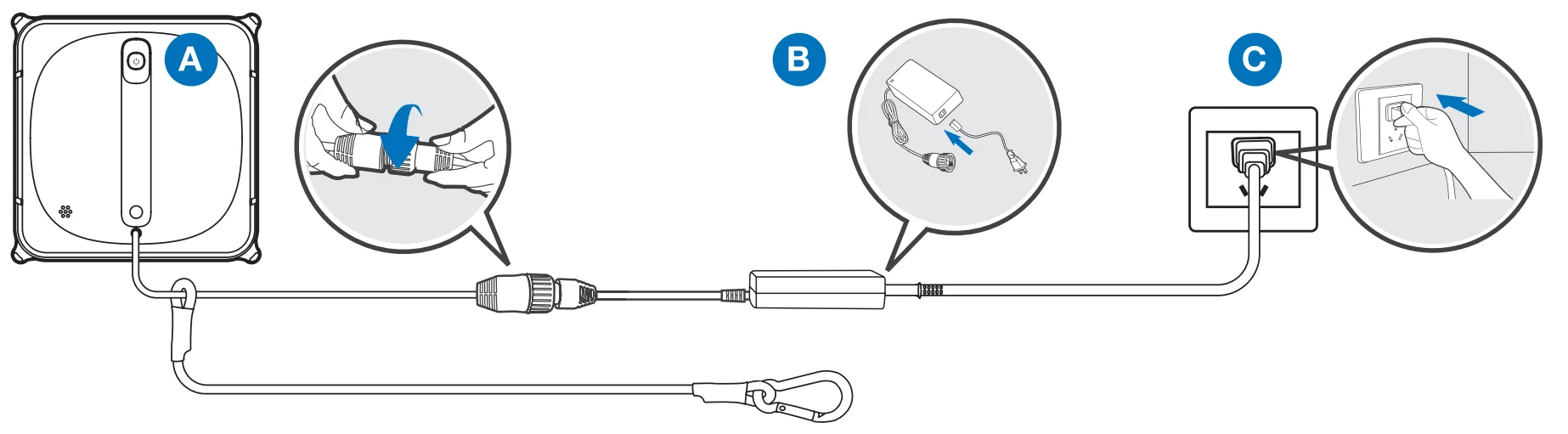
- Connect the WINBOT Power Cord, Power Adapter, and Plug

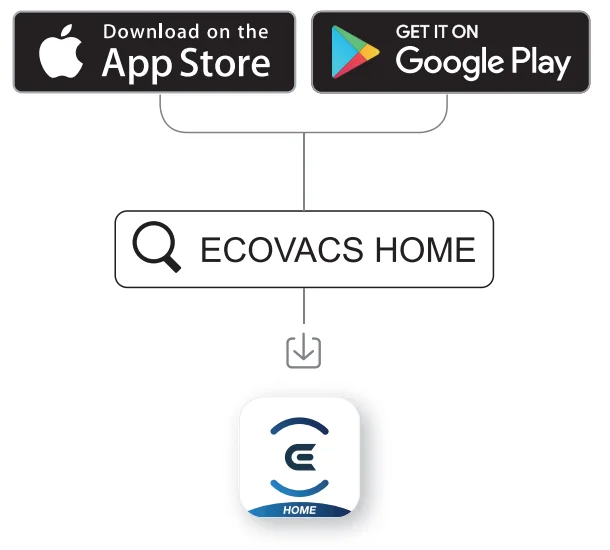
- ECOVACS HOME App
To enjoy all available features, it is recommended to control your WINBOT via the ECOVACS HOME App.- Deep Cleaning Mode
- Spot Cleaning Mode
- Switching Interior/Exterior Window

- Preparation before Use
Properly Tether WINBOT to a Safe Place Note: To ensure safety, please make sure to properly tether WINBOT to a safe place before use. It is recommended to fasten the Safety Tether with the Carabiner on a firm and safe metal railing.
Spray Cleaning Solution
It is recommended to use WINBOT with WINBOT Cleaning Solution from ECOVACS. Using tap water or other cleaners could have an adverse effect on cleaning performance. Using other cleaning solutions could potentially void the warranty. Note: Do not over-spray Cleaning Solution as doing so may cause the driving treads to slip.
Wipe the Bottom of WIN BOT with a Dry Cloth
Wipe the Area for WINBOT to Attach to
Wipe the area for WINBOT to safely attach to. Place WIN BOT on the window at least 10cm (4’1 from window corners or other obstacles. Note: Keep objects away from WINBOT’s Fan to avoid blockage.
 - start
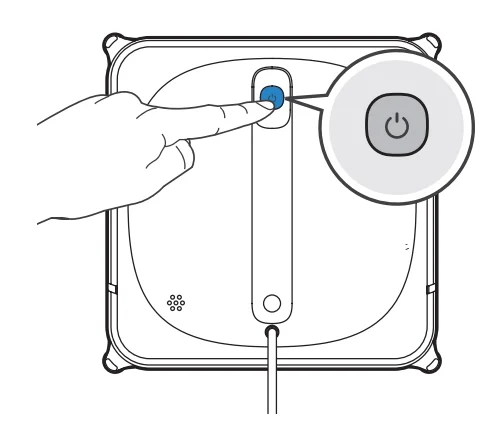
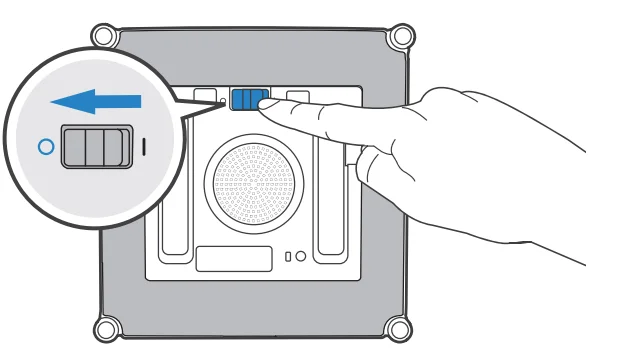
Turn the Power Switch to “I”. Attach WINBOTto the glass, and WINBOT will start cleaning after it has attached to the window successfully.
- Pause

- Finish
Remove WINBOT
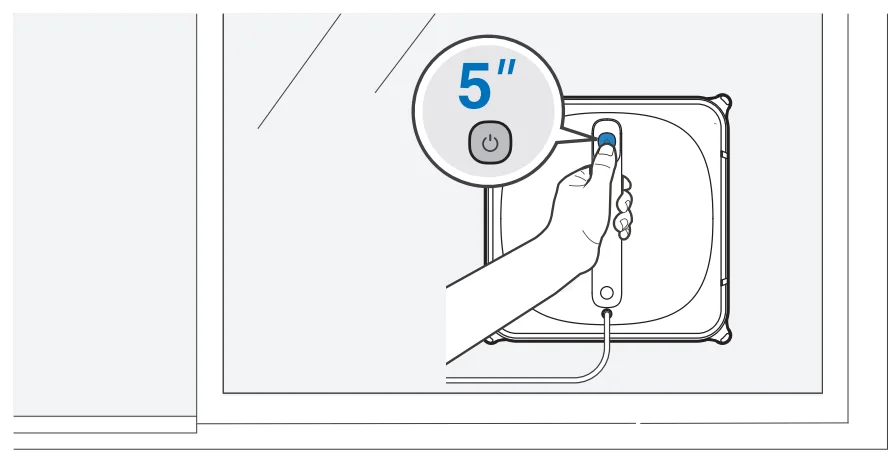
Power Off
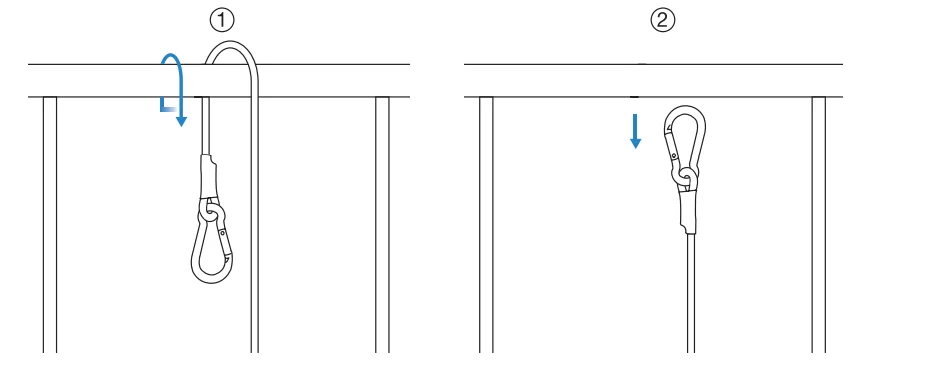
Unfasten Safety Tether
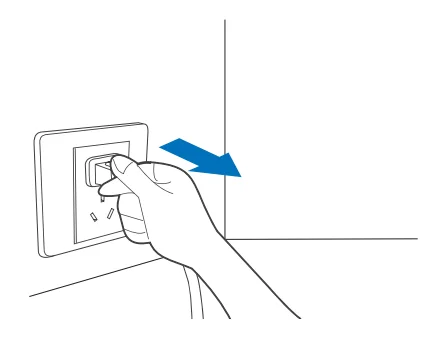
Unplug WINBOT
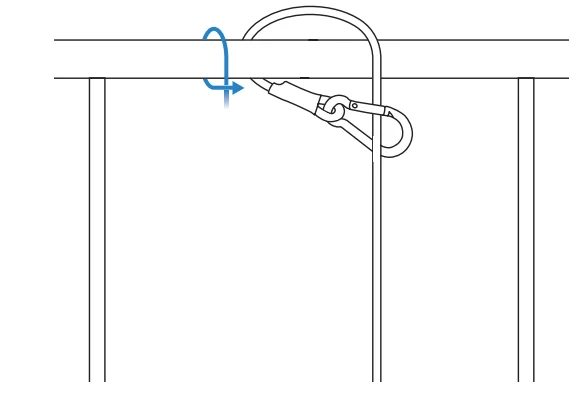 Note: To ensure safety, please make sure to properly tether WINBOT to a safe place before use. It is recommended to fasten the Safety Tether with the Carabiner on a firm and safe metal railing.
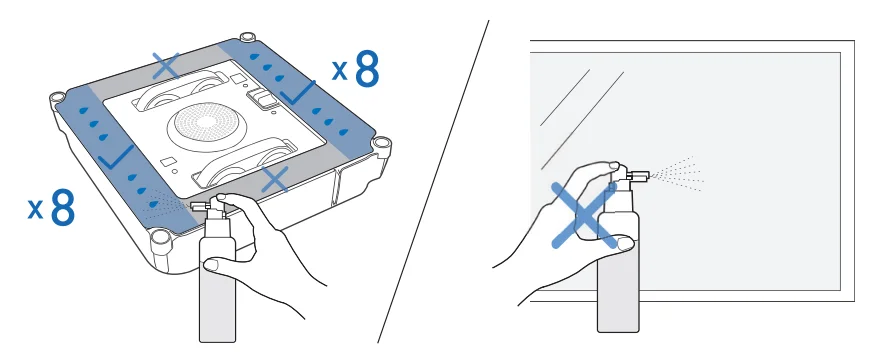 Note: Do not over-spray Cleaning Solution as doing so may cause the driving treads to slip.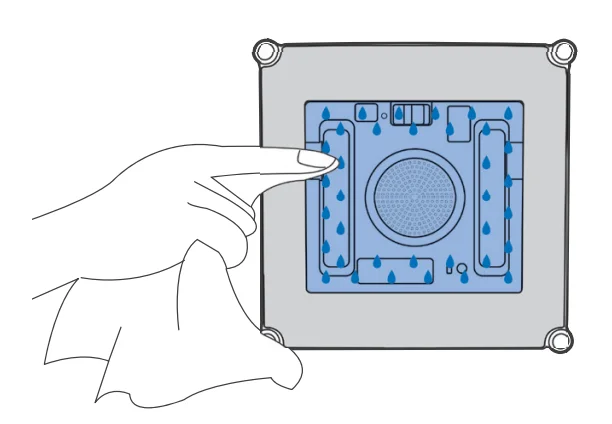
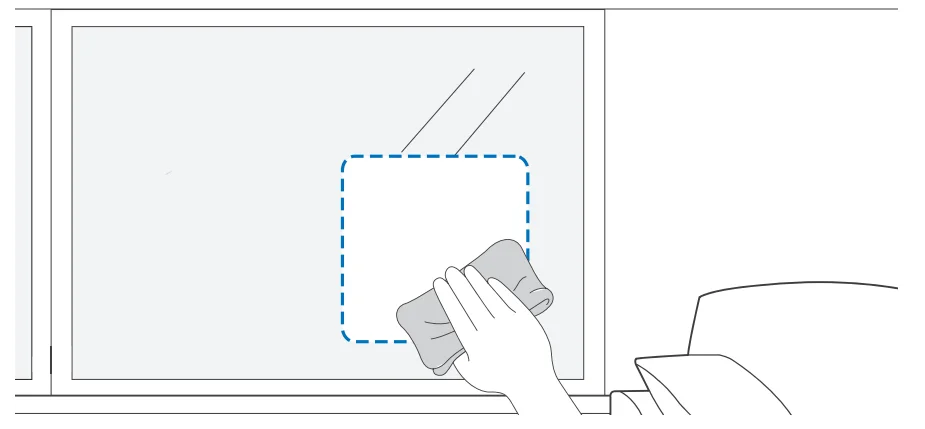 Note: Keep objects away from WINBOT’s Fan to avoid blockage.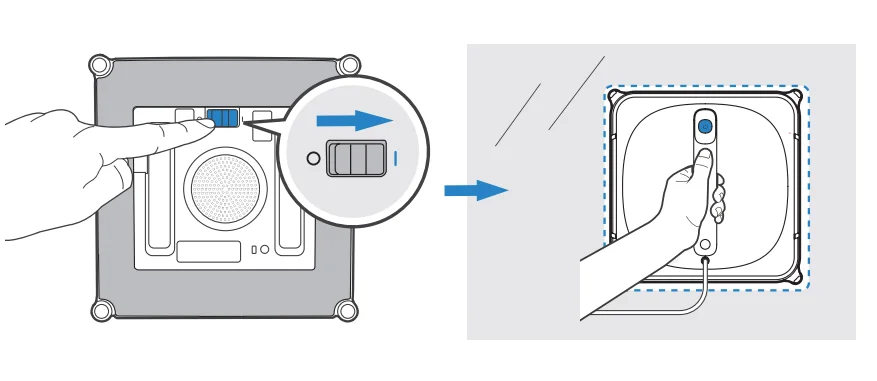
Maintenance
Cleaning Pad
Replace the Cleaning Pad
Remove the dirty Cleaning Pad from the WINBOT and place a clean new one on it. Please make sure the cleaning pad is correctly attached, and do not cover the Edge Detection Sensors.
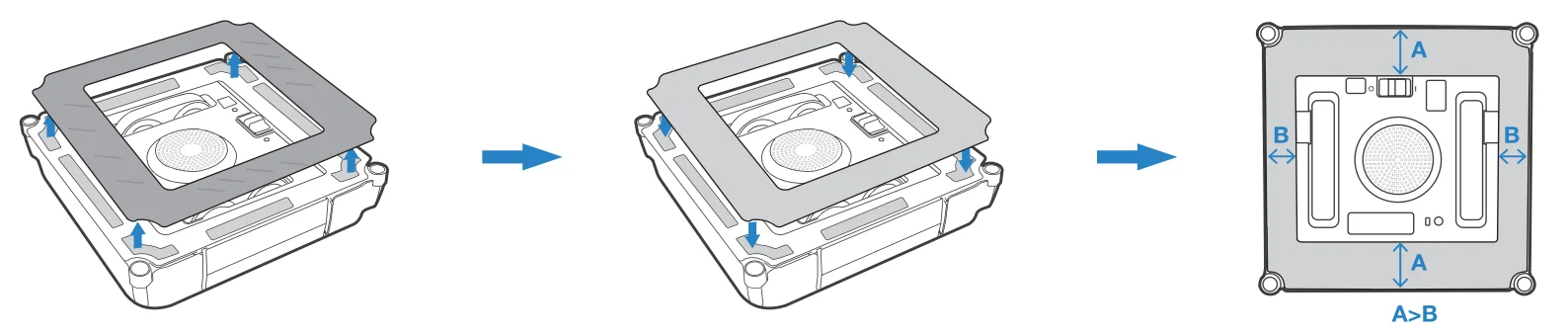
Note: The gray microfiber side faces out.
Washing Cleaning Pad
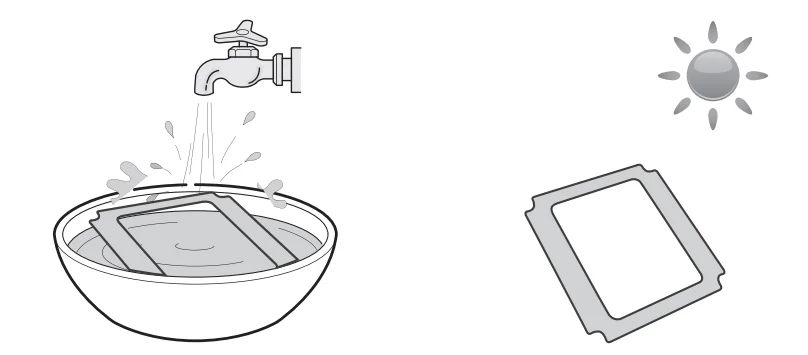
Note: Wash with mild detergent.
Do NOT use a wet Cleaning Pad on WINBOT, or it may slip on the window. Washing the Cleaning Pad regularly can extend its service life. If the Cleaning Pad becomes worn or no longer fits exactly within the fastener area, replace it with a new one to achieve optimal cleaning performance. Explore more accessories at https://www.ecovacs.com/global.
Driving Treads
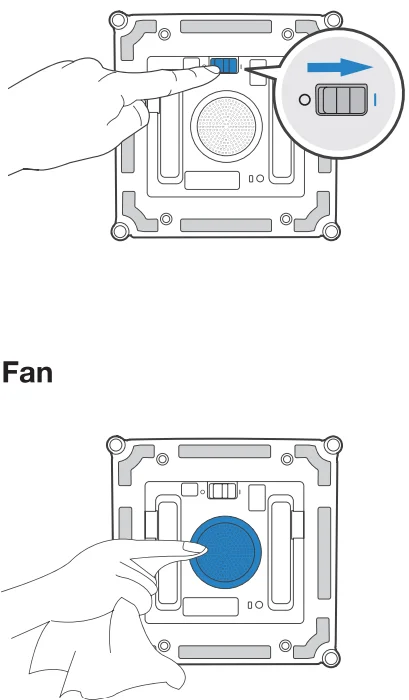
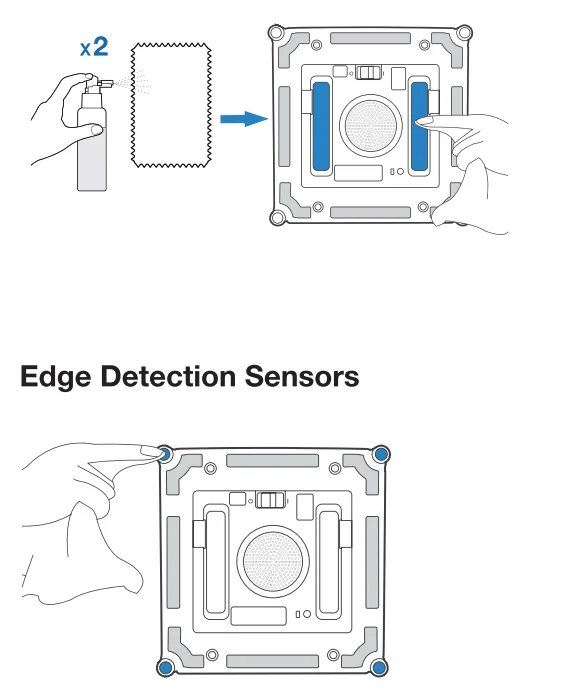
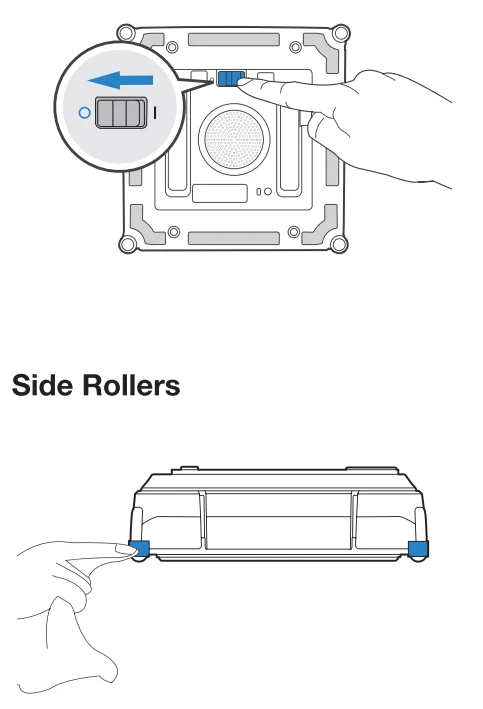
- After WIN BOT has a low battery alarm, be sure to fully charge it before using or storing it to avoid reducing the battery life.
- If WINBOT will not be used for a long time, please fully charge it and turn it off before storage. Recharge it every six months to prevent the battery from being over-discharged.
Status Indicator Light
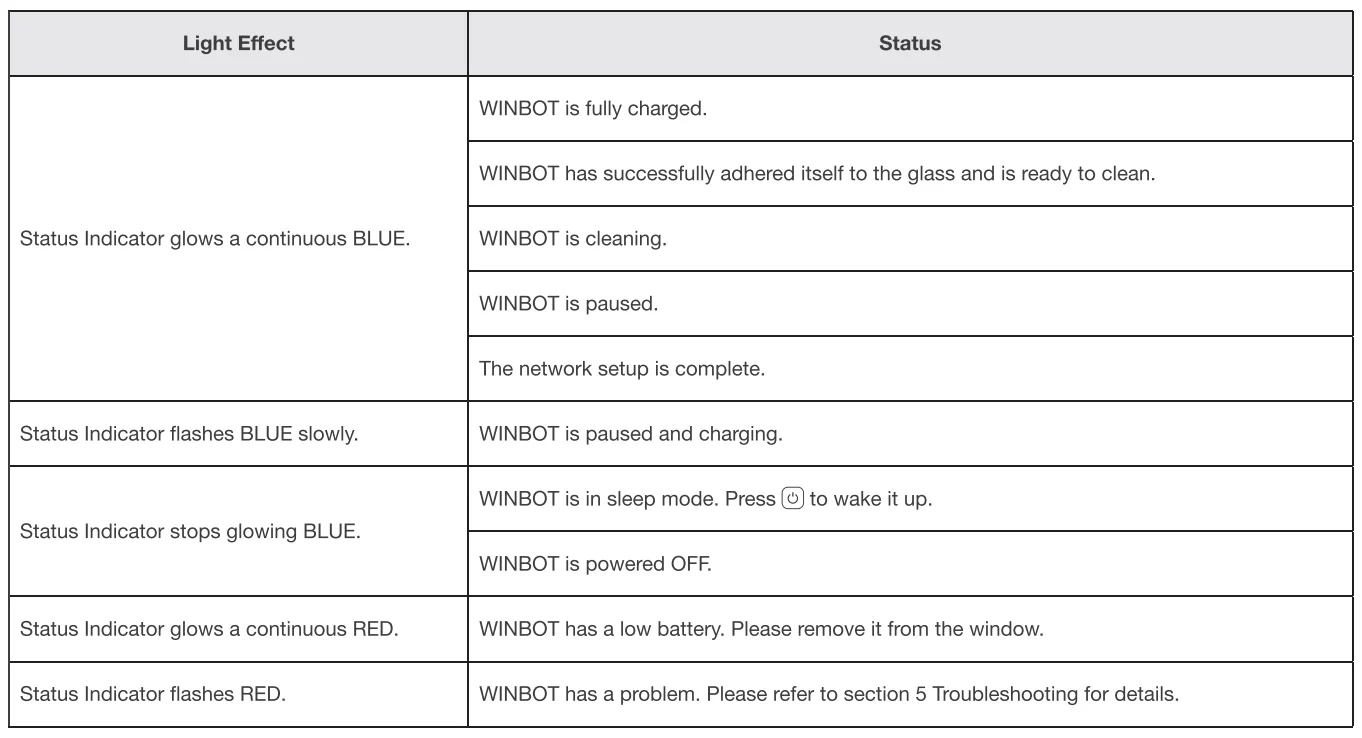
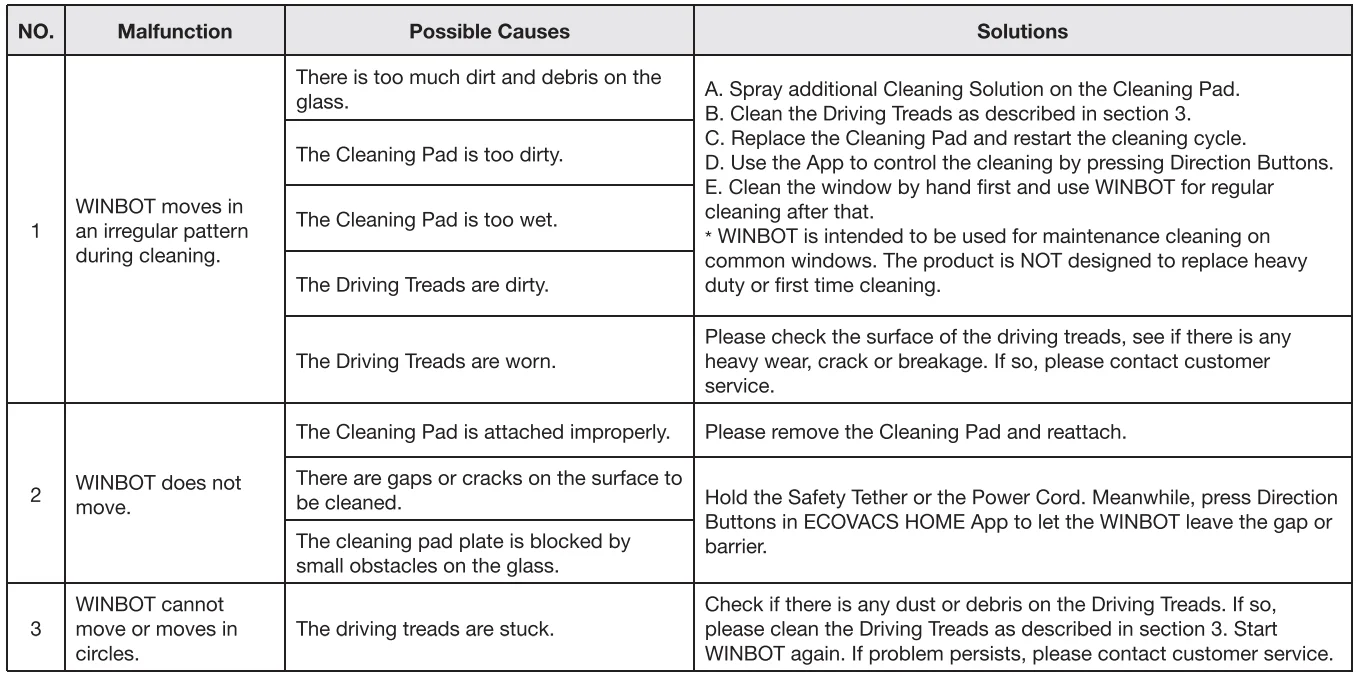
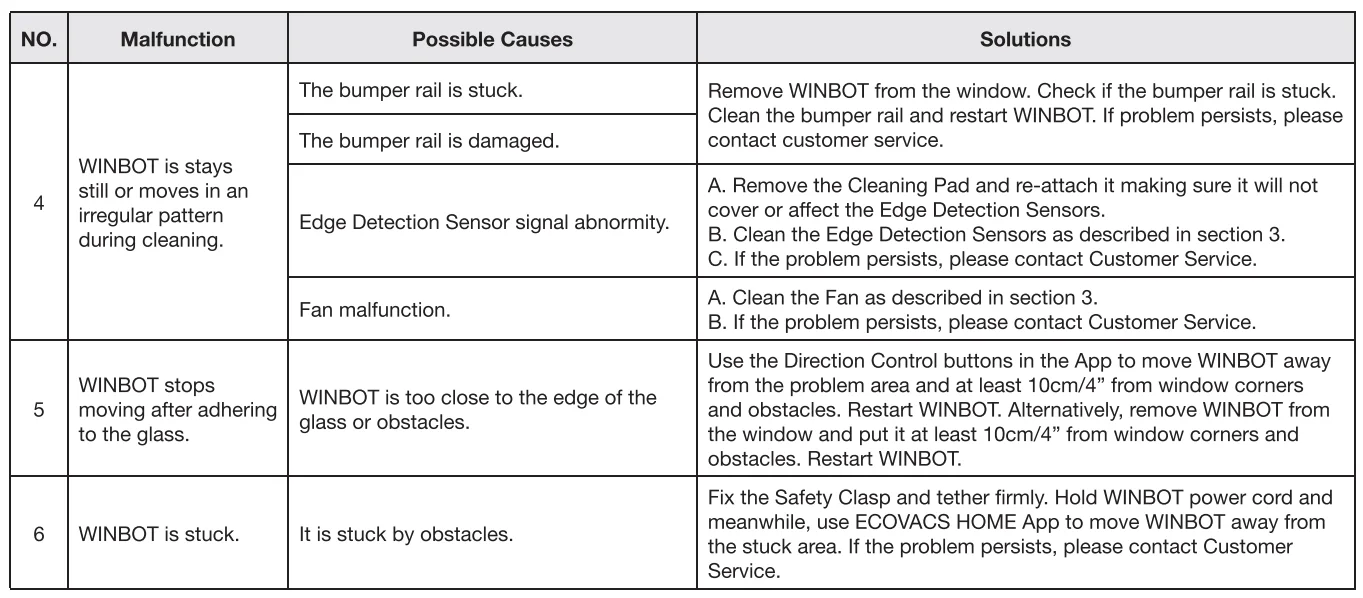
Troubleshooting
App Connection
Before connection, make sure WINBOT and the mobile phone meet the following requirements:
- The Bluetooth of the mobile phone is turned on.
- The WINBOT power switch has been turned on, and the indicator light has been lit.
- Please pair WINBOT in the ECOVACS HOME App instead of the phone settings.
- Co-frequency interference might occur between Bluetooth and Wi-Fi. It is recommended to keep WIN BOT close to the mobile phone and distant from the Wi-Fi router during pairing.
- If the connection failed, please try to disconnect other Bluetooth devices, make sure WINBOT is not connected to other mobile phones, and try again.
- Bluetooth may be disconnected if WIN BOT is too distant from the phone. Try to reconnect at a short distance.
- For using WINBOT, you need to allow the ECOVACS HOME App to obtain access to the location, Bluetooth, and mobile phone storage.
If the problems persist after trying the above methods, please contact customer service.
Technical Specifications
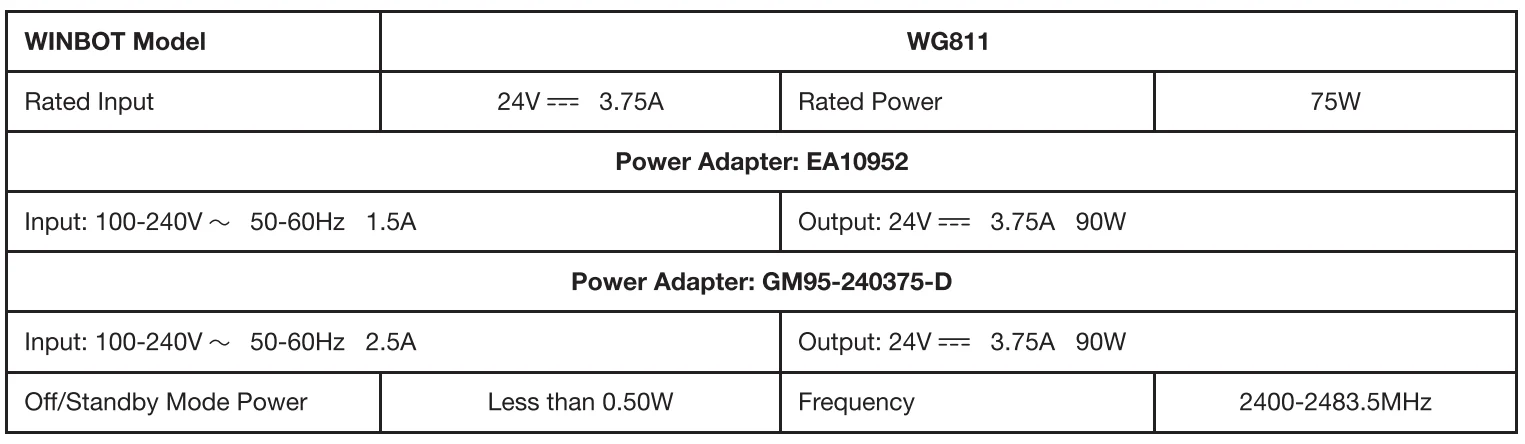
Output power of the wireless module is less than 1 00mW.
Note: Technical and design specifications may be changed for continuous product improvement.
For more manuals by ECOVACS, visit ManualsLibraryy
WINBOT 920 Window Cleaning Robot -FAQs
How do I use the WINBOT 920 window cleaner?
Attach the cleaning pad, fill the water tank, place the robot on the glass, and press the start button. The robot will automatically map and clean the window using its smart navigation system.
How do I clean or replace the WINBOT cleaning pads?
Remove the microfiber pads after use and wash them with mild detergent. Let them air dry completely before reattaching. Regular cleaning ensures better performance and streak-free results.
Why is my WINBOT 920 not spraying water?
Check if the water tank is filled and properly installed. Make sure the spray function is enabled. Low water levels or clogged nozzles can prevent spraying. Clean the spray outlet if necessary.
Can WINBOT work without Wi-Fi or the app?
Yes, after initial setup, you can start cleaning using the physical button on the robot. However, advanced features like custom modes and updates require the mobile app.
What cleaning modes does the WINBOT 920 offer?
The WINBOT typically includes multiple modes such as Fast Cleaning, Deep Cleaning, Thorough Cleaning, and Spot Cleaning for targeted areas.
Can the WINBOT 920 clean outside windows?
Yes, it is designed to clean both interior and exterior glass surfaces. Its strong suction keeps it securely attached to vertical windows.
How does the WINBOT 920 stay attached to the glass?
The robot uses a powerful suction motor to maintain stable adhesion while moving across the window surface.
What should I do if the robot is not sticking properly?
Ensure the glass surface is smooth and dry before starting. Check that the cleaning pad is properly attached and the suction system is working correctly.
What are the disadvantages of robot window cleaners?
They may require supervision for safety, depend on power sources, and can be slower than manual cleaning for small areas. Initial setup may also take time.