
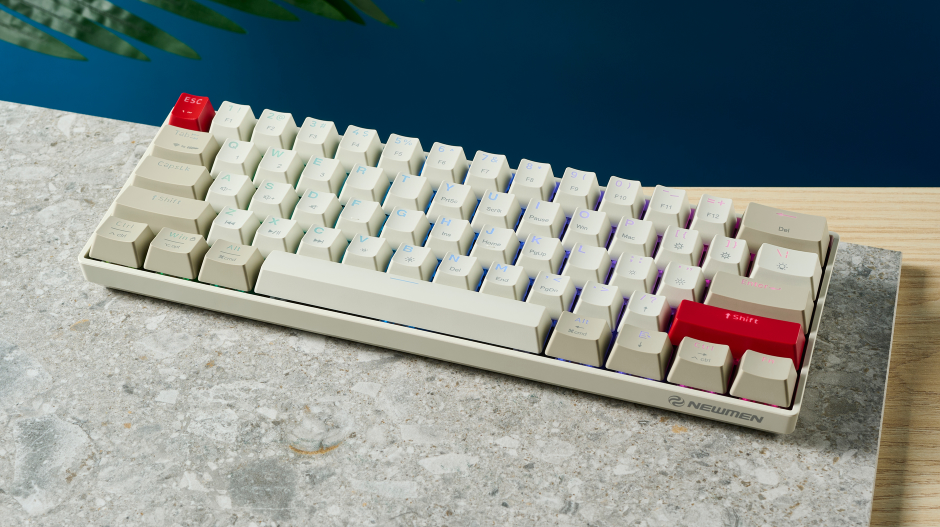

Newmen GM610 Wireless Mechanical Gaming Keyboard
Dear user:
Thank you for choosing our company’s product! In order for you to fully enjoy the product, detailed usage instructions are provided below. Please read them carefully before using this product.
Warranty
- The warranty period is 18 months from the date of purchase.
- Within the warranty period, replacements and returns are guaranteed in case of product failure due to electrical circuit problems. The warranty does not cover the following types of damage:
- Man-made damages, such as disassembly, hard-surface impacts, submersion into water, use of improper current or voltage, or lack of proof of purchase.
- Damages caused by natural disasters, such as earthquakes, fires, or floods.
- Consumable parts (such as foot pads) and replacement spare parts are not included in our warranty.
OS support
Windows XP, Windows 7, Windows 8, and Windows 10/Mac OS 10
Hardware Requirements
A PC-compatible machine.
Product Feature
- Full key anti-ghosting
- Double injection durable keycaps
- Wired+Bluetooth 3.0+Bluetooth 5.0
- RGB backlit
- Switches hot swappable
- Indicator light:
- FN charging indicate: 20%(red), 40%(yellow), 60%(green), 80%(blue), 100%(white).
- The red light will change to breathing when in low power status.
Function description:
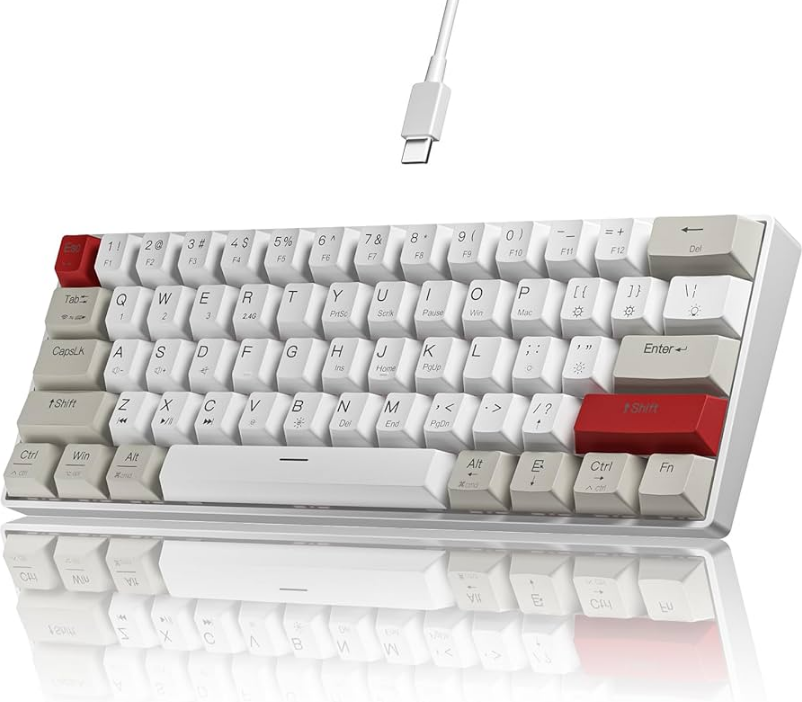
- FN+Tab: Press 3 seconds to switch from Wired mode or Bluetooth mode. Automatically switch to Bluetooth mode when Wired mode is disconnected.
- Key “Tab” indicates:
- Bluetooth Mode: Blue
- Wired Mode: Red
- FN+Q: Press 3 seconds to match Bluetooth device 1, key “Q” breathing fast when matching.
- FN+W: Press 3 seconds to match Bluetooth device 2, key “W” breathing fast when matching.
- FN+E: Press 3 seconds to match Bluetooth device 3, key “E” breathing fast when matching.
- FN+Q/W/E: Switch Bluetooth device1/2/3 under Bluetooth mode
- FN+ space: Switch backlight color (under single color effect)
- FN+\|: Switch backlight effect
- FN+”[{“ ”}]”: Adjust backlight speed
- FN+;: ‘”: Adjust backlight brightness
- Fn+ left “Ctrl”: Switch key function mode, default mode is the function in the upper row on the keycap
- FN+WIN: Lock/Unlock windows
- FN+right “Shift”: Keyboard reset, restore factory state
Software
Download and install the software driver from www.newmentech.com. Customize the backlight effect, function, and button is available.
FCC STATEMENT:
This device complies with Part 15 of the FCC Rules. The operation is subject to the following two conditions:
- This device may not cause harmful interference, and
- This device must accept any interference received, including interference that may cause undesired operation.
Warning: Changes or modifications not expressly approved by the party responsible for compliance could void the user’s authority to operate the equipment.
NOTE: This equipment has been tested and found to comply with the limits for a Class B digital device, pursuant to Part 15 of the FCC Rules. These limits are designed to provide reasonable protection against harmful interference in a residential installation. This equipment generates uses and can radiate radio frequency energy and, if not installed and used in accordance with the instructions, may cause harmful interference to radio communications. However, there is no guarantee that interference will not occur in a particular installation. Suppose this equipment does cause harmful interference to radio or television reception, which can be determined by turning the equipment off and on. In that case, the user is encouraged to try to correct the interference by one or more of the following measures:
- Reorient or relocate the receiving antenna.
- Increase the separation between the equipment and receiver.
- Connect the equipment into an outlet on a circuit different from that to which the receiver is connected.
- Consult the dealer or an experienced radio/TV technician for help.
RF warning statement:
The device has been evaluated to meet general RF exposure requirements. The device can be used in portable exposure conditions without restriction.
For more manuals by Newmen Tech, visit ManualsLibraryy