
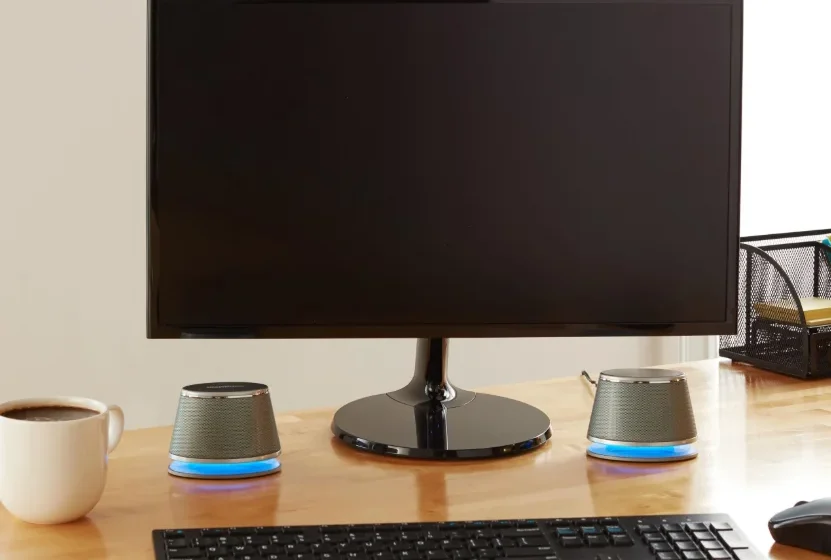

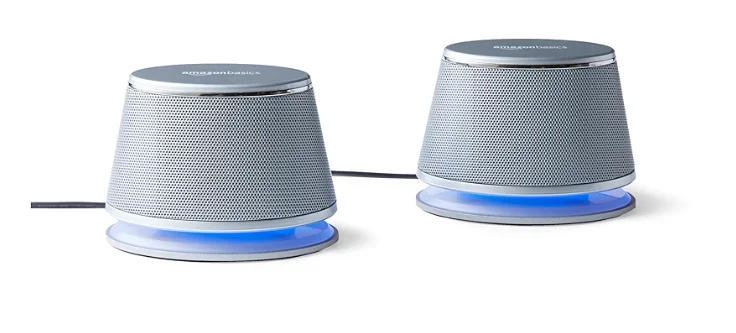
Amazon Basics Stereo 2.0 Speakers for PC
IMPORTANT SAFEGUARDS
Read these instructions carefully and retain them for future use. If this product is passed to a third party, then these instructions must be included.
NOTICE: A power adapter is not included. The product was tested using the following (EU) 2023/826 test adapter.
Model: MDY-10-EH
Input: 100-240 VN 50/60 Hz, 0.7 A
Output: 5 V 3 A/ 9 V 3 A/ 12 V 2.25 A/ 20 V 1.35 A
Manufacturer: Salcomp (Guigang) Co., Ltd
- No naked flame sources, such as lighted candles, should be placed on the product.
- The product shall not be exposed to dripping or splashing, and no objects filled with liquid shall be placed on the product.
- This product is intended to be used in dry indoor areas only.
- Long-term exposure to loud music or sounds may cause hearing loss. To prevent possible hearing damage, do not listen at high volume levels for long periods oftime.
- This product should not be used near water.
Before First Use
 Danger: Risk of suffocation
Keep any packaging materials away from children and pets – these materials are a potential source of danger, e.g. suffocation.
- Remove all the packing materials.
- Remove and review all components before use.
- Check the product for transport damage.
Connection
- Connect the product’s USB cable to the USB slot of your computer. The LEDs light up blue.
- Connect the 3.5 mm audio jack connector to the audio output jack of your computer or mobile device.
Operation
- To increase the volume level, turn the volume control knob in the + direction.
- To decrease the volume level, turn the volume control knob in the – direction.
- To turn off, disconnect the product’s USB cable from the USB slot of your computer. The LEDs go off.
NOTICE: The volume can also be controlled via your computer’s volume settings. If the product does not play audio, ensure the audio output of your computer is not muted.
Cleaning and Maintenance
NOTICE
- Switch the product off before cleaning.
- During cleaning, do not immerse the product in water or other liquids. Never hold the product under running water.
Cleaning
- Before cleaning, disconnect the attachments from the product.
- To clean the product, wipe with a soft, slightly damp cloth.
- Wipe the product dry after cleaning.
- Never use corrosive detergents, wire brushes, abrasive scourers, metal or sharp utensils to clean the product.
Storage
- Store the product in its original packaging in a dry area. Keep away from children and pets.
- Take care not to bend or fold the cords and cables.
Maintenance
- Keep all vents, buttons, and openings free of lint and dirt.
- Clean the product regularly.
- Any other servicing than mentioned in this manual should be performed by a professional repair centre.
FCC – Supplier’s Declaration of Conformity
FCC Compliance Statement
- This device complies with Part 15 of the FCC rules. Operation is subject to the following two conditions:
- This device may not cause harmful interference, and
- This device must accept any interference received, including interference that may cause undesired operation.
- Changes or modifications not expressly approved by the party responsible for compliance could void the user’s authority to operate the equipment.
FCC Interference Statement
This equipment has been tested and found to comply with the limits for a Class B digital device, pursuant to part 15 of the FCC Rules. These limits are designed to provide reasonable protection against harmful interference in a residential installation.
This equipment generates, uses, and can radiate radio frequency energy and, if not installed and used in accordance with the instructions, may cause harmful interference to radio communications. However, there is no guarantee that interference will not occur in a particular installation. If this equipment does cause harmful interference to radio or television reception, which can be determined by turning the equipment off and on, the user is encouraged to try to correct the interference by one or more of the following measures:
- Reorient or relocate the receiving antenna.
- Increase the separation between the equipment and receiver.
- Connect the equipment into an outlet on a circuit different from that to which the receiver is connected.
- Consult the dealer or an experienced radio/TV technician for help.
Canada IC Notice
This Class B digital apparatus complies with the Canadian CAN ICES(B) / NMB(B) standard.
Disposal (for Europe only)

The Waste Electrical and Electronic Equipment (WEEE) laws aim to minimise the impact of electrical and electronic goods on the environment and human health, by increasing re-use and recycling and by reducing the amount of WEEE going to landfill. The symbol on this product or its packaging signifies that this product must be disposed of separately from ordinary household wastes at the end of its life. Be aware that it is your responsibility to dispose of electronic equipment at recycling centres in order to conserve natural resources. Each country should have its collection centres for electrical and electronic equipment recycling.
For information about your recycling drop-off area, please contact your related electrical and electronic equipment waste management authority, your local city office, or your household waste disposal service.
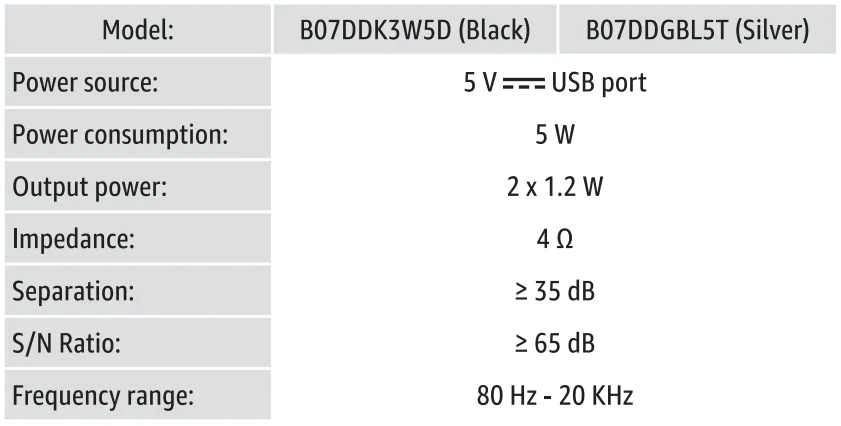
Specifications
Technical details
Energy consumption

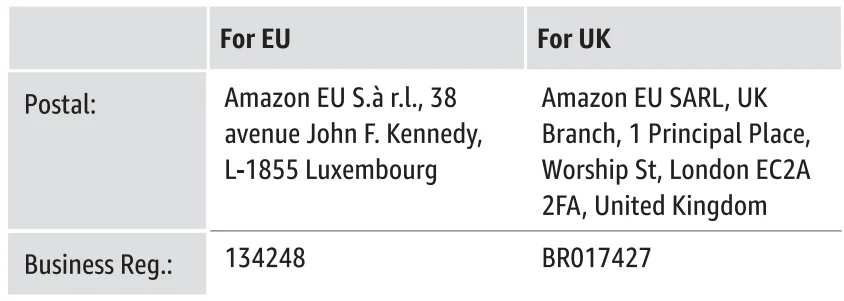
Importer Information
Symbol Explanation
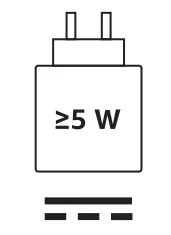
The power delivered by the charger must be ≥5 watts required by the radio equipment in order to achieve the maximum charging speed.
Direct current (DC)
Feedback and Help
We would love to hear your feedback. Please consider leaving a rating and review through your purchase orders. If you need help with your product, log in to your account and navigate to the customer service/ contact us page.
For more manuals by Amazon Basics, visit ManualsLibraryy
Amazon Basics Stereo 2.0 Speakers for PC- FAQs
What does 2.0 stereo mean for PC speakers?
A 2.0 system has two speakers (left and right) and no dedicated subwoofer. It provides clear stereo sound and is ideal for most PC setups.
Are 2.0 or 2.1 speakers better for PC?
A high-quality 2.0 system can outperform a 2.1 system with the same specs. 2.1 includes a subwoofer for extra bass but may not be necessary for standard PC use or limited space.
Who makes Amazon Basics speakers?
Amazon Basics products, including these speakers, are manufactured by Amazon under its private-label brand.
Are Amazon Basics speakers loud?
They provide moderate volume suitable for personal use. Loudness depends on watts and room size, not just the brand.
What is the 83% rule for speakers?
The tweeter-to-tweeter distance should be about 80–83% of the distance from your ears to the speakers to optimize stereo imaging.
Is 2.0 stereo good compared to surround sound?
Yes. For desktop use or small rooms, 2.0 stereo provides clear, precise audio, though it won’t give immersive surround sound.
Can I plug normal passive speakers into a PC?
Passive speakers require an external amplifier. Powered 2.0 speakers like Amazon Basics do not need extra amplification.
Can I use Amazon Basics speakers without Wi-Fi?
Yes. These speakers are wired 2.0 speakers and do not require Wi-Fi.
How far should I place my PC speakers?
For stereo listening, follow the “golden triangle” rule: the distance between speakers and the distance to your ears should form an equilateral triangle for the best sound.