
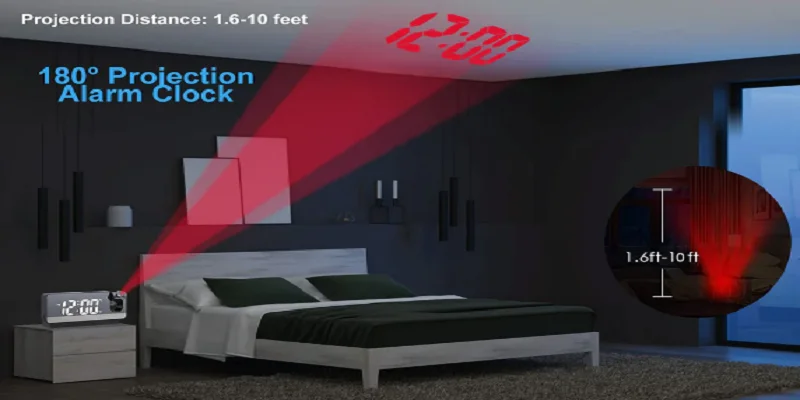
Evilto Digital Projection Alarm Clock
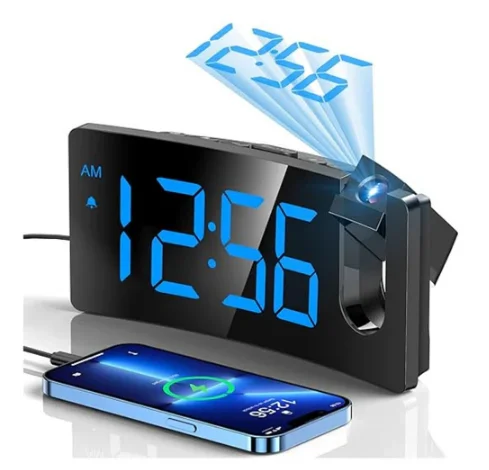
UNIT FEATURES
*All safety and operation instructions should be read thoroughly before proceeding, and please keep the manual for future reference.
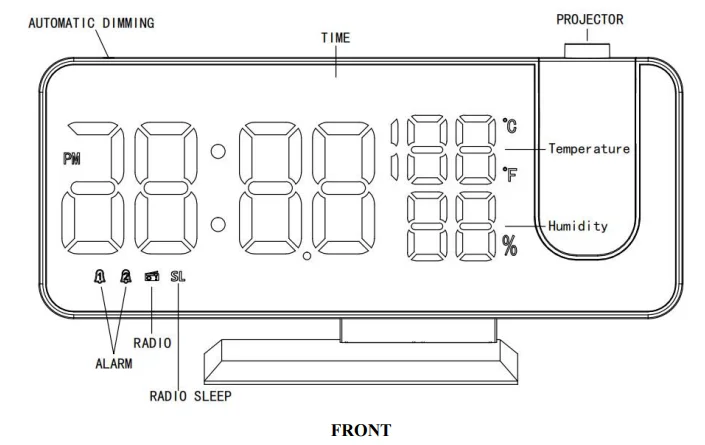
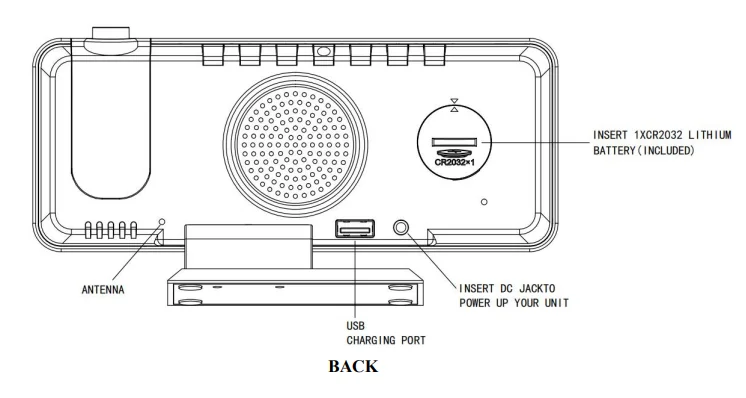
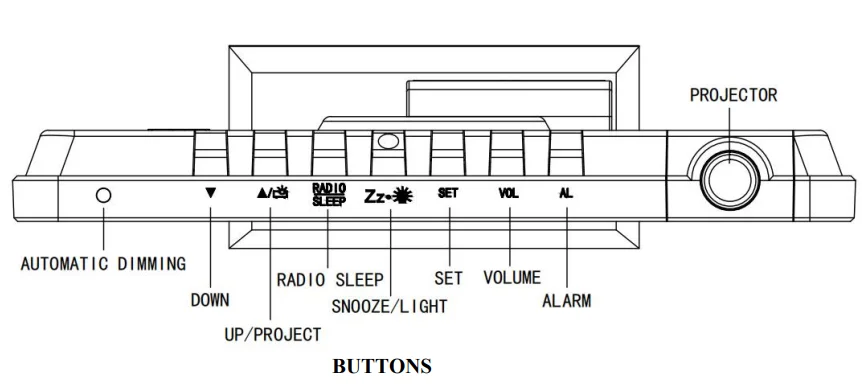
START UP
Please remove the plastic insulator tab from the button battery compartment in the back and connect the power cable into the jack in the back of the clock, and then plug the power cable into the socket. The LED display turns on.
Note: When the power is off, the LED screen won’t show, and the radio and alarm cannot work.
The backup battery only retains the basic settings of time and alarm.
SETTINGS
Time Setting
- Press and hold the “SET” button for 3 seconds, the display screen shows “24H” and flashes, press “▲/project” or “▼” to select “12H” or “24H”.
- Press “SET” again, the hour digits flash, press “▲/project” or “▼” to sethe t the hour. (Long-press “▲/project” or “▼” will accelerate setting at high speed.)
- Press “SET” again, the minute digits flash, press “▲/project” or “▼” to set the minute. (Long-press “▲/project” or “▼” will accelerate setting at high speed.)
- Press “SET” or do nothing within 10 seconds, and it will exit the current setting mode.
Note: When the 12- 12-hour time format is selected, the “PM” icon will appear on the screen in the afternoon. Press and hold the “▲/project” for 3 seconds to switch from the “12H” and “24H” format.
Alarm Setting
- Press “▼” once to turn on/off the alarm. The sequence is: Alarm 1 ON – Alarm 2 ON – Alarm 1 OFF -Alarm 2 OFF (Circulation).
- Short-press “AL” once to select alarm ( There is are“AL” icon at the bottom of the display, the sequence is Alarm 1– Alarm 2, the“AL” icon is flashing).
- After selecting the alarm ( the related “ AL” icon is flashing), Press and hold “AL” for 3 seconds to enter setting mode. The sequence is “Hour”–“Minute”- “Snooze time”- “Alarm mode”. (The setting object is flashing).
- Adjust the value using “▲/project” or “▼”, after setting,g press “AL” once to confirm and enter other mode.
- The default Snooze time is 5 minutes, “05” icon is flashing (representing 5 minutes), short press “▲/project” or“▼” to set from 5 to 60 minutes snooze time.
- Press“▲/project ”or “▼” to select alarm mode (“rd”= wake-to-radi o, “bu” = wake-to-buz). When “rd” or“bu ”is selected, the related alarm will turn on.
- If you need a second alarm, please repeat steps 2-6 (Note: Second alarm clock reflects“ALARM 2” on the display screen).
Alarm ON/Alarm OFF
- When the alarm is set, there will be an “ALARM 1” or an “ALARM 2” icon at the bottom of the display. When alarm 1 or 2 is sounding, the related icon flashes. Press “ SNOOZE/LIGHT” once, and the alarm will be silent and come on again after ing snooze duration.
- Press any other buttons except the “SNOOZE/LIGHT” button once to stop the alarm, and it will sound on the following day. The related icon won’t disappear.
- If your second alarm activates while the first alarm is sounding or it is in the snooze mode, the second alarm will override the first alarm (the first alarm is reset to come on the next day).
- If you select the radio as the alarm tone. The station and volume of the radio will be the same as you played last time.
- The radio alarm will keep playing until the user presses to stop it.
Program the Radio
FM Setting
- Press “RADIO/SLEEP” once to play radio, the display shows “ON” and then the radio frequency readings in MHz (From 76.0 MHz — 108 MHz).
- Press“SET” briefly, the FM radio will scan and automatically save the frequency of 01,02,03…..It will stay on the first station once the scan is completed.
- Press“▲/project” or ▼” to choose the stored station.
- To adjust the volume, press “VOL” briefly, the display shows “L10”, press“▲/project” or “▼” to adjust volume from L00 (minimum) to L15 (maximum).
- Press “SNOOZE/LIGHT” to turn off the radio.
Note: Keep your radio away from interference sources or other electronic devices, which may cause interference to the radio.
Sleep Timer
- Press “RADIO/SLEEP” twice to enter the sleep mode, then the sleep icon“SL ”and sleep time “05” representing 5 minutes appear on the display.
- Then press the “RADIO/SLEEP” to adjust the sleep timer from 5, 10, 15, 30, 45, 60, 75, 90, or OFF.
- When the display changes back to show the time, press the “RADIO/SLEEP” twice to show the sleep time remaining.
- The radio will play for the programmed sleep time and then shut off automatically.
Use Projection
- In the clock mode, press“▲/project ”once in the AC mode to turn on the projection (bright), then press again to adjust the brightness of the projection. ( From bright–slightly bright- off, default is off)
- When the projection is on, press and hold“▲/project” to rotate the projection view. Long-press the project key to rotate the projection 180 degrees.
Note: There is no projection function in battery-powered mode.
Brightness Control
In the clock mode, short-press “SNOOZE/LIGHT” to adjust the brightness of the LED display.
- Bright (default) — Slightly Bright — Dim — Off.
- Press and hold the “SNOOZE/LIGHT” for 3 seconds to select the on/off of Auto mode. If you select “ON” means that the LED display automatically enters the low brightness mode in a dark environment; if you select“OFF”, you can only control brightness manually (the default is “OFF”).
Note: This can only be done when the radio is off and the unit is not sounding.
Night Mode
- Night mode means that the LED automatically enters the low brightness display status at night or preset period.
- Press “ SET,” enter into night mode (the default is “OFF”). Switch the value using “▲/project” or “▼”, if select “ON ”means that night mode turns on, during the period of 18:00 to 6:00 the next day, it will automatically enter into low brightness display status.
- When night mode is“ON”, press and hold“SET ”for 3 seconds to enter interval time setting mode. The setting sequence is: “start hour”–“start minute”-“end hour”–“end minute”. .the
At start hour and minute setting status, the upper point in the center of the screen is long and bright. At the end hour and minute setting status, the lower point in the center of the screen is long and bright.
Note: If Automatic dimming is enabled, the Night Mode will not work.
Displays of Thermometer & Humidity
- The default unit of temperature is °C.
- Press and hold“▼” for 3 seconds to switch the unit from °C to °F.
- Indoor Temperature range: 32°F — 122°F (0°C–50°C).
- Indoor Humidity range: 20%–95%.
Charging
Connect the charging cable of your mobile phone to the USB port at the back of the unit, then connect the other end to your mobile phone or other equipment. The clock will charge the mobile phone automatically.
Notes
- Use the original cable of your mobile phone for charging.
- Charging with this USB jack may take a long time.
RESTORE FACTORY DEFAULT
If the time error occurs, it may be subject to other equipment’s electrostatic interference. To resolve this, you can remove the power supply and the backup battery, then the clock can be restored to the Factory Default. Repower on the clock and set the function.
PRECAUTION
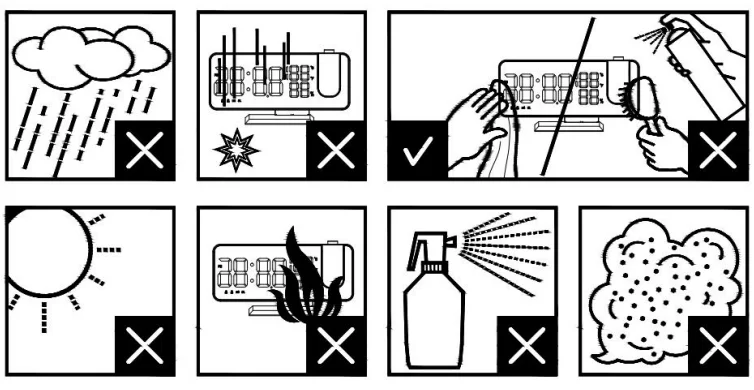
- Do not place the electronic clock in a high-temperature, water, or direct sunlight environment.
- When placing the clock on the furniture, use a cloth or other protective material to keep it away from the furniture.
- If necessary, use a flannel with a little soapy water to clean the clock. Substances such as gasoline, thinner, or similar liquids will damage the surface. Cut off the power before cleaning.
- If you don’t use this clock for a long time, such as a month or even longer, remove the battery to prevent the clock from being corroded; if the battery compartment is corroded or dirty, clean and replace the battery in time.
- Do not disassemble this product.
For more manuals by Blogs, visit ManualsLibraryy
Evilto Digital Projection Alarm Clock- FAQs
How does a digital alarm clock work?
Digital alarm clocks use an electronic timebase powered by a battery or AC source. They count electrical pulses and display the time on an LED or LCD screen.
How does a projection alarm clock work?
A projection alarm clock projects the time onto a wall or ceiling using a small built-in projector, allowing you to view the time without turning to the clock.
How do I set the time on the Evilto projection alarm clock?
Press the Menu button, select the time setting, then use the “+” or “–” buttons to adjust the hour and minutes. Confirm with OK.
How do I set or turn off the alarm?
Press the Alarm button once to check the alarm time. Press again to activate (bell icon shows). Press once more to deactivate the alarm.
How do I rotate the projection display?
What powers the Evilto digital projection clock?What powers the Evilto digital projection clock?
How do digital alarm clocks keep accurate time?
They use a quartz crystal oscillator that vibrates consistently, ensuring reliable timekeeping with minimal drift.
What powers the Evilto digital projection clock?
It can be powered by batteries or connected to AC power. Batteries provide backup in case of power outages.
How many hours does a digital clock display?
Most digital clocks use a 24-hour format, but many models (including this one) allow you to switch between 12-hour and 24-hour display.
Is it safe to leave the projection light on all night?
Yes, the projector is designed for continuous low-energy use and won’t overheat, making it safe to leave on overnight.