


GamaKay GK75 Gasket-Mount Mechanical Keyboard
Introduction
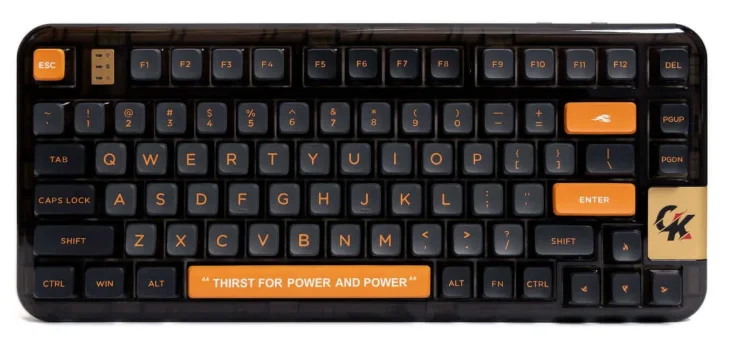
The GamaKay GK75 Gasket-Mount Mechanical Keyboard is a premium compact keyboard designed for users who want a perfect balance of performance, comfort, and modern aesthetics. Built with a gasket-mount structure, the GK75 delivers a softer, more flexible typing feel while reducing vibrations and noise, making every keystroke smooth and satisfying. Its 75% layout saves desk space without sacrificing essential keys, offering an ideal setup for both productivity and gaming.
This mechanical keyboard supports hot-swappable switches, allowing users to easily customize their typing experience without soldering. Whether you prefer tactile, linear, or clicky switches, the GK75 adapts effortlessly to your style. The durable build quality is paired with high-quality keycaps that resist wear and provide a pleasant, consistent touch during long typing sessions.
The GamaKay GK75 also features customizable RGB backlighting, enabling users to personalize lighting effects and match their setup. With reliable wired connectivity, low latency, and broad system compatibility, it performs consistently across Windows, macOS, and Linux devices. Ideal for gamers, programmers, and everyday users, the GamaKay GK75 gasket-mount mechanical keyboard offers a refined typing experience with advanced customization in a sleek, compact design—perfect for anyone seeking performance and comfort in one keyboard.
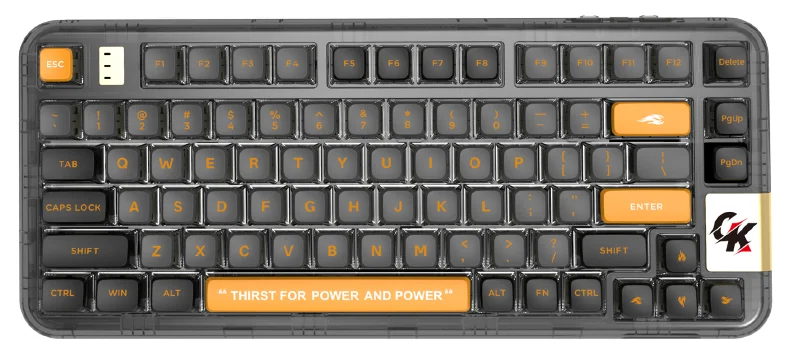
FN Key combination Function list
WIN:
- FN+ESC Reset
- FN+F1 Multimedia
- FN+F2 Volume ↓
- FN+F3 Volume ↑
- FN+F4 Volume mute
- FN+F5 Lastsong
- FN+F6 Nextsong
- FN+E7 Pause playback
- FN+F8 CD Stop
- FN+F9 Email
- FN+E10 IE
- FN+F11 My Computer
- FN+F12 Calculator
MAC:
- FN+ESC Reset
- FN+F1 F1
- FN+F2 F2
- FN+F3 F3
- FN+F4 F4
- FN+F5 F4
- FN+F6 F6
- FN+E7 F7
- FN+F8 F8
- FN+F9 F9
- FN+E10 F10
- FN+FIL FT
- FN+F12 F12
WIN/MAC:
- FN+1 Bluetooth 1
- FN+2 Bluetooth 2
- FN+3 Blietooth 3
- FN+4 2.4G mode
- FN+5 Wiredmode
- FN+ENTER Switch backlight
- FN+, Light mode switch
- FN+< Monochrome light switch
- FN+↑ Backlight brightness ↑
- FN+↓ Backlight brightness ↓
- FN+← Backlight speed reduction
- FN+→ Backlight speed plus
- FN+Y Partsc
- FN+U Scrlk
- EN+H Pause
- FN+J Ins
- FN+N Home
- FN+M End
Keyboard connection
Bluetooth mode: Press and hold the FN+1/2/3 key combination for 3S to enter pairing mode; the 1/2/3 indicator flashes quickly, and it stays on for 3S after connecting to the device. If there is no connected device, the lights go off, keyboard goes to sleep.

2.4G Mode: Press and hold the FN+4 key combination for 3S to make the keyboard enter 2.4G mode; the indicator light flashes quickly. Insert the 2.4G dongle, exit the pairing after successful pairing, and exit the pairing mode after 30s if the paired device is not found, the indicator light is off, and the keyboard goes to sleep.
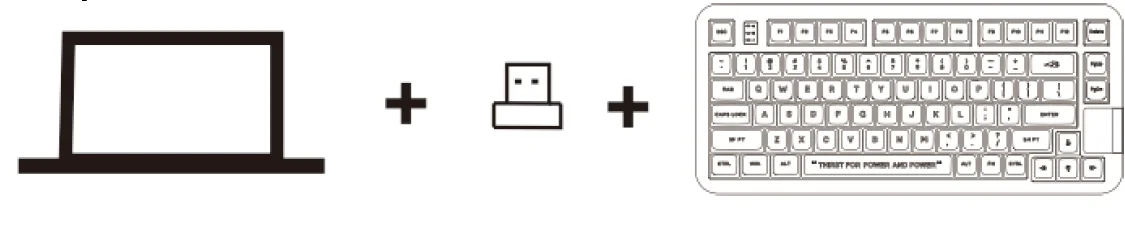
Wired mode: Press and hold the FN+5 key combination for 3 seconds to make the keyboard enter wired.

Keyboard lighting settings
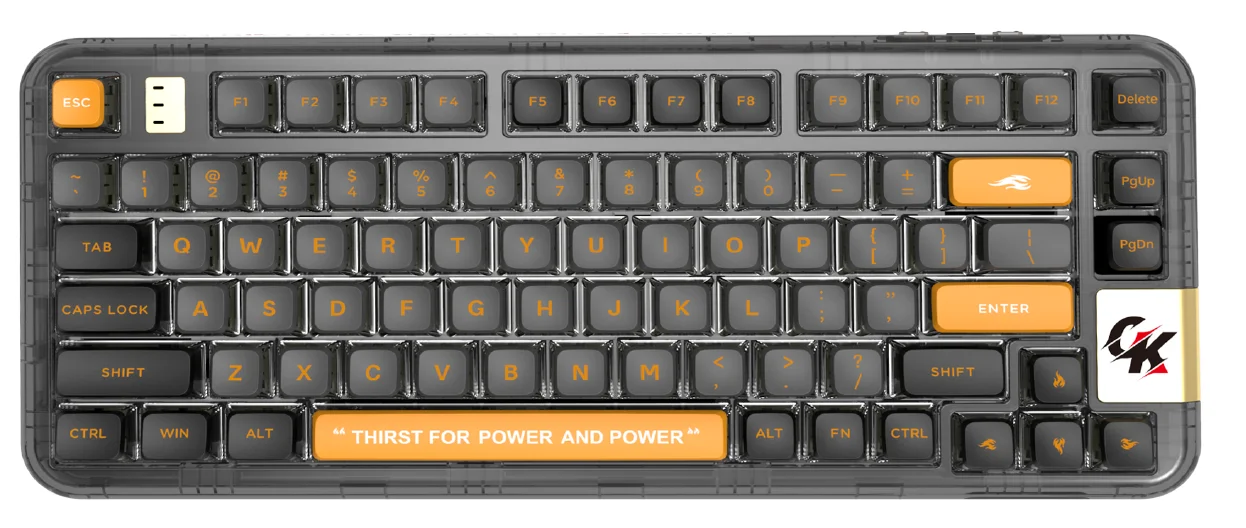
- FN+,: Keyboard lighting mode change.
- FN+<: Monochrome light switch
- FN+Enter: Switch backlight
- FN+↑ : Backlight brightness ↑
- FN+↓ : Backlight brightness ↓
- FN+←: Backlight speed reduction
- FN+→: Backlight speed plus
For more manuals by GamaKay, visit ManualsLibraryy
GamaKay GK75 Gasket-Mount Mechanical Keyboard-FAQs
What are the disadvantages of a 75% keyboard like the GamaKay GK75?
A 75% keyboard removes the dedicated number pad, which may feel limiting for users who work heavily with numbers. Beginners coming from full-size keyboards may need time to adjust to the compact layout. Customization space is slightly reduced compared to larger boards, and premium 75% models like the GK75 can be relatively more expensive than basic layouts.
Is the GamaKay GK75 hot-swappable?
Yes, the GamaKay GK75 supports hot-swappable switches. This means you can easily replace or upgrade switches without soldering. It’s ideal for users who like experimenting with different switch types or want easy maintenance. Hot-swap support also extends the keyboard’s lifespan by allowing quick repairs if a switch fails.
What does 75% form factor mean on the GK75 keyboard?
The 75% form factor keeps essential keys such as the function row, arrow keys, and navigation cluster while removing the number pad. The GamaKay GK75 fits these keys into a compact layout, saving desk space while maintaining functionality. It’s a balance between minimalism and productivity.
What does 75% form factor mean on the GK75 keyboard?
Most 75% keyboards, including the GamaKay GK75, have between 84 and 87 keys, depending on layout design. Each key has its own mechanical switch, ensuring full functionality despite the compact size. The exact number may vary slightly due to modular or knob configurations.
Is the GamaKay GK75 suitable for gaming?
Absolutely. The compact 75% layout gives gamers more mouse space, while features like N-key rollover, fast switch response, and solid build quality ensure reliable performance. The GK75 is suitable for both casual and competitive gaming.
How long does a mechanical keyboard like the GK75 last?
Mechanical keyboards typically last 10–15 years with proper care. The GamaKay GK75 uses durable mechanical switches rated for millions of keystrokes. Its hot-swap PCB and solid build further extend longevity, as worn switches can be replaced easily.
Is gasket-mount design beneficial in the GamaKay GK75?
Yes, the gasket-mount structure improves typing comfort and sound quality. It allows the keyboard plate to “float” slightly, reducing vibration and harsh impacts. This results in a softer, quieter typing feel compared to tray-mounted keyboards, making the GK75 more premium and enjoyable to use.
What is missing on a 75% keyboard compared to full-size models?
A 75% keyboard does not include a dedicated number pad. Some secondary navigation keys may also be accessed through function layers instead of separate keys. However, the GamaKay GK75 still keeps all core keys needed for everyday tasks, gaming, and productivity.