
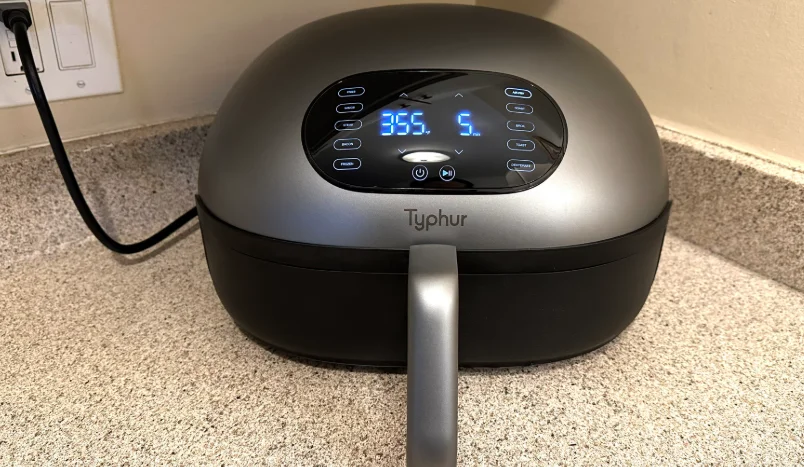

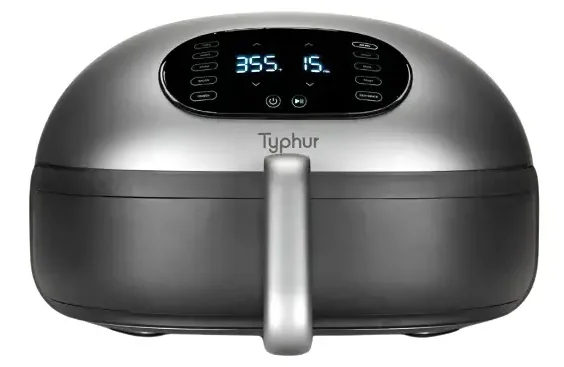
Typhur AF03 Dome 2 Air Fryer
IMPORTANT SAFEGUARDS
When using electrical appliances, basic safety precautions should always be followed, including the following: Read all instructions carefully.
- DO NOT use outdoors.
- DO NOT immerse in water.
- DO NOT touch hot surfaces. Use handles or knobs.
- DO NOT let the cord hang over the edge of a table or counter or touch hot surfaces.
- DO NOT place on or near a hot gas or electric burner or in a heated oven.
- DO NOT cover or block the air inlet or outlet openings while the appliance is operating.
- DO NOT fill the grill plate with oil or fat, as this may cause smoke or a fire hazard.
- DO NOT put any amount of food that exceeds the maximum level indicated in the basket.
- DO NOT operate any appliance with a damaged cord or plug, or after the appliance malfunctions or has been damaged in any manner. Return the appliance to the nearest authorized service facility for examination, repair, or adjustment.
- DO NOT clean with metal scouring pads. Pieces can break off the pad and touch electrical parts, creating a risk of electric shock.
- The surface is liable to get hot during use.
- To protect against electrical shock, do not immerse the cord, plugs, or the main unit in water or other liquids.
- Close supervision is necessary when any appliance is used by or near children. Store the appliance in a safe place when not in use.
- Unplug from the outlet when not in use and before cleaning. Allow to cool before attaching or removing any components.
- The use of accessory attachments not recommended by the appliance manufacturer may cause injuries.
- Extreme caution must be used when moving an appliance containing hot oil or other hot liquids.
- To disconnect, turn any control to “off”, then remove the plug from the wall outlet. Do not use the appliance for any purpose other than its intended use. Use extreme caution when removing the tray or disposing of hot grease.
- Always put the ingredients to be fried in the basket to prevent them from coming into contact with the heating elements.
- Ensure that no food is stuck in between the basket and the interior of the Air Fryer. Contact Typhur’s customer support team for help, repair, and replacement.
- The appliances are not intended to be operated by means of an external timer or separate remote-control system. Household use only.
Extension cord:
- A short power-supply cord is provided to reduce the risk resulting from becoming entangled or tripping over a longer cord.
- Longer detachable power-supply cords or extension cords are available and may be used if care is exercised in their use.
- If a longer detachable power-supply cord or extension cord is used:
- The marked electrical rating of the cord set or extension cord should be at least as great as the electrical rating of the appliance.
- The cord should be arranged so that it will not drape over the countertop or tabletop where it can be pulled on by children or tripped over unintentionally; and
- If the appliance is of the grounded type, the cord set or extension cord should be a grounding-type 3-wire cord.
If the supply cord is damaged, it must be replaced by the manufacturer, its service agent, or similarly qualified persons in order to avoid a hazard. This appliance can be used by children aged 8 years and above if they have been given supervision or instruction concerning the use of the appliance in a safe way and if they understand the hazards involved. Cleaning and user maintenance shall not be made by children unless they are older than 8 and supervised. Keep the appliance and its cord out of reach of children aged less than 8 years.
Appliances can be used by persons (including children) with reduced physical, sensory, or mental capabilities or a lack of experience and knowledge if they have been given supervision or instruction concerning the use of the appliance in a safe way and understand the hazards involved. This appliance has a polarized plug (one blade is wider than the other). To reduce the risk of electric shock, this plug is intended to fit into a polarized outlet only one way. If the plug does not fit fully into the outlet, reverse the plug. If it still does not fit, contact a qualified electrician. Do not attempt to modify the plug in any way.
USING FOR THE FIRST TIME
- Ensure that the voltage applied to the appliance matches your local or home voltage.
- Remove plastic labels or stickers.
- Place on a flat, horizontal level surface with safety clearance for the air inlet and outlet.
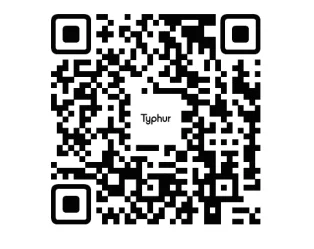
- Scan the QR code to download the free Typhur App for iOS or Android to control your device remotely.

OPERATION
Power Control
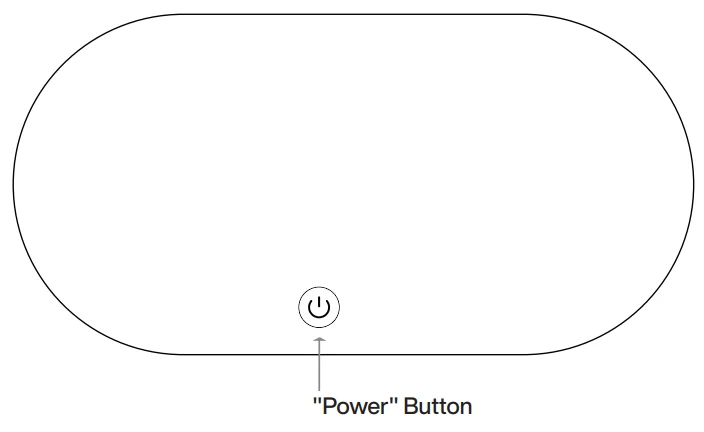
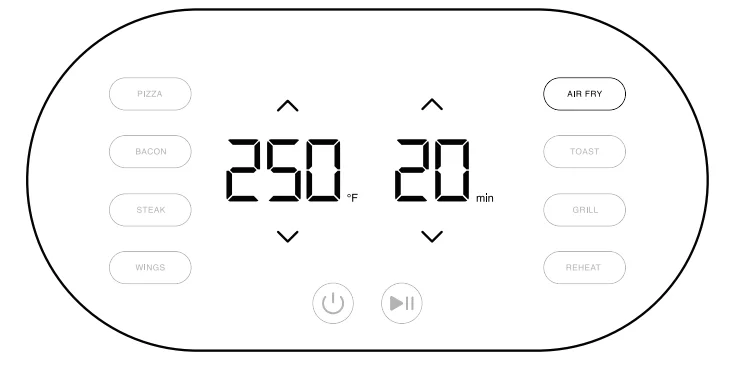
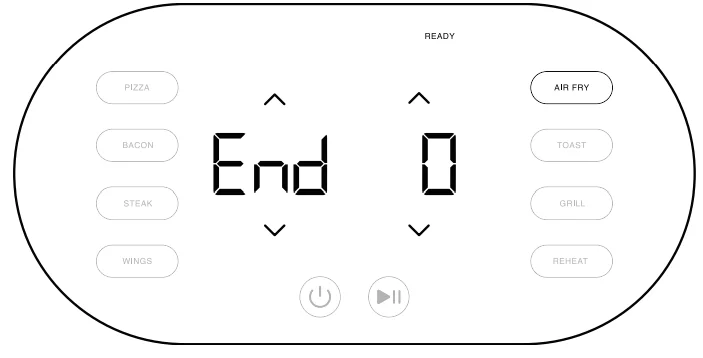
Press and hold the “Power” button for 2 seconds to turn on the appliance, and press briefly to turn it off.
Start/Pause Control
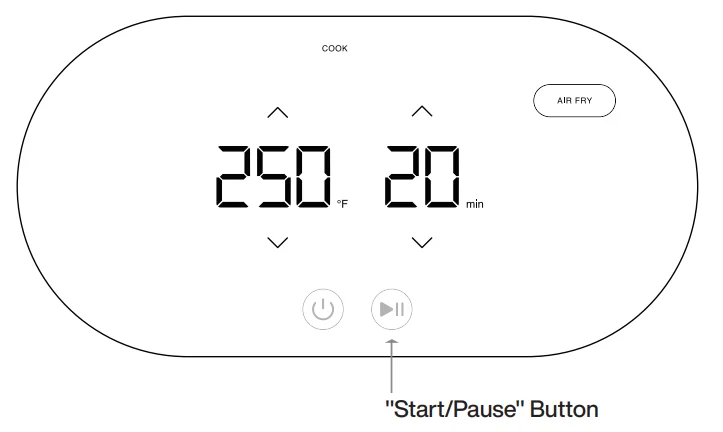
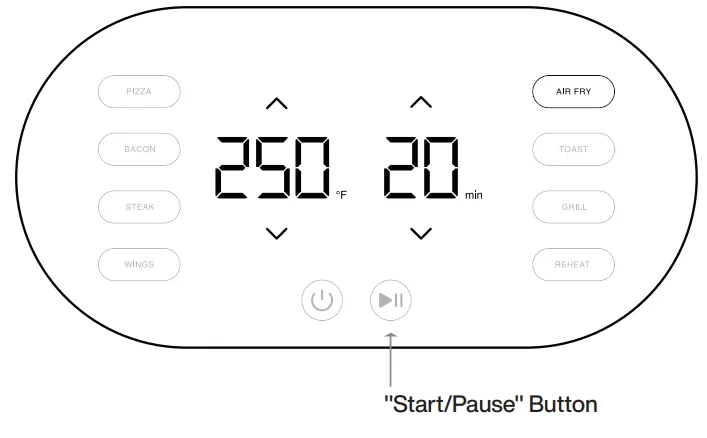
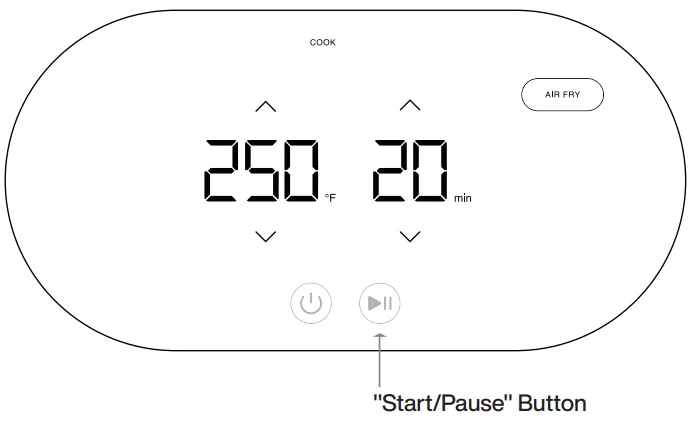
Press the “Start/Pause” button to start or pause cooking.
Temperature Unit Switch
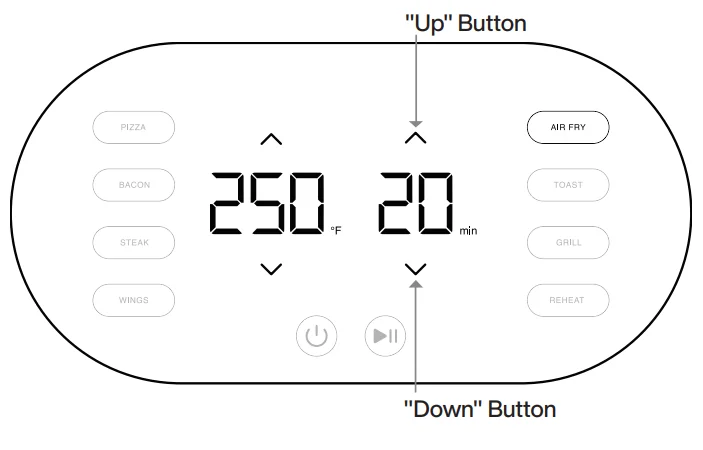
Simultaneously press and hold the temperature buttons “Up” and “Down” for 2 seconds to switch the temperature unit between Celsius and Fahrenheit.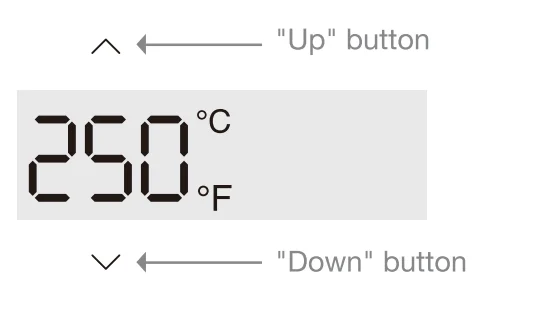
Preset Cooking Selection
To select a cooking preset temperature and time, press the corresponding button: “Pizza,” “Bacon,” “Steak,” “Wings,” “Air Fry,” “Toast,” “Grill,” and “Reheat.”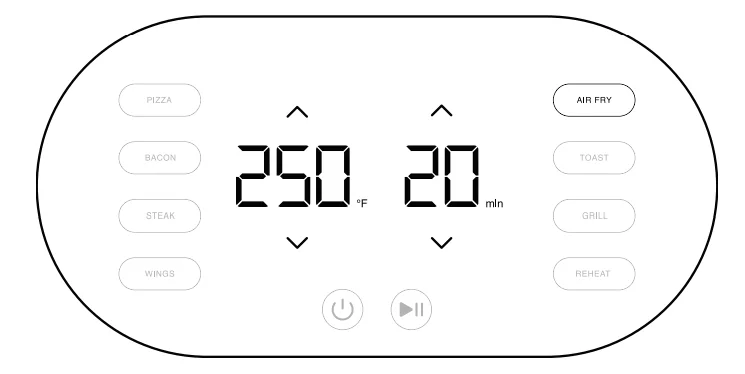
App Control
- To connect to Wi-Fi, press and hold the time control buttons “Up” and “Down” simultaneously for 2 seconds when the appliance is not cooking.
- The Wi-Fi icon will flash, indicating that the appliance is in pairing mode.
- Open the Typhur App on your smartphone or tablet. Tap on “Device” and select “Add Device”. Select “Typhur Dome 2” and follow the instructions to pair your device.
- After pairing, pressing and holding the time control buttons “Up” and “Down” simultaneously for 2 seconds will unpair the current network address and prepare the appliance for new Wi-Fi pairing. Please note that unpairing will delete all user information and configured settings.

Compatible with Typhur’s Wireless Meat Thermometer
Enhance your cooking control with the Typhur wireless meat thermometer and Typhur Dome 2. To begin, add both devices to the Typhur App. Afterward, on the Dome Control page within the app, designate the wireless probe as your primary cooking control method. For a seamless setup, follow the detailed instructions provided in the app.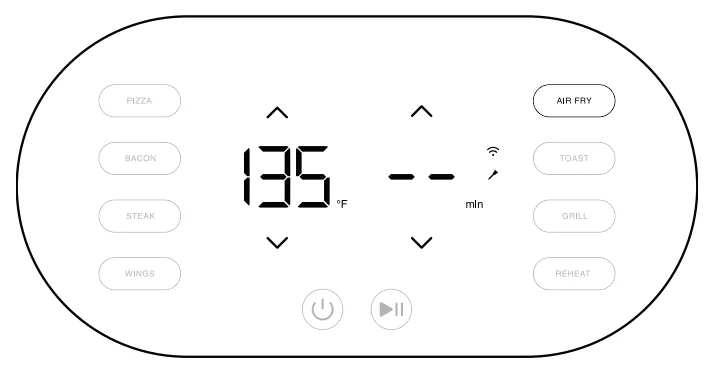
COOKING
Standard Procedure
- Ensure proper voltage connection by following the indications on the power cord to match the voltage requirements specific to your region.

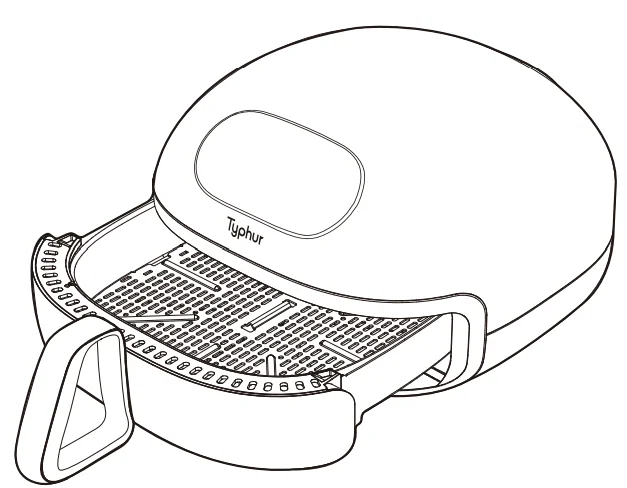
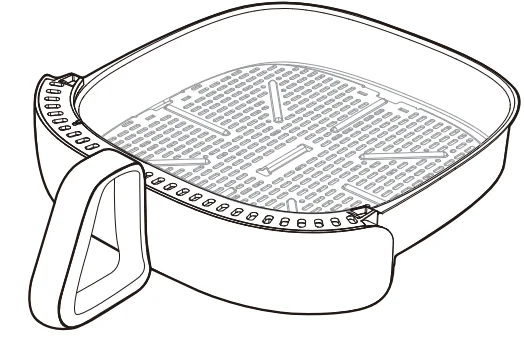
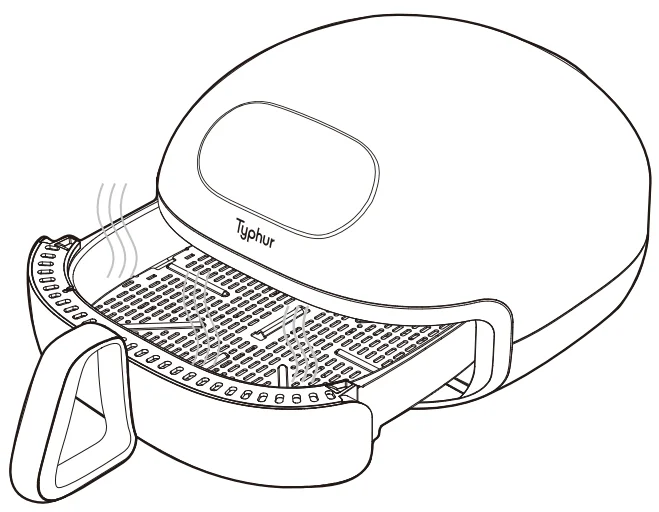
- Remove the basket by pulling the handle.

- Put ingredients in the basket (do not exceed the max amount).

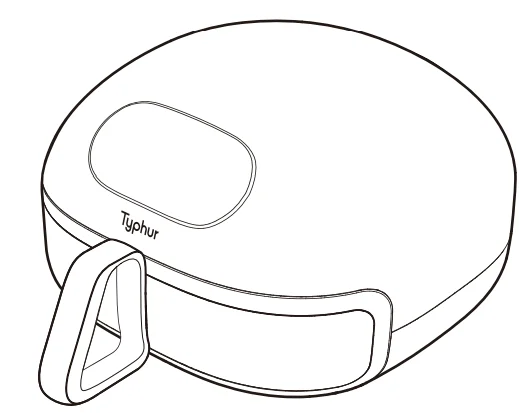
- Insert the basket with the handle into the Air Fryer securely. The Air Fryer will not start cooking if the basket is not securely inserted. If this happens, the temperature and time display will show “—” and “–“, respectively.

- Press the “Power” button to turn on the appliance.

- Press the “Mode/Ingredient” button to preset cooking temperature and time. (The temperature and cooking time can be adjusted by pressing the “Up” and “Down” buttons, respectively.)

- Press the “Start/Pause” button to start the cooking process.

- Press the “Start/Pause” button to temporarily pause the cooking process. (The temperature and time settings can be adjusted during cooking.)

- When paused, press the “Start/Pause” button to resume the cooking process.

- When cooking is completed, the appliance will emit three beeps to notify the user and automatically stop the cooking process.

- Remove the basket and allow the hot surface and food to cool before handling.

Stopping Cooking & Auto Shutoff
- The appliance will automatically pause the cooking process if the basket is pulled out during operation.
- The appliance will automatically power off after 20 minutes of inactivity in standby or paused mode.
- The appliance will only allow the “turn off” function if the basket is not detected inside. The temperature and time display will show “—” and “–“, respectively.
- To ensure safety, the appliance will automatically shut down if it overheats during operation.
SELF-CLEANING MODE
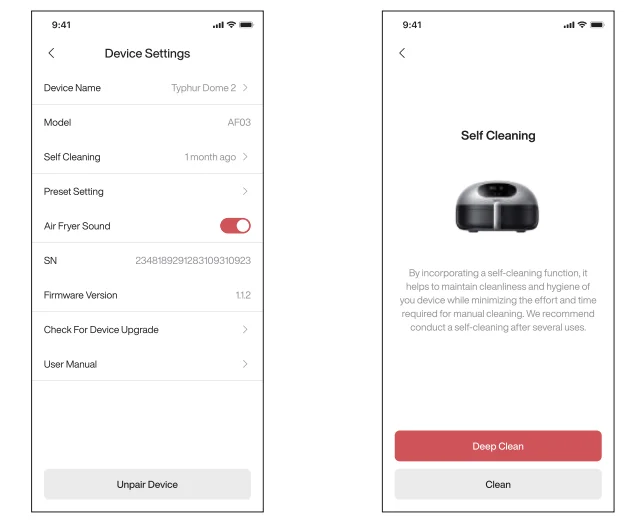
Self-cleaning mode can be used to remove oil and stains on the upper part of the internal chamber. It is advised to run self-cleaning mode on a monthly basis.
- Before starting the cleaning process, dispose of any oil or leftovers from the basket.
- Open the Typhur App, navigate to “Device Settings”, tap “Self-Cleaning”, and follow the on-screen instructions.

CLEANING & MAINTENANCE
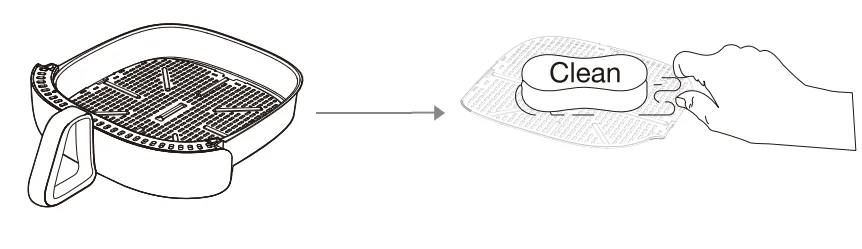
Always clean the appliance after every use.
- Turn off, unplug the appliance, and wait for the appliance to cool down.
- The basket and grill plate are dishwasher safe. You can use baking soda mixed with water to remove grease.
- The appliance’s surface should be wiped clean and dry, with particular attention paid to the control display.
- Clean the heating element with a soft brush to remove residues if necessary.

Note
- The grill plate, the basket, and the inside of the appliance have a non-stick coating. Do not use metal kitchen utensils or abrasive cleaning materials, as this may damage the non-stick coating.
- Make sure the appliance is clean and dry for storage.
- All other servicing should be performed by an authorized service representative.
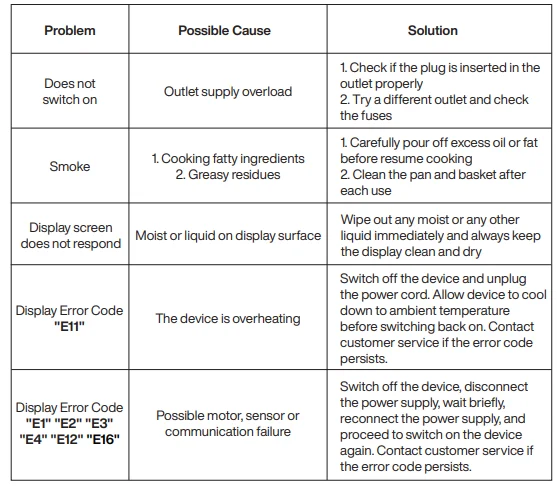
TROUBLESHOOTING
CERTIFICATIONS
For Europe: Operational frequency and EIRP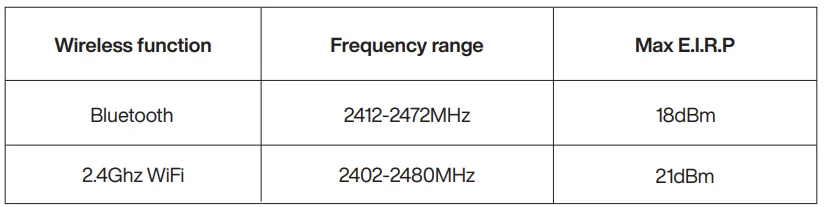
5150-5350 MHz is restricted for indoor use for all EU members. Hereby, [Typhur Inc.] declares that the radio equipment type [AF03] is in compliance with Directive 2014/53/EU. The full text of the EU declaration of conformity is available at the following internet address: https://explore.typhur.com/ce-declaration.
FCC Statement
This equipment has been tested and found to comply with the limits for a Class B digital device, pursuant to part 15 of the FCC Rules. These limits are designed to provide reasonable protection against harmful interference in a residential installation. This equipment generates uses and can radiate radio frequency energy and, if not installed and used in accordance with the instructions, may cause harmful interference to radio communications.
However, there is no guarantee that interference will not occur in a particular installation. If this equipment does cause harmful interference to radio or television reception, which can be determined by turning the equipment off and on, the user is encouraged to try to correct the interference by one or more of the following measures:
- Reorient or relocate the receiving antenna.
- Increase the separation between the equipment and receiver.
- Connect the equipment into an outlet on a circuit different from that to which the receiver is connected.
- Consult the dealer or an experienced radio/TV technician for help.
Caution
The user is cautioned that changes or modifications not expressly approved by the party responsible for compliance could void the user’s authority to operate the equipment.
FCC Radiation Exposure Statement
This equipment complies with FCC radiation exposure limits set forth for an uncontrolled environment. This equipment should be installed and operated with a minimum distance of 20cm between the radiator & your body.
FCC Supplier’s Declaration of Conformity
- Product Name: Typhur Dome 2 Air Fryer
- Model: AF03
- Supplier’s Name: Typhur Inc.
- Suppliers Address: 2890 Zanker Rd, Suite 120, San Jose, CA 95134, USA
- Supplier’s Email: [email protected]
ISED statement
This device contains license-exempt transmitter(s)/receiver(s) that comply with Innovation, Science and Economic Development Canada’s license-exempt RSS(s). Operation is subject to the following two conditions:
- This device may not cause interference.
This device must accept any interference, including interference that may cause undesired operation of the device.
ISED Radiation Exposure Statement
This equipment complies with ISED RSS-102 radiation exposure limits set forth for an uncontrolled environment. This equipment should be installed and operated with a minimum distance of 20cm between the radiator and any part of your body.
 This symbol, affixed to the product or its packaging, indicates that the product must not be processed with household waste. It must be brought to an electric or electronic waste collection point for recycling and disposal. By ensuring the appropriate disposal of this product, you also help in preventing potentially negative consequences for the environment and human health. The recycling of materials helps preserve our natural resources. For further information regarding the recycling of this product, please contact your municipality, local waste disposal centre, or the store where the product was purchased.
SUPPORT
Please contact our Customer Support Team if you have any questions.
Phone: 1(888) 838-6563(USA)
Email: [email protected]
Website: www.typhur.com/contact-us
Typhur Privacy Statement
We value your privacy and personal data rights, and we, Typhur Inc. is the entity responsible for the collection, use, and disclosure of information under our Privacy Statement. For more details, please visit https://www.typhur.com/privacy-statement.
Terms of Service
For details about Typhur Terms of Service, please visit https://www.typhur.com/terms-of-service.
Refund & Return Policy
Typhur has a 30-day hassle-free return policy. For more details, please visit https://www.typhur.com/refund-and-return.
Warranty
Full details are stated in Typhur’s warranty policy at https://www.typhur.com/warranty.
For More Manuals By Typhur, Visit ManualsLibraryy.
Typhur AF03 Dome 2 Air Fryer- FAQs
How do you use the Typhur Dome 2 Air Fryer?
To use the Typhur Dome 2, place food in the cooking basket or on the tray, select your desired cooking mode or preset, set the temperature and time if needed, and press start. The fryer circulates hot air evenly to cook food quickly with minimal oil.
What cooking modes are available on the Typhur Dome 2?
The Typhur Dome 2 offers multiple modes including Air Fry, Reheat, Bake, Roast, Broil, Toast, Grill, Griddle, and Dehydrate, giving you flexibility for everyday meals and snacks.
Does the Typhur Dome 2 have preset programs?
Yes, it includes smart presets for common foods such as Pizza, Steak, Bacon, Wings, Fries, and Frozen foods, making cooking faster and more consistent.
Do I need to preheat the Typhur Dome 2 Air Fryer?
Preheating is not always required, but it is recommended for baking, grilling, or cooking thicker foods to ensure even results and better texture.
Do I need to use oil in the Typhur Dome 2?
Oil is not required because the air fryer cooks using hot air circulation. However, a light spray of oil can help improve crispiness for foods like fries or chicken.
Can I cook raw meat in the Typhur Dome 2?
Yes, raw meat can be cooked safely as long as it is evenly placed, properly seasoned, and cooked to the recommended internal temperature.
Can I put aluminum foil in the Typhur Dome 2 Air Fryer?
Foil can be used sparingly, but it should not block airflow. Improper use may affect cooking performance or cause uneven heating.
Can I bake or roast food in the Typhur Dome 2?
Yes, the Bake and Roast modes allow you to prepare cakes, bread, vegetables, and meats. Reduce oven temperatures slightly for best air-fryer results.