


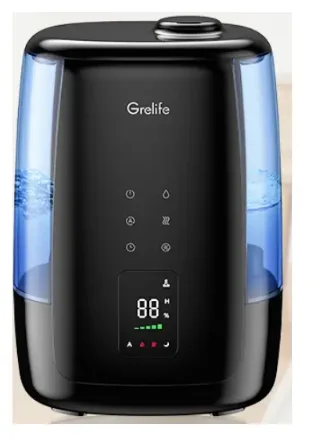
Grelife JDJSQ0002AGL 5L Ultrasonic Warm and Cool Mist Humidifier
STATEMENT
Thank you for purchasing the Grelife LE-H003 Warm and Cool Mist Humidifier. Please read this user manual carefully and keep it for future reference. If you need any assistance, please contact our support team with your product model number and order number.
SAFETY INSTRUCTIONS
The humidifier was made with safe and environmentally protective materials, and it has been certified and complies with the requirements of the sale regions’ related regulations or laws.
IMPORTANT: Please read and save these SAFETY INSTRUCTIONS before using the device. Basic precautions should always be followed to reduce the risk of fire, electrical shock, and injury to persons or damage to the product.
BEFORE USING THE HUMIDIFIER
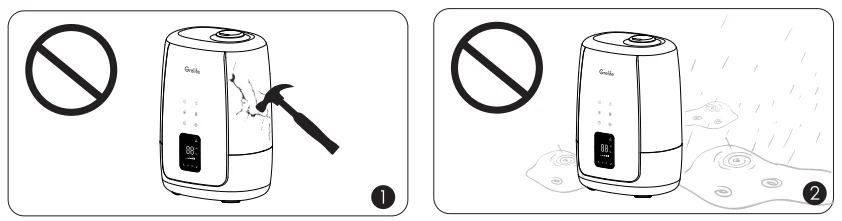
- A collision with a hard object may cause the product to rupture. Please handle with care and do not hit the hard object.
- DO NOT place this humidifier in wet environments.

Please always keep the humidifier out of reach of patients & children & pets. 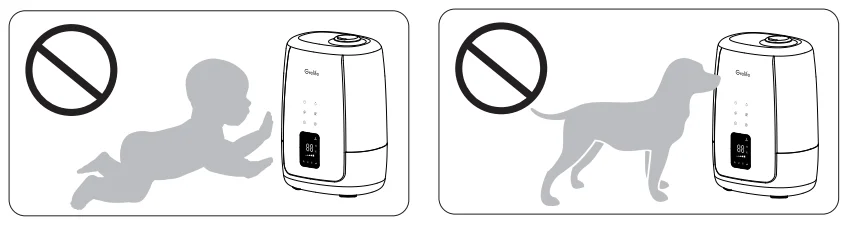
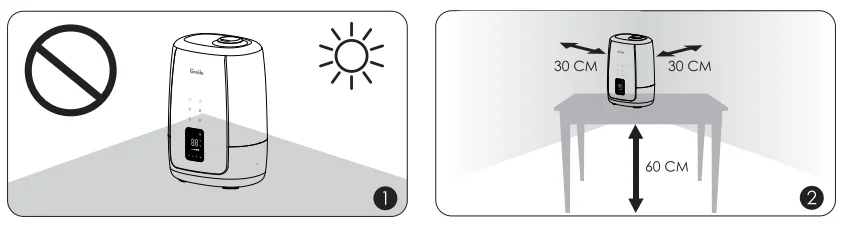
- Please always place the unit on a smooth, flat, lint-free, non-metallic, waterproof, and level surface and keep it away from direct sunlight.
- Always place the unit 2 feet (60 cm) above the floor, 12 inches (30 cm) away from the wall, other appliances, or wooden furniture.

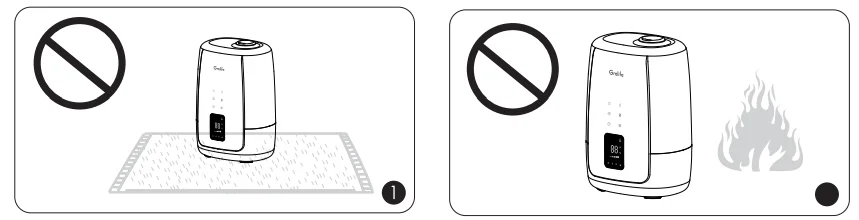
- DO NOT place the unit on carpet, towel, or wood surface, which will block the vent and may damage the unit.
- DO NOT place the humidifier near naked flames and heat sources, such as stove tops, ovens, radiators, or computers.

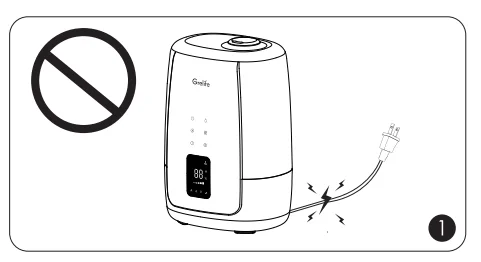
- Please extend the cord and check for any signs of damage. Do not use the humidifier if the cord has been damaged.

WHEN USING THE HUMIDIFIER
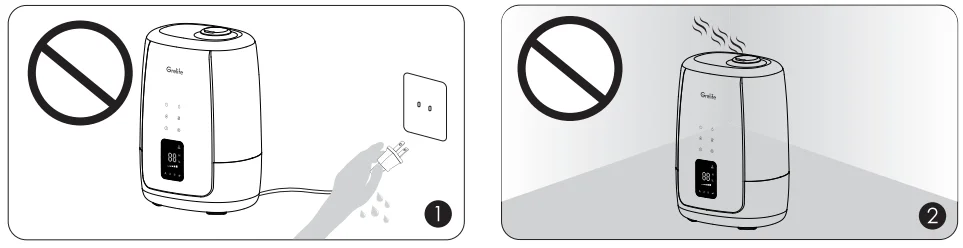
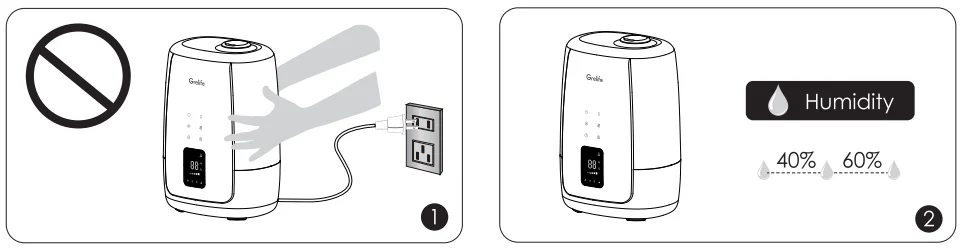
- DO NOT plug the unit in with wet hands.
- DO NOT direct the mist nozzle against the wall.

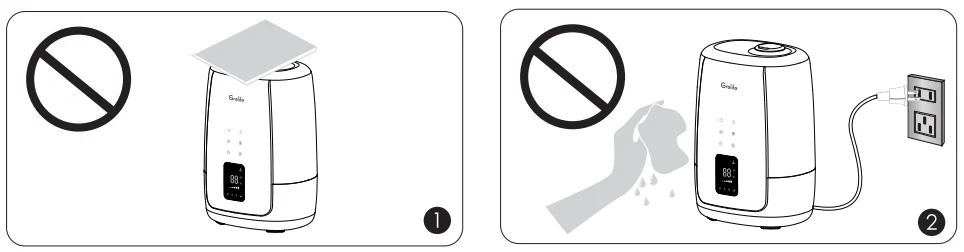
- DO NOT use your hand or any other object to cover the nozzle while the unit is on to avoid damaging the product or causing injury.
- DO NOT clean the unit while it is connected to a power source or while it is on.

- DO NOT move or tilt the humidifier while it is in operation.
- The most comfortable environmental humidity is between 40%-60%. Please adjust the mist as needed.
AFTER USING THE HUMIDIFIER
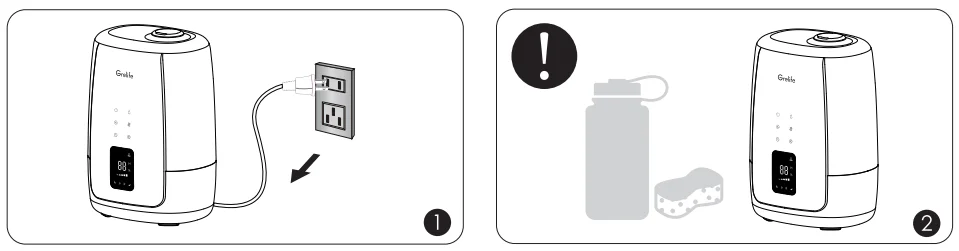
- Always disconnect from a power source by pulling the plug when not in use.
- A humidifier requires regular cleaning. Please refer to and follow the Cleaning and Maintenance instructions.

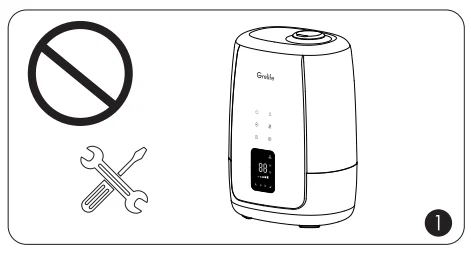
- DO NOT attempt to repair or adjust any electrical or mechanical functions on this humidifier.

PACKAGE CONTENTS
- 1 x Humidifier (Model: LE-H003)
- 1 x User Manual
FEATURES
- Top-fill Water Tank Design
Make filling and cleaning easier - Five-speed Mist adjustment
Set your desired humidity level - 360° Rotary Nozzle
Turn the mist output toward any direction - ULTRASONIC COOL & WARM MIST
Stay cozy and comfortable whilst breathing properly all year round - LARGE LED DIGITAL SCREEN
Easily get functions like humidity, temperature, and setting - Auto Shut Off Protection
Stop working automatically when out of water - 5L Transparent Water Tank
Conveniently observe the surplus water at any time - Timer Function
12-hour timer settings for the appropriate working time
SPECIFICATIONS
PRODUCT DIAGRAM
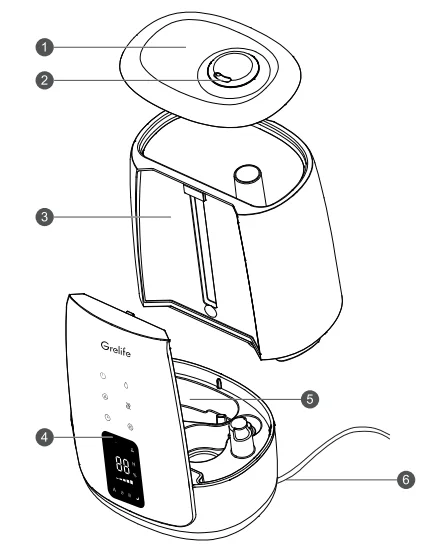
- Top Cover
- Mist Outlet
- Water Tank
- Operation Panel
- Sink
- Power Cord
OPERATION AREA
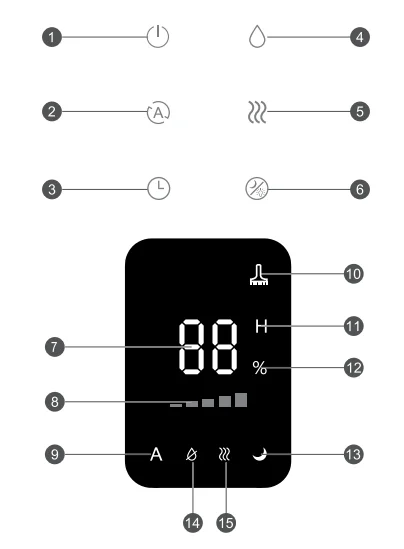
- On/off Button
- Constant Humidity Button
- Timer Button
- Mist Level Button
- Warm Mist Mode Button
- Light/sSleepMode Button
- Humidity Level Icon
- Mist Level Icon
- Constant Humidity Icon
- Clean Reminder Icon
- Timer Icon
- Humidity Unit Icon
- Sleep Mode Icon
- Water Shortage Icon
- Warm Mist Mode Icon
OPERATIONS AND FUNCTIONS
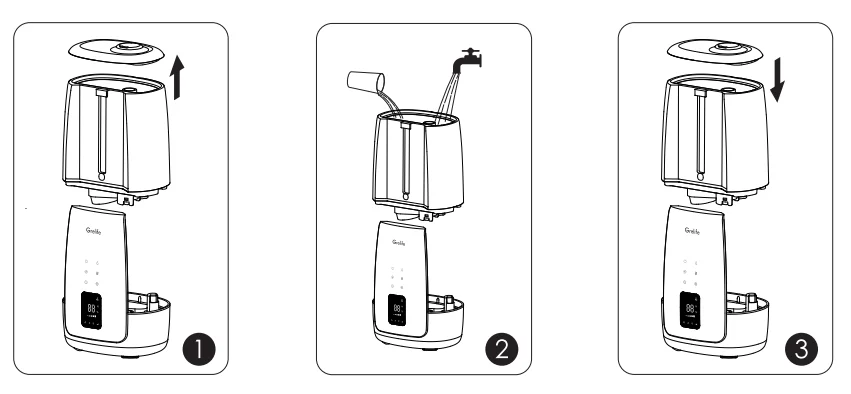
Add water
- Remove the tank cap.
- Fill the tank with clean and cool water only.
- Attach the tank cap and place the tank back onto the base.
Please make sure it fits together securely so that water can go from the tank to the reservoir.
Power On / Off and Mist Adjustment
Plug the power cord into a wall socket. Now the humidifier is ready for use.
- Plug in the power, and then touch the On/Off
 button. The device starts to work with Standard mist mode, and the digital display will turn on.
 - In any working mode, touching thisbutton will turn off the humidifier and digital panel.
The most comfortable environmental humidity is between 40%-60%. Please adjust the mist as needed.
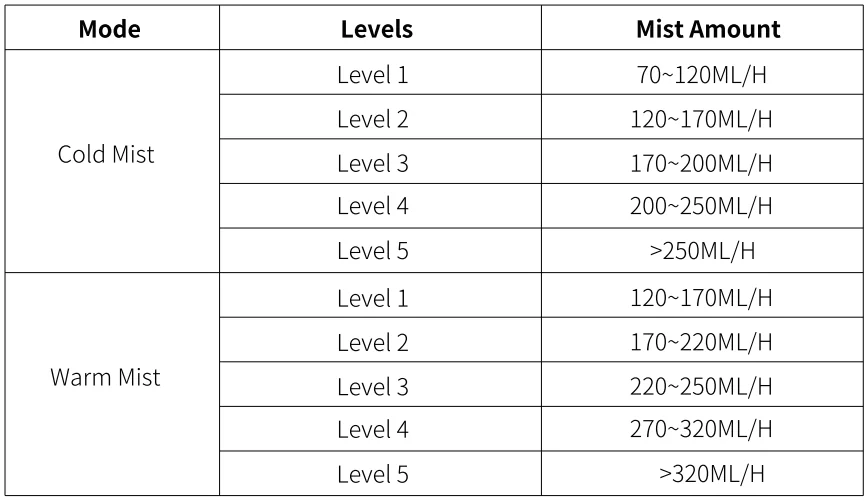
Standard Mist Mode / Mist Level Adjust
Touch the  button to enter the standard mist mode. You can adjust the mist amount by touching this button several times. Total 5 mist amount levels.
Constant Humidity Mode
The most comfortable humidity is about 40%-60%, and the constant humidity mode can adjust humidity and provide the most comfortable environment.
Touch the  button to enter the constant humidity mode and setting, the humidity icon is on and the humidity is blinking, the target humidity number can be increased/ decreased by touching the humidity button again, the range of humidity mode is 30%-80%, touch the button or no more operations for within 5 seconds, fixed this setting.
In constant humidity mode, you can’t adjust the mist level with the button, and the mist mode works at maximum level by default.
When the set humidity is reached, the humidifier stops atomizing.
Warm Mist Mode
Touch the  button to enter the warm mist mode. The warm mist icon is on. In this mode, the humidifier will quickly humidify, and the temperature of the mist outlet is about 45°C.
Timer Mode
Touch the  button to set the timing shutdown. Can increase/decrease the timing shutdown value by touching this button again. The setting range: 0~ 12 hours. If there are no more operations within 5 seconds, fix this setting.
Touch the button for 1.5s, will log out the timer mode.
Light Control
Touch the  button to turn on or turn off the light.
Sleep Mode
Touch the button for 1.5 seconds to enter the sleep mode, only the sleep indicator lights up in this mode, the operation sound and the light are off. A single touch of any icon will light up the corresponding status indicator, you can continue to make relevant settings, and the status indicator turns off after 5seconds.
CLEANING AND MAINTENANCE
Caution
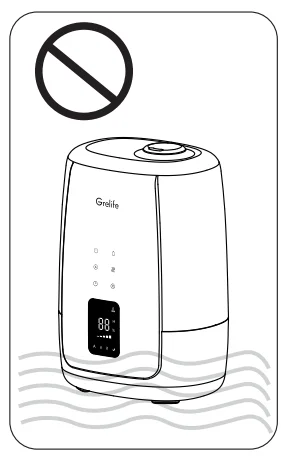
- DO NOT submerge the base in water.
- Make sure water does not enter the base through the air outlet, air inlet, or the control knob.
- DO NOT wash any part of this humidifier in the dishwasher, which will damage the humidifier and void the warranty.
Daily Maintenance
After each use of the humidifier, pour out the remaining water and dry it before storage.
Weekly Maintenance
1. To properly clean your humidifier, we recommend that you remove scale and disinfect the humidifier separately.
2. DO NOT mix vinegar and bleach solutions. Do not use more than 1 tsp. Of bleach per gallon of water to avoid damaging your humidifier.
3. Please make sure the sealing ring on the tank cap is installed properly after cleaning to avoid water leakage.
4. Clean and maintain the humidifier once it is used continuously for 3 days.
5. When the humidifier is not used for a long time, it is recommended to dry the device before storage.
6. Prepare a cotton swab/brush/mild detergent before cleaning.
7. Please turn off the humidifier and unplug it before cleaning.
8. Once the humidifier is used continuously for 3days (humidifying mode), the cleaning reminder icon  will light automatically to remind the customer to clean the humidifier. Long-press the touch
  button for 2 seconds can cancel this reminder.
Cleaning The Water Tank
- Remove the water tank and pour out the remaining water in the device.
- Take out the filter and clean it separately with a brush or cotton swab.
- Rinse the inside and bottom of the tank with water.
- When there are water stains that are difficult to remove, you can add an appropriate amount of mild detergent to soak for 30 minutes and then clean them.
Note: Do not use organic solvents, strong acids, strong alkalis, or other substances for cleaning.
Cleaning The Sealing Ring
If there are objects in the sealing ring of the water outlet of the water tank, it will cause the sealing to be loose and cause water leakage. Please lift the spring, and use a cotton swab to carefully remove the objects around the sealing ring at the water outlet.
Cleaning The Sink
Please clean the sink with a damp cloth or brush.
Notice
It is not recommended to directly rinse the sink with water to avoid water splashing into the base from the air outlet. If water drips into the base, it will directly affect the normal operation of the product.
When cleaning the sink, if you accidentally drop water into the air outlet, do not plug in the device, and place the device on the front. Then let the water drain through the base drain hole, and drain in the ventilated place for 3 days, until the water is fully evaporated, before use.
TROUBLESHOOTING GUIDE
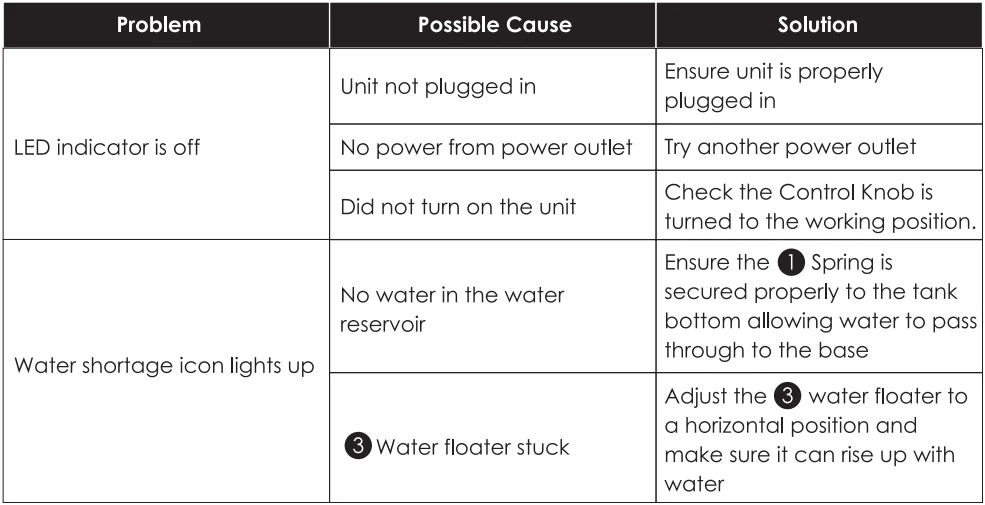
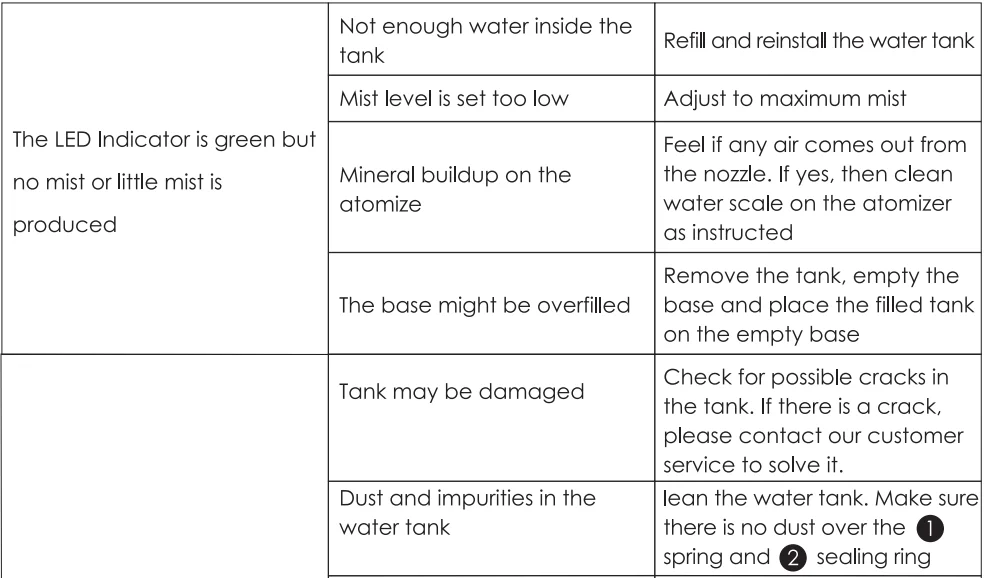
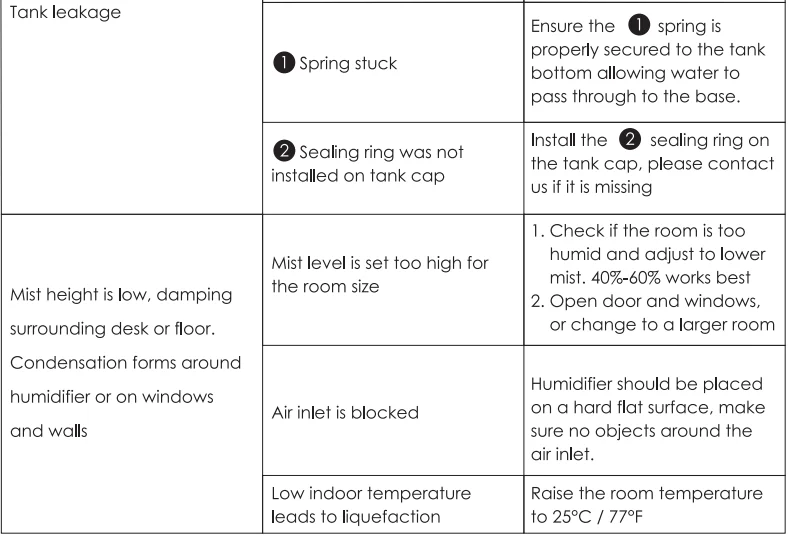
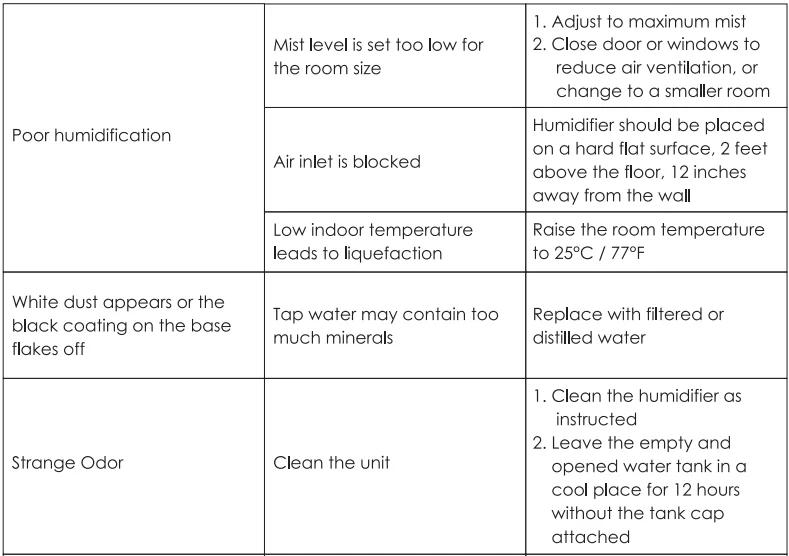
- If the information listed in the troubleshooting guide can’t solve your problem, please email us for help.
- Failure to keep this unit clean from mineral deposits may affect the operation of this unit.
- Customer failure to follow these instructions may void the warranty.
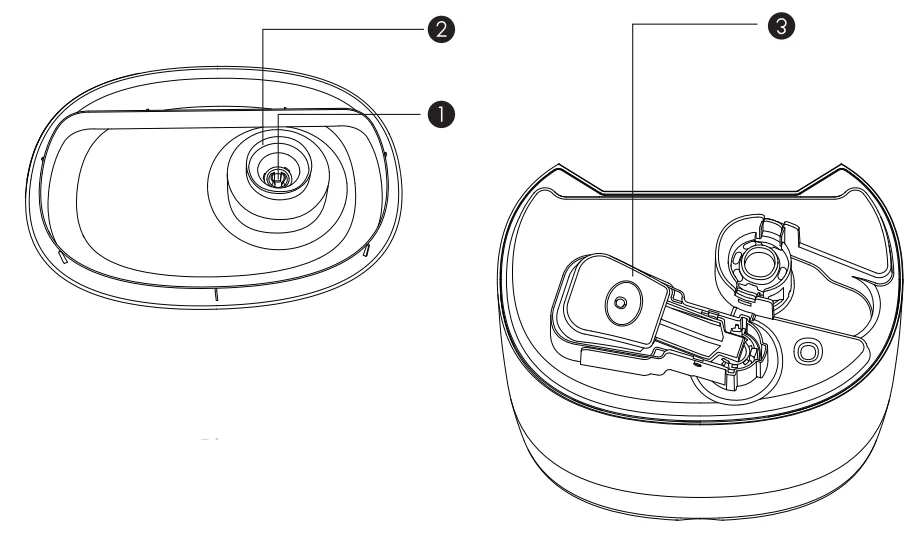
- Spring
- Sealing Ring
- Water Floater

WARRANTY & CUSTOMER SUPPORT
For questions, support, or warranty claims, contact us at the address below that corresponds with your region. Please include your order number and product model number.
E-mail: [email protected]
* Please note, Grelife can only provide after-sales service for products purchased directly from Grelife. If you have purchased from a different seller, please contact them directly for service or warranty issues.
For more manuals by Grelife, visit ManualsLibraryy
Grelife JDJSQ0002AGL 5L Ultrasonic Warm and Cool Mist Humidifier- FAQs
Q1. How do I use the Grelife ultrasonic humidifier?
Fill the water tank, place the unit on a flat surface, select warm or cool mist mode, and turn it on. Adjust the mist output as needed.
Q2. Can I use tap water in this humidifier?
Yes, tap water can be used, but distilled or filtered water is recommended to reduce mineral buildup and white dust.
Q3. Is it safe to run the humidifier overnight?
Yes, it is safe. Maintain optimal humidity levels between 40%–60% for comfort and safety.
Q4. How do I clean and maintain the humidifier?
Empty the water tank daily, wipe surfaces with a soft cloth, and descale the heating element or ultrasonic plate weekly to prevent mineral buildup.
Q5. Can I use essential oils in this humidifier?
No. Essential oils should not be added unless the unit specifically supports them, as they can damage the ultrasonic mechanism.
Q6. How do I know if the humidifier is working?
Check for visible mist, feel the top of the power unit for slight warmth (in warm mist mode), and ensure the indicator lights are on.
Q7. What happens if the water runs out?
The humidifier will automatically shut off to prevent damage. Always refill the tank before restarting.
Q8. Where should I place the humidifier in a room?
Place it on a flat, elevated surface away from walls and electronics. Keep bedroom doors open for proper mist circulation.