
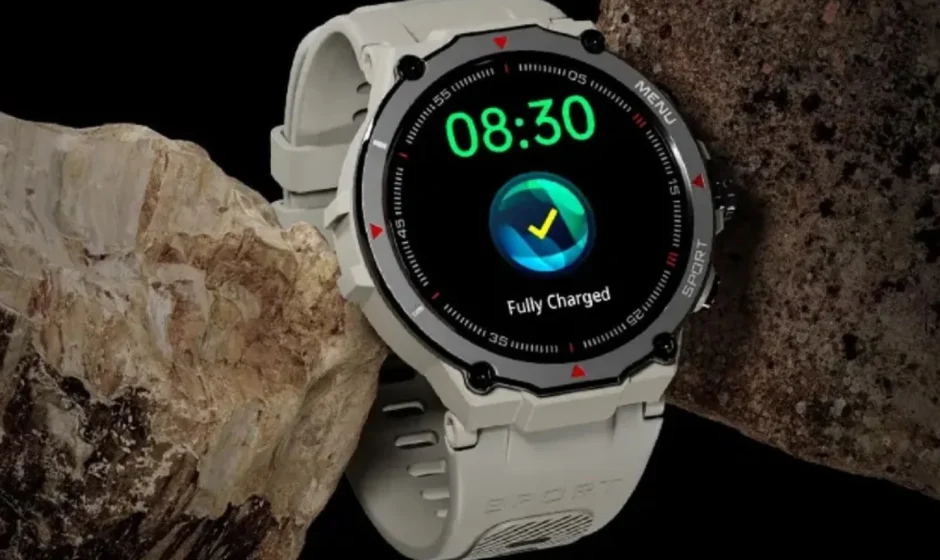

NoiseFit Force 2 Smartwatch
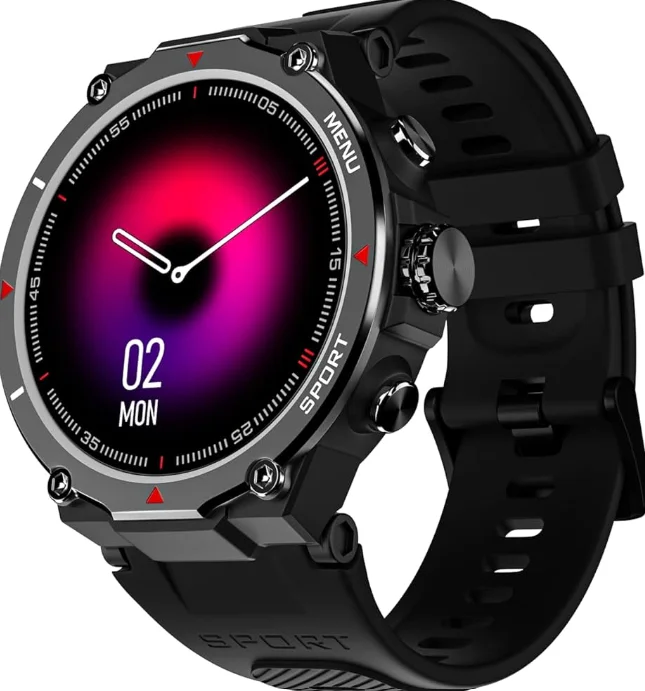
What’s in the Box
- NoiseFit Force 2 smartwatch x 1
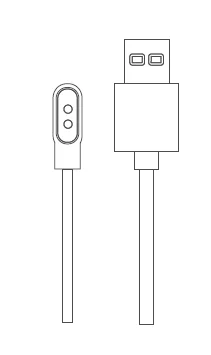
- Charging cable x 1
- User manual x 1
- Warranty card x 1
WATCH OVERVIEW
- Noise health
- Breathe
- Sports
- Clock
- Noise buzz
- Al Voice
- Weather
- QR code
- Messages
- Calculator
- Camera
- Games
- Music
- Settings
PACKAGE CONTAINS
NoiseFit Force 2 Smartwatch x 1

Charging cable x1
CHARGING NOISEFIT FORCE 2 SMARTWATCH
Before using your NoiseFit Force 2 for the first time, charge the battery to its full capacity. Use the charging cable provided with the watch to charge. On a single charge, NoiseFit Force 2 can last up to 7 days.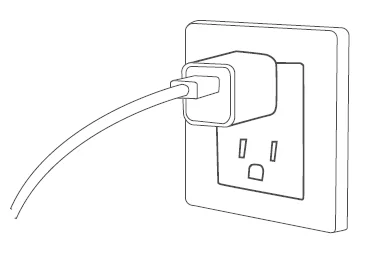
Note: The battery life and time to fully charge your device may vary as per usage and other factors.
CHARGE NOISEFIT FORCE 2
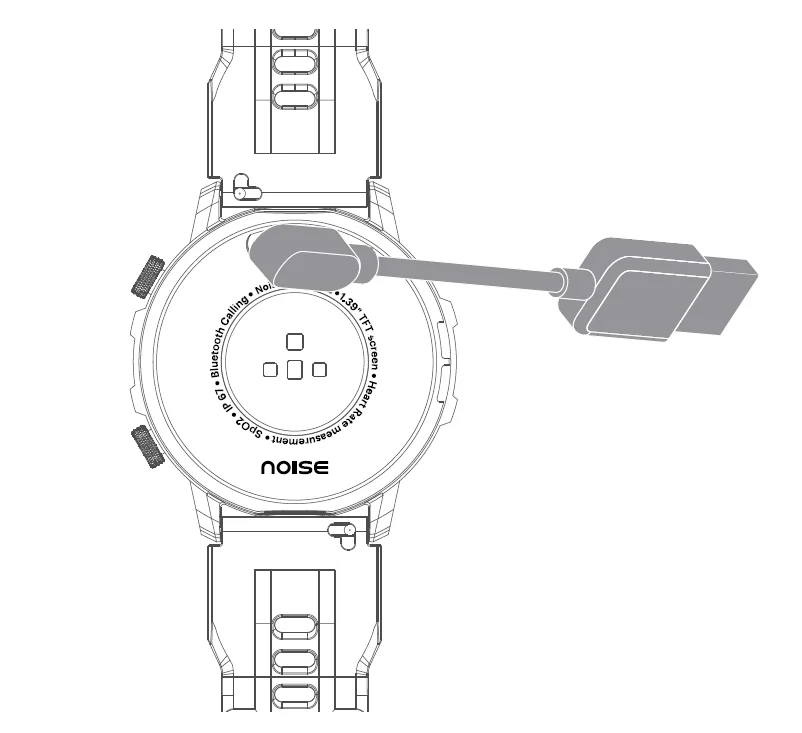
- Plug the USB cable into a power adaptor. Plug the power adaptor into an electrical socket. (Power adaptor not included).
- Place the magnetic charger on the magnetic charging points of the watch.
- While your watch is charging, the screen will show its progress.
- Once the battery is fully charged, remove the charger.

POWER ON
Press and hold the upper side button for a few seconds to turn on the watch.
POWER OFF
- Press and hold the upper side button for a few seconds.
- Select ‘Power off’ and confirm to power off.
WAKING UP THE WATCH
The NoiseFit Force 2 smartwatch has a TFT colour touch screen. Navigate the watch by tapping on the screen, swiping side to side, up and down and pressing and rotating the functional crown and the lower side button.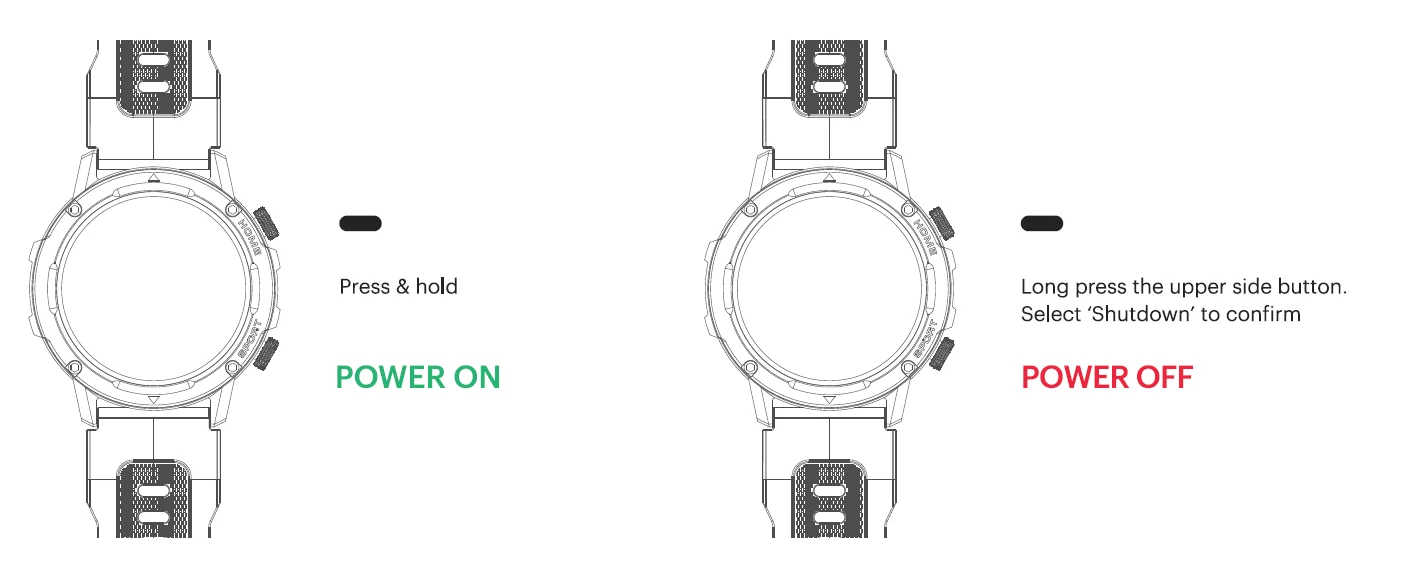
BUTTON NAVIGATION
- Press the upper side button to turn on the watch display.
- Press the lower side button to go to sports modes directly from the main menu.
HOME SCREEN NAVIGATION
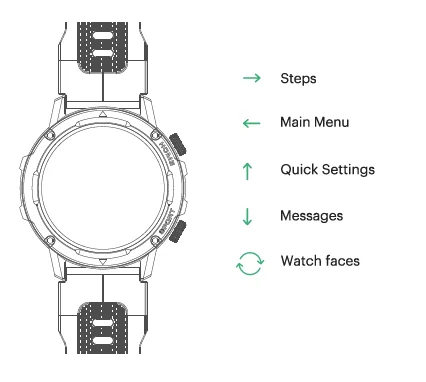
The home screen is the watch face. From the home screen:
- Swipe right to check your steps taken.
- Swipe left to access the main menu.
- Swipe up to go to quick settings.
- Swipe down to check your messages.
- Rotate the upper side button to change watch faces.

APP SET-UP
Before pairing, make sure that your smartphone and smartwatch are next to each other. The app will ask for personal information such as height, weight and sex to calculate your stride length, distance covered and calorie burn rate.
- Turn on Bluetooth and the location on your mobile device.
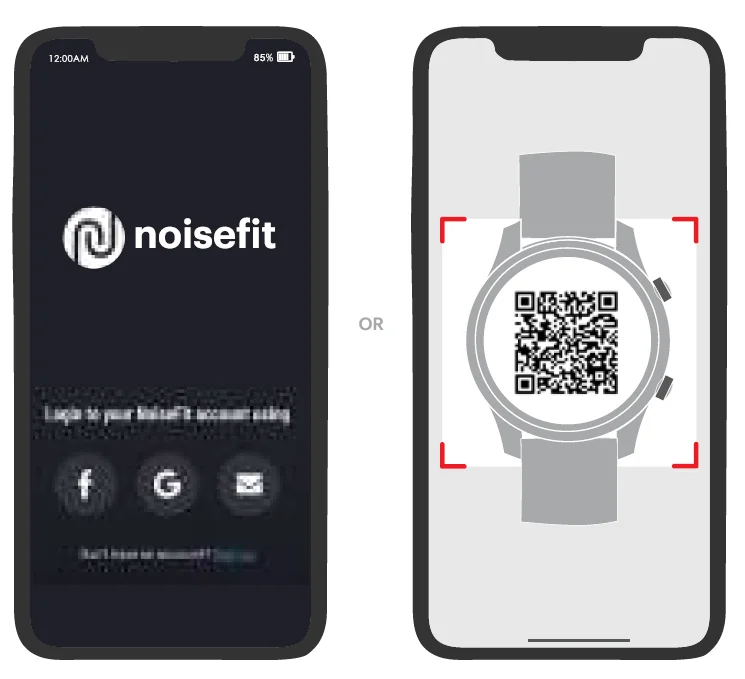
- On your smartphone, download the NoiseFit app from the Play store or the App store and install it.
- Create an account or log in using an existing account.
Note: Ensure that your smartphone is running on Android 9.0 & + or iOS 11.0 & + and is connected to mobile data or a Wi-Fi network.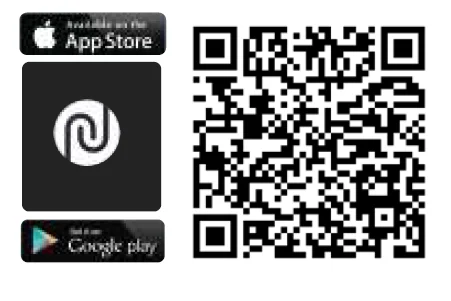
PAIR THE WATCH
- Open the NoiseFit app and allow the Bluetooth and GPS positioning to be turned on.
- Feed in your personal information and health goals in the app.
- Go to the ‘Pair Device’ page in the app, select the watch name and MAC address and link the watch.

BT call connectivity
To establish Bluetooth calling connectivity, follow these steps.
For automatic connection
After pairing the watch with the NoiseFit app, the watch’s calling Bluetooth would be activated. Now connect it with your phone’s Bluetooth to use the calling feature conveniently.
Manual connection
In case the Bluetooth calling connectivity has not been established earlier, you’ll have to do the steps manually. Go to Settings. Search for the device and pair your smartphone to attend your calls from the watch.
BT call connectivity removal
In Android devices, to remove the Bluetooth connection, you can unpair from the app and the phone’s Bluetooth settings. Go to the phone’s Bluetooth settings and forget the NoiseFit Force 2 Phone. In iOS devices, to remove the Bluetooth connection, you can unpair from the app and the phone’s Bluetooth settings. Go to the phone’s Bluetooth settings and forget NoiseFit Force 2 and NoiseFit Force 2 Calling.
WATCH FEATURES
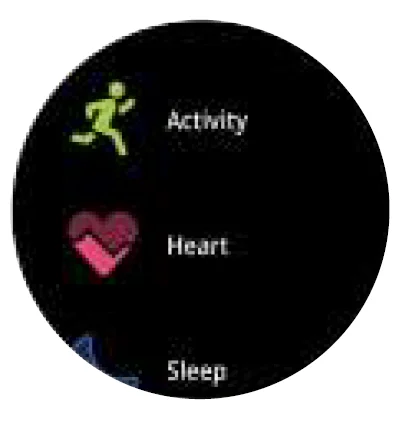
- NOISE HEALTH
Noise Health Suite has a collection of wellness features that take a holistic approach.
- ACTIVITY
You can check your daily activity progress in terms of the calories burned, distance covered, active time and steps taken. - HEART RATE
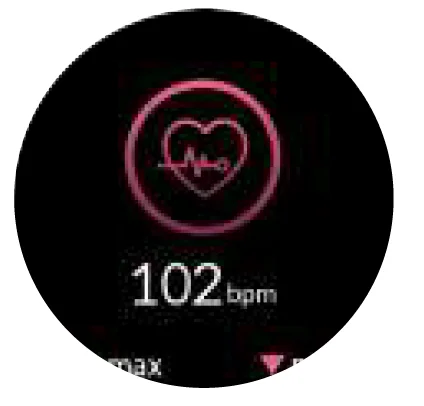
NoiseFit Venture supports 24/7 heart rate tracking. You can select the measurement frequency in the app settings. To measure your heart rate in real-time, go to the ‘Heart Rate’ monitor and tap on ‘Tap to Measure.” You can view the all-day data on the watch and app.
Note: Make sure your arms and wrists are still, and there is no space between your watch and your wrist. - SLEEP
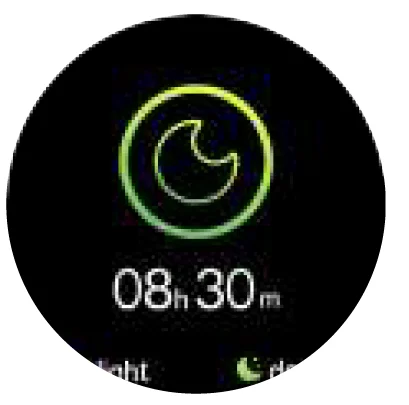
You can view your most recent sleep record and sleep quality in various sleep stages in the NoiseFit app.
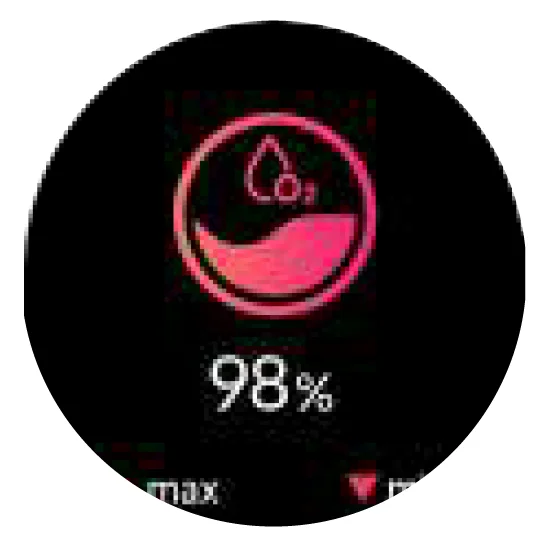
- BLOOD OXYGEN
NoiseFit Force 2 supports the viewing of the highest and lowest blood oxygen levels of the day. To measure your blood oxygen level in real-time, go to the ‘Sp0O2’ monitor and let it measure.
Note: Make sure your arms and wrists are still, and there is no space between your watch and your wrist. - CYCLE TRACKING
Turn on this feature on the app to view related information. - STRESS
Select Stress to start the measurement. Ensure that there is no gap between the back panel of the watch and the wrist. Hold still while it measures your stress levels. - SPORTS.
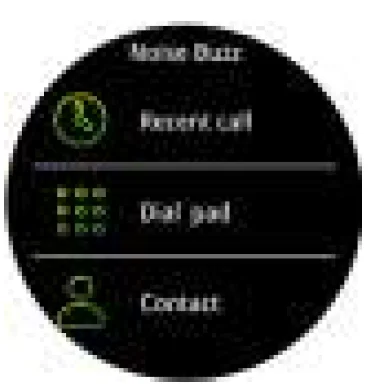
You can choose from 100 sports modes. You can take your pick and add more workouts from the app. This feature also lets you control music while working out. You can also view the exercise records in the app. - NOISE BUZZ
You can use this feature to manage calls from the watch. Make sure your watch is connected to your smartphone via Bluetooth. Go to Noise Buzz. Choose to dial from the dial pad or the contact list and make calls.
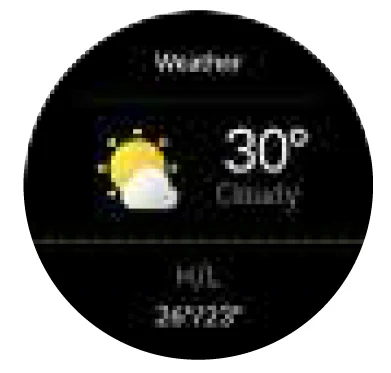
Note: If the watch is connected to your smartphone via Bluetooth, all calls will be directed to the watch. - WEATHER
NoiseFit Force 2 supports 6-day weather viewing in a location of your choice, as long as it is synced with the NoiseFit app. You can view today’s current weather and for the next 5 days as well. Open the Weather app on your watch and change the location to see the weather in your current location.
- MESSAGES
You can check the incoming message received on your smartwatch.
- CAMERA
You can use this feature to use the smartwatch to click pictures from the phone remotely.
- GAMES
You can choose between 2 games to entertain yourself.
- MUSIC
You can control your favourite songs and podcasts that play from your phone, right on your wrist as long as the watch is connected with the NoiseFit app on your phone. You can play/pause music, go to the next/previous track and increase/decrease the volume.
- Al VOICE
You can use this feature to get a few tasks done via voice command as long as the watch and the smartphone are within Bluetooth range. - CALCULATOR
You can use this feature to do basic calculations.
- QR CODE
Tap on ‘QR code’ to access your saved QR code. You can save a QR code in the app.
- ALARM
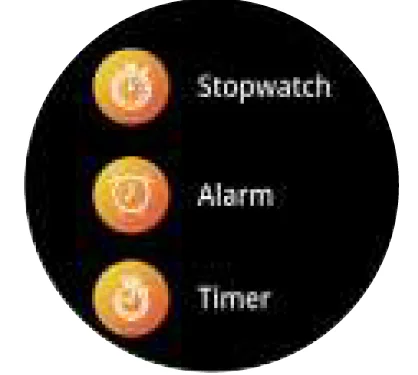
You can set alarms on the watch. You can add, delete, and enable/disable alarms. You can also label alarms to identify them. - STOPWATCH
A stopwatch can be set on the watch. You can also set lap times on the stopwatch.
- TIMER
You can set a timer with a pre-set duration on the watch, and the timer will remind you when the time is up.

SETTINGS
- WATCHFACES
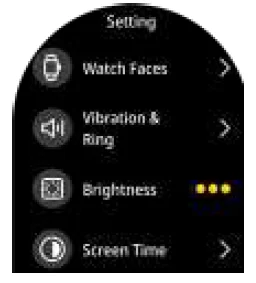
You can switch between different watch faces in the watch, choose and download cloud-based or animated watch faces. You can also create your own watch faces in the NoiseFit app. - CHANGING THE WATCH FACE
Give your screen a personalised style by changing or customising the watch face from the NoiseFit app or the watch. - ON THE WATCH
Touch and hold the home screen. Swipe and choose from the watch faces. You can also rotate the functional crown to change the watch face. - IN THE APP
Go to watch faces, select the watch face of your choice and tap ‘save’ to change the watch face. - VIBRATION & RING
You can use this feature to choose vibration levels and turn off the vibration on your watch altogether. - BRIGHTNESS
Tap on brightness to adjust the brightness of your device. - SCREEN TIME
You can set the screen timeout duration as per your preference. - WRIST AWAKE
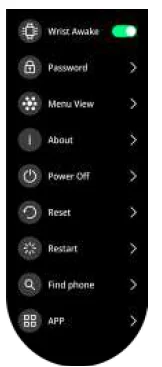
Turn on wrist awake and set the auto screen off as per your preference. - PASSWORD
You can use this feature to set and change your password on your watch. - MENU VIEW
Choose from 10 formats to view your watch features. - ABOUT
Tap on About to view the device information. - POWER OFF
You can choose to power off to turn off the watch. - RESET
You can choose to reset. Do note that if you choose to reset, all your data and settings will be erased. - RESTART
You can choose to restart the watch. - FIND PHONE
You can use this feature to find the phone from your smartwatch as long as it is in Bluetooth range. - APP
Scan the QR code to connect with the app.
DEVICE INFORMATION AND TIPS
DEVICE INFORMATION
The NoiseFit Force 2 smartwatch contains the following
- 1.39″ TFT Display
- Sp0O2 monitor
- Stress monitor
- IP67 waterproof
- 100+ sports modes
- 22mm quick-change pins
The NoiseFit Force 2 smartwatch stores your activity data for up to 7 days between the time you sync your watch to the NoiseFit Force 2 app. Activity data includes your steps, distance, calories, active minutes, heart rate, sleep duration and workout data. We recommend syncing the watch to the app daily.
TIPS
How do I update my NoiseFit Force 2?
You can update your NoiseFit Force 2 via the NoiseFit app. In the app, tap on ‘My Device’, go to ‘Settings’. Tap on ‘Firmware update’ to check for version updates.
How do I find my watch’s current firmware version?
You can find the watch’s current firmware on the watch as well as on the NoiseFit Force 2. On your watch, go to ‘Settings’, and tap on ‘System’. Scroll down and click on ‘Firmware Upgrade’ to view the current firmware version. On the NoiseFit app, go to “My Device’ and tap on ‘Firmware update’ to know your current firmware version.
How does the watch estimate how many calories have been burned?
NoiseFit Force 2 estimates how many calories you’ve burned based on the physical activity data and your heart rate.
How do I change my health goals?
You can do it through the NoiseFit app. In the app, go to ‘My Device’ and tap on the profile icon in the top left corner. Tap on your ID in the top section to change your health goals.
How do I log my weight?
You can log in your weight the first time you set up your NoiseFit Force 2 smartwatch. However, you can update the weight later via the NoiseFit app. Go to ‘My Device’ and tap on the profile icon in the top left corner. Tap on your ID in the top section to update your weight. You can update your gender, birthday and height as well.
SAFETY AND HANDLING INSTRUCTIONS
- The device includes an in-built rechargeable battery. The battery life may degrade near the end-of-life of the battery. Do not attempt to change the battery yourself in any event, as you may end up damaging the device and/or the batteries, posing a safety hazard on subsequent usage.
- Please do not tamper with the battery terminals as it may result in battery leakage, overheating, explosion or a fire hazard.
- Please do not attempt to puncture or take apart the device, as this could result in battery damage, leading to leakage of battery liquid and potential skin irritation if the liquid comes into contact with your skin. The damaged battery may also be prone to overheating or cause a fire hazard.
- Do not place the device near fire or expose it to excessive heating as it may cause the battery to explode, posing a safety hazard.
- Only use Noise-approved chargers and cables that are specifically designed for use with the device. Unapproved charges and cables may damage the device and also pose a safety hazard for the user.
- If the device emits a foul smell or burning odour, please stop using the device immediately and contact the Noise approved service centres.
- The device can be used in ambient temperature ranges of -20°C to 55°C. Using the device outside of the prescribed temperature range may damage the device. Do not use the device in a sauna or steam room.
- Do not use household cleaners to clean the device. Use soap-free cleaners instead.
The device is dust and water-resistant (rated at IP67). The following tips are to be followed for the safe upkeep of the device: Please make sure that the device is not exposed to seawater or used in deep waters.
- Do not expose the device to high-pressure water flow.
- Wipe the device clean of water with a soft and clean cloth if exposed to water. Leave the device to dry naturally.
- Do not open the device if it stops functioning upon exposure to water, even after following the above steps. Visit an authorised service centre to get the device checked.
MEDICAL DEVICE INTERFERENCE
The device includes components that may cause interference when worn with medical devices like pacemakers and other magnet-sensitive devices. In case you intend to use a medical device, please consult your physician before using the device. Also, in case the device is allowed to be worn with the medical devices by your physician, ensure sufficient separation between the device and the medical device at all times.
MEDICAL USE ADVISORY
Unless otherwise specified, the device and any associated app-based or Noise provided services are not suitable to be used as medical devices. In particular, the device and associated app-based or Noise provided services are not intended to diagnose, treat, cure or prevent any disease/health condition. We develop products and services to track daily activity and wellness information as accurately as possible. The accuracy of devices is not intended to be equivalent to that of medical devices or scientific measurement devices.
CHOKING HAZARD
The device is not a toy, and it contains small components that could cause a choking hazard. Accordingly, the device is not intended for use by or left unattended around small children or pets.
SKIN IRRITATION HAZARD
In some cases, prolonged use of or exposure to the device may cause skin irritation or allergies in some users. To reduce the possibility of irritation, keep the device clean and dry. If you feel soreness, tingling, numbness, burning or stiffness on any part of your skin while or after using the watch, please immediately discontinue use.
DISPOSAL INFORMATION:
At Noise, we are committed to protecting the environment and preventing any damage to it by way of the irresponsible disposal of e-waste generated from electronic devices. In our endeavour to collaboratively protect the environment, we urge our customers to help Noise to reduce the impact of e-waste on the environment. The following symbol is indicative that the device and/or any of the associated accessories (like USB cable, charger and the like) thereof should not be disposed of with household/domestic waste. In accordance with the regulation of the Ministry of Environment, Forest and Climate Change, Noise has been granted an Extended Producer Responsibility Authorisation (EPR Authorisation number: B-29016 (1910)/(EPR)/20/WM-lll Division dated 04.03.2021) by the Central Pollution Control Board. Accordingly, Noise is committed to contributing its bit towards protecting the environment by providing customers with the option of depositing their Noise devices, which have reached their end-of-life, at authorised e-waste collection centres. The details of our e-waste collection centres and our e-waste policy are available at the link: https://www.gonoise.com/pages/e-waster-management. By recycling, reusing materials or other forms of utilising old devices, you are making an important contribution to protecting our environment. Together we could make a difference.
CUSTOMER SUPPORT
If you experience any problem with the watch, it may be fixed by restarting your watch. For any assistance, please reach out to us at support.gonoise.in
For more manuals by GoNoise, visit ManualsLibraryy
NoiseFit Force 2 Smartwatch-FAQs
Is the NoiseFit Force 2 smartwatch waterproof?
Yes. The NoiseFit Force 2 comes with an IP67 water-resistant rating, making it suitable for splashes, sweat, and light rain.
Why is my NoiseFit Force 2 not turning on?
This usually happens due to a drained battery, faulty charging cable, or dirty charging pins. Clean the charging contacts and ensure the watch is connected to a working power source.
Can I insert a SIM card into the NoiseFit Force 2?
No. The NoiseFit Force 2 does not support SIM cards. It works via Bluetooth and must be paired with a smartphone.
How long does the NoiseFit Force 2 battery last?
Battery life varies by usage, but most Noise smartwatches offer several days of use on a single charge under normal conditions.
How often should I charge my Noise smartwatch?
It’s best to charge the watch once the battery drops below 20–30%. Avoid frequent full discharges to extend battery lifespan.
Why is my NoiseFit Force 2 battery draining quickly?
Battery drain can increase if features like continuous heart rate monitoring, raise-to-wake, or high brightness are enabled. Turning off unused features helps save power.
Can I use WhatsApp on the NoiseFit Force 2?
You cannot reply directly, but you will receive WhatsApp notifications once the watch is connected to your phone.
Can I use the NoiseFit Force 2 without my phone nearby?
Basic functions like step counting and time tracking will work, but calling, notifications, and syncing require a phone connection.
Which app is required for the NoiseFit Force 2?
You need the NoiseFit app to pair, manage settings, track fitness data, and update firmware.