
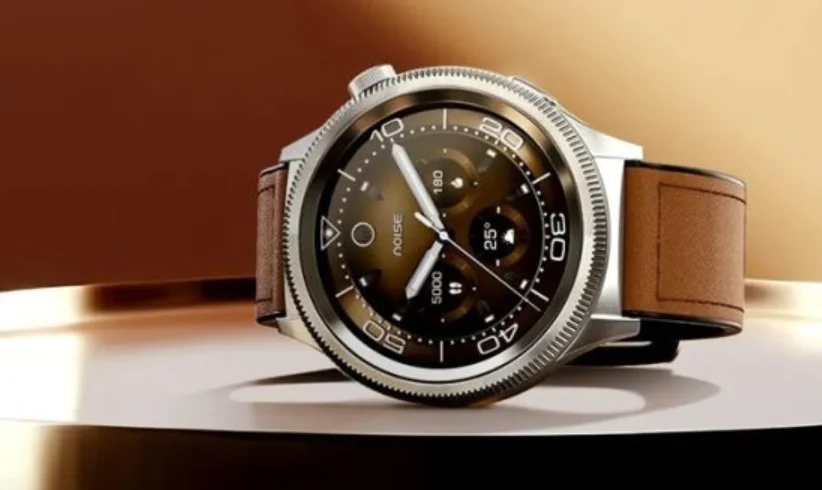

NoiseFit Halo 2 Mod smart watch
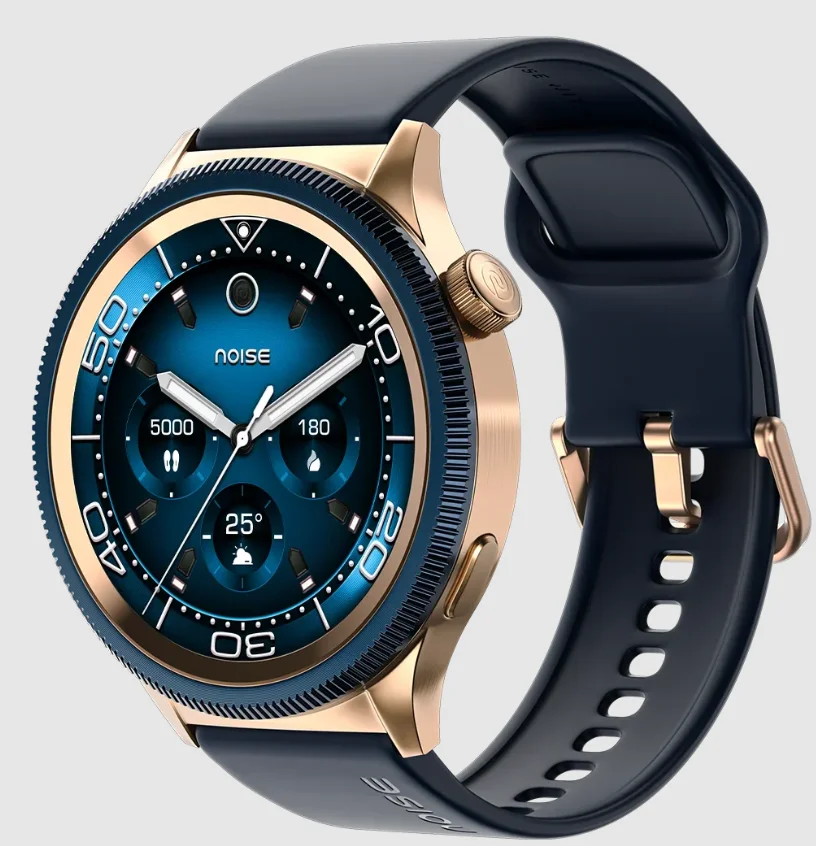
TABLE OF CONTENTS
- Activity
- Heart Rate
- SpO2
- Workouts
- Sleep
- Breathe
- Stress
- Cycle Tracker
- Contacts
- Call History
- Dial Pad
- Alarm
- Stopwatch
- Timer
- Workouts
- Sports Record
- Calculator
- Calendar
- Camera
- Weather
- Music
- Watch Faces
- Flashlight
Settings
- Voice assistance
- SOS
- Smart island
- Drain
- Settings
WHAT’S IN THE BOX
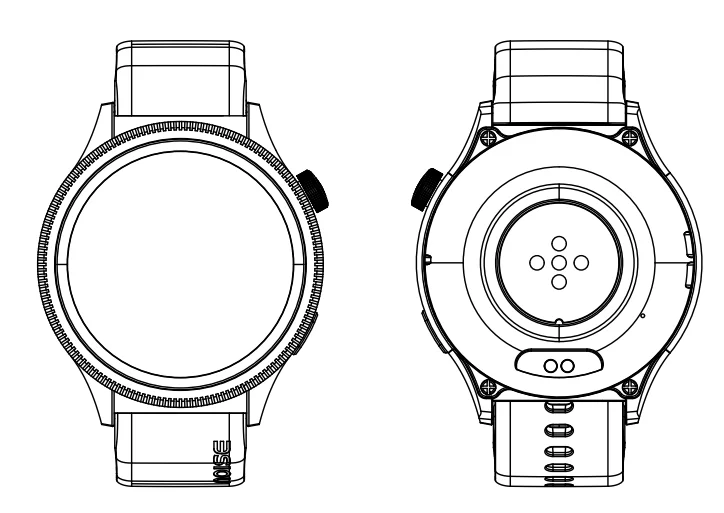
- NoiseFit Halo 2 Mod Smartwatch x 1

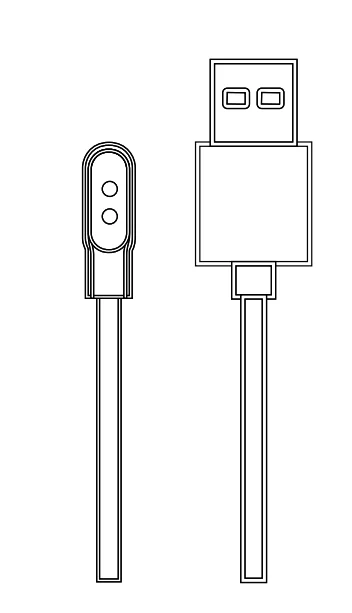
Charging Cable x1
User Manual x 1
Warranty Card x 1
USING THE NOISEFIT HALO 2 MOD SMARTWATCH
Before using your NoiseFit Halo 2 MOD for the first time, charge the battery to its full capacity. Use the charging cable provided with the watch to charge. With full charge, NoiseFit Halo 2 MOD can last up to 7 days.
Note: The battery life and time to fully charge your device may vary as per usage and other factors.
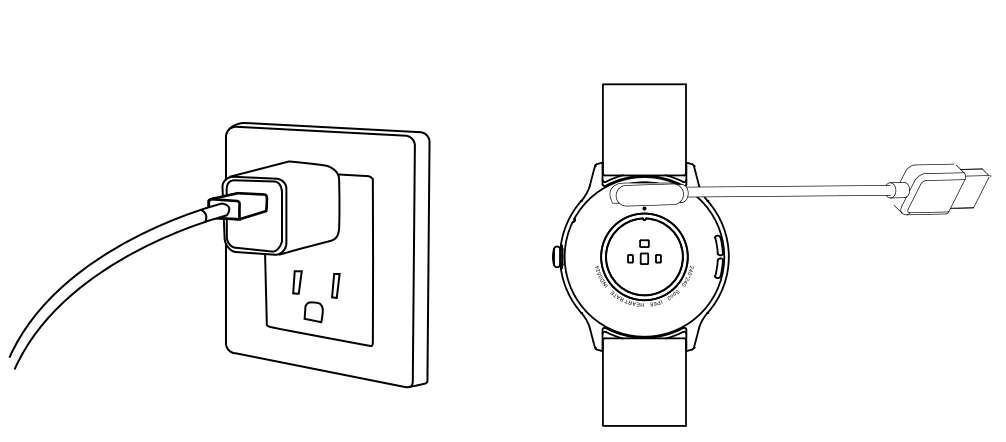
CHARGING THE NOISEFIT HALO 2 MOD SMARTWATCH
- Plug the USB cable into a power adaptor.
- Plug the power adaptor into an electrical socket. (Power adaptor not included).
- Place the magnetic charger on the magnetic charging points of the watch.
- Once the battery is fully charged, remove the charger.
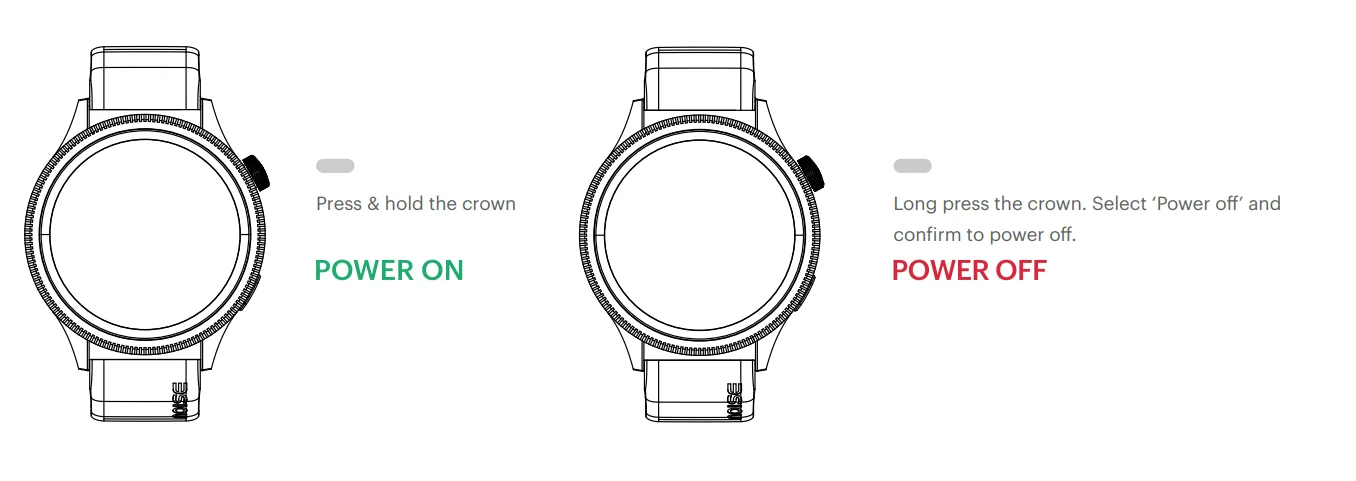
POWER ON
- Press and hold the side button for a few seconds to turn on the watch.
POWER OFF
- Long-press the side button on the bottom for a few seconds.
- Select Power Off and confirm to power off.
WAKING UP THE WATCH
To preserve the battery, the watch screen turns off when not in use. You can wake up the watch by:
- Pressing the side button
- Turning on the wrist sense
WATCH NAVIGATION
The NoiseFit Halo 2 MOD smartwatch has a 1.46″ AMOLED touchscreen. Navigate the watch by tapping on the screen, swiping side to side, swiping up and down, and pressing the side button.
CROWN NAVIGATION
- Press the crown to turn on the watch display.
- Press the crown to go to the main menu.
HOME SCREEN NAVIGATION
The home screen is the watch face. From the home screen:
- Swipe right to access widgets and shortcuts.
- Swipe left to check your activity.
- Swipe down to go to the quick settings menu.
- Swipe up to check your message notifications.
KEY NAVIGATION
- Long-press to enter Sport Mode
- Click to go back from any screen
- On the home screen, click to lock your watch
APP SET-UP
Before pairing, make sure that your smartphone and smartwatch are next to each other. The app will ask for personal information such as height, weight and sex to calculate your step count, distance covered, and calorie burn rate and metabolic rate. When you set up your account, your name and profile picture will be visible to other users.
- Turn on the Bluetooth and location of your smartphone.
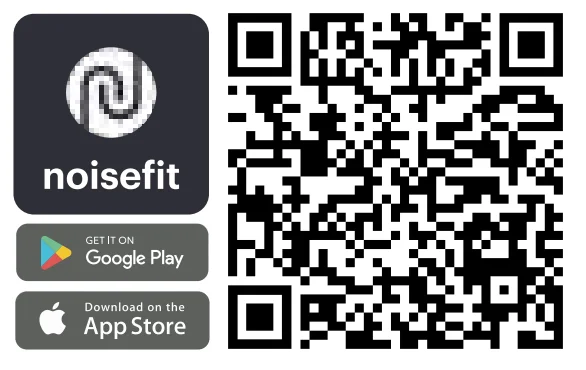
- Download the NoiseFit app on your smartphone from the Play Store or the App Store and install it.
- Create an account or log in using an existing account.
Note: Ensure that your smartphone is running on Android 9 + or iOS 11+ and is connected to mobile data or a Wi-Fi network.
PAIR THE WATCH
- Open the NoiseFit app. Turn on the Bluetooth and GPS.
- Feed in your personal information and health goals in the app.
- Go to the ‘Pair Device’ section in the app, tap on ‘Add Device’, then ‘Search’. Select NoiseFit Halo 2 MOD and link the watch, or you can follow these steps:
Turn on the watch
Scan the QR code from the NoiseFit app on your phone
Select Pair and wait for it to pair.
ACTIVITY
You can track your daily activity progress, including steps taken, distance covered, and calories burned.
HEART RATE
NoiseFit Halo 2 MOD supports 24/7 heart rate tracking. You can select the measurement frequency in app settings. To measure your heart rate, go to ‘Heart rate monitor’. Ensure that there is no gap between the back panel of the watch and the wrist. Hold still while it measures your heart rate.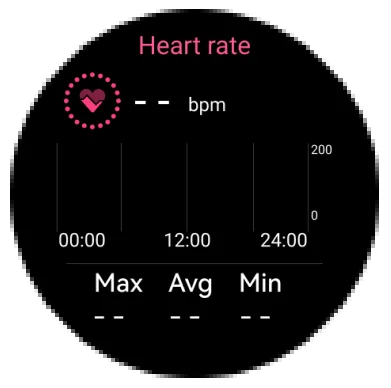
BLOOD OXYGEN
NoiseFit Halo 2 MOD allows you to view the highest and lowest blood oxygen levels throughout the day. Ensure that there is no gap between the back panel of the watch and the wrist. Tap on ‘Blood oxygen’ to track. Hold still while it measures your blood oxygen level.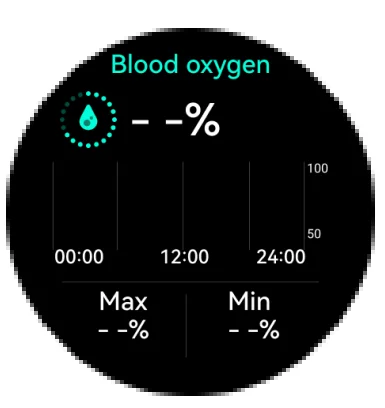
SLEEP
Tap on ‘Sleep’ to view your previous sleep records. You can view your most recent sleep records and sleep quality in various sleep stages on the NoiseFit app.
BREATHE
This feature helps you adjust your breathing rhythm as per your convenience. You can choose from 3 speeds (fast, moderate and slow) to adjust your breathing duration. After the session, you can also see the change in beats per minute. Go to the ‘Breathe’ feature and choose the time duration and speed. Tap on ‘start’ to enter the cycles of breathing and inhalation. During this period, if you swipe right or press a button, breathing is interrupted. You can choose to practice again or complete the cycle.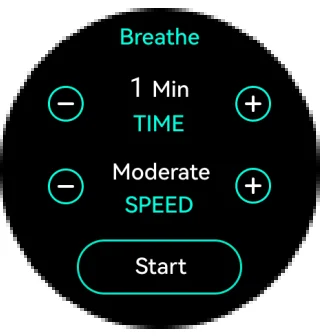
STRESS
NoiseFit Halo 2 MOD supports 24-hour stress level measurement and viewing of all-day measurement data. To measure stress levels in real-time, go to the ‘Stress level’ feature and check your stress level. Make sure your arms and wrists are still, and there is no space between your watch and your wrist.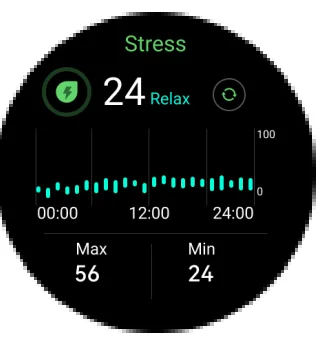
CYCLE TRACKER
Females can track their menstrual cycle using this feature.
NOISE BUZZ
NoiseFit Halo 2 MOD supports Bluetooth Calls. You can dial, answer, silence and reject calls from the smartwatch as long as the watch’s Bluetooth is connected to the smartphone and is within Bluetooth range.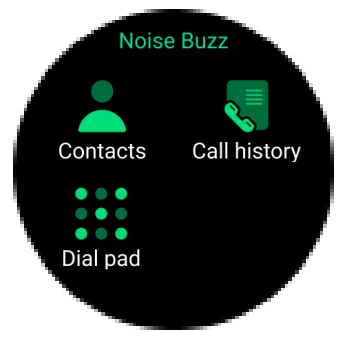
CONTACTS
You can choose to sync 8 contacts from your phone into the NoiseFit App, which will be reflected on your watch. Choose from the list of saved contacts in your smartwatch to call.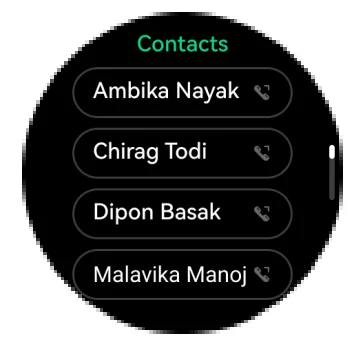
CALL HISTORY
Choose from the call logs to call any of the previously contacted numbers.
DIALPAD
You can access the dial pad from here
ALARM CLOCK
You can set an alarm from the NoiseFit app.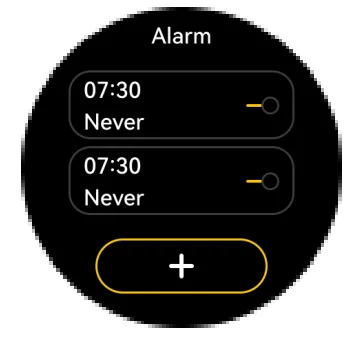
STOPWATCH
A stopwatch can be set on the smartwatch. You can also set lap times in the stopwatch.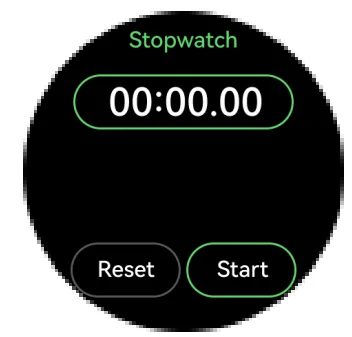
TIMER
You can set a countdown with a pre-set duration on the watch or set your own timer. The watch will remind you when the time is up. Go to ‘Clock’, select ‘Timer’ and set it as per your requirement.
WORKOUTS
Track your workout sessions.
SPORTS RECORD
You can track and see the progress report of your workout sessions in this feature.
WEATHER
NoiseFit Halo 2 MOD supports 5-day weather viewing in a location of your choice, as long as it is synced with the NoiseFit app. You can view today’s current weather and for the next 4 days as well. Open the Weather app on your watch and change the location to see the weather of your current location.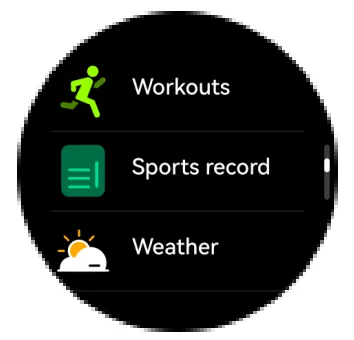
Music
You can control your favourite songs and podcasts that play from your phone, right on your wrist, as long as the watch is connected with the NoiseFit app on your phone. You can play/pause music, go to the next/previous track and increase/decrease the volume.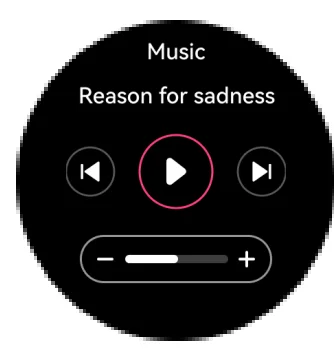
CAMERA
You can use this feature to take pictures from the phone remotely.
CALENDAR
Choose this feature to view the calendar
VOICE ASSISTANCE
If your phone is connected to your smartwatch via Bluetooth, you can use voice commands to ask questions. Google/Siri Assistant on your phone will respond, making it easy to get answers hands-free.
CALCULATOR
You can use this feature to do basic calculations.
FLASHLIGHT
You can use this feature to turn on the screen brightness and see your surroundings better. Go to the Flashlight. Tap to turn on.
DRAIN
Accidentally got water in your smartwatch? Use the Drain feature to expel water and help keep your device safe and functional.
SMART ISLAND
Enable Smart Island for quick access to essential controls like battery status, timer, and music—right from your smartwatch, without interrupting what you’re doing.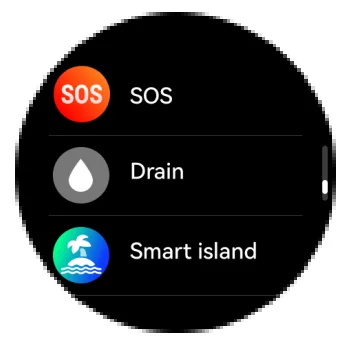
SETTINGS
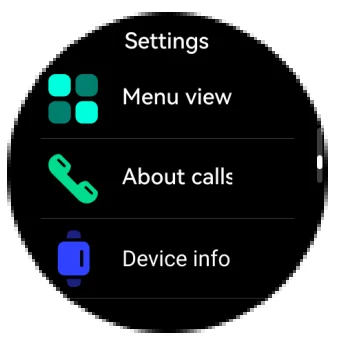
- Wrist awake
Turn on the wrist awake and set the auto screen off as per your preference. - Brightness
Set the brightness level as per your preference. - Bright Screen Time
Set the duration for your screen time, starting from 5 sec to always-on.
- AOD
You can turn on the ‘Always on Display’ feature - DND
You can choose to turn on the DND. - Ringtone Vibration
Set the vibration level as per your preference. - Menu View
You can choose the way you want to see the watch features as per your preference. - About Calls
Read how to activate/deactivate the calling feature - Device Info
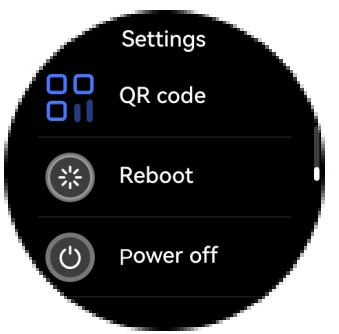
You will find all the information related to the device here, including the device name, Bluetooth name and version. - QR Code
Scan the QR code to connect to the app. - Reboot
Go to ‘Reboot’ and restart your smartwatch. - Power off
Go to ‘Power off’ to turn your smartwatch off.
- Reset
You can choose to reset your smartwatch. If you are facing any challenges with the watch.
DEVICE INFORMATION AND TIPS
DEVICE INFORMATION
The NoiseFit Halo 2 MOD smartwatch contains the following:
- 1.46” AMOLED touch screen
- Blood oxygen monitor
- Stress monitor
- IP68 Waterproof
- 100 Sports modes
- 22mm quick-change pins
The NoiseFit Halo 2 MOD smartwatch stores your activity data for up to 7 days between the time you sync your watch to the NoiseFit app. Activity data includes your steps, distance, calories, active minutes, heart rate, sleep duration and workout data. We recommend syncing the watch to the app daily.
TIPS
HOW DO I UPDATE MY NOISEFIT HALO 2 MOD?
You can update your NoiseFit Halo 2 MOD via the NoiseFit app. In the app, select “Your Profile’, go to About & choose Check for Updates.
HOW DO I FIND MY WATCH’S CURRENT FIRMWARE VERSION?
You can find the watch’s current firmware on the watch. Go to ‘Settings’, and choose ‘Device Info to know your current firmware version.
HOW DOES THE WATCH ESTIMATE HOW MANY CALORIES HAVE BEEN BURNED?
NoiseFit Halo 2 MOD estimates how many calories you’ve burned based on the physical activity data and your heart rate.
HOW DO I CHANGE MY ACTIVITY GOALS?
You can do it through the NoiseFit app. In the app, select ‘Your Profile’ and go to My Goals’ to change your goals.
HOW DO I LOG MY WEIGHT?
You can log your weight the first time you set up your NoisaFit app. However, you can update the weight later via the NoiseFit app. Go to ‘Your Profile’, click on edit and choose to update your details from here.
DISPOSAL AND RECYCLING INFORMATION
Electrical and electronic devices may not be disposed of with domestic waste. Consumers are obliged by law to return the electrical and electronic devices at the end of their service lives to the public collecting points set up for this purpose or the point of sale. Details to this are defined by the national law of the respective country. By recycling, reusing materials or other forms of utilising old devices, you are making an important contribution to protecting our environment.
REGULATORY INFORMATION
USA: Federal Communications Commission (FCC) Statement
This device complies with Part 15 of the FCC rules. Operation is subject to the following two conditions:
- This device may cause harmful interference, and this device must accept any interference received, including interference that may cause undesired operation.
Warning: Changes or modifications not expressly approved by the party responsible for compliance could void the user’s authority to operate the equipment.
Note: This equipment has been tested and found to comply with the limits for a Class B digital device, pursuant to part 15 of the FCC Rules. These limits are designed to provide reasonable protection against harmful interference in a residential installation. This equipment generates, uses and can radiate radio frequency energy and, if not installed and used in accordance with the instructions, may cause harmful interference to radio communications. However, there is no guarantee that interference will not occur in a particular installation.
If this 76 equipment does cause harmful interference to radio or television reception, which can be determined by turning the equipment off and on, the user is encouraged to try to correct the interference by one or more of the following measures:
- Reorient or relocate the receiving antenna.
- Increase the separation between the equipment and the receiver. Connect the equipment into an outlet on a circuit different from that to
- which the receiver is connected.
- Consult the dealer or an experienced radio/TV technician for help.
The NoiseFit Halo 2 MOD smartwatch is not a toy. The watch contains small components that could be a choking hazard and are not intended for use by small children or pets. Unless otherwise specified, devices and services are not medical devices and are not intended to diagnose, treat, cure or prevent any disease. We develop products and services to track daily activity and wellness information as accurately as possible. The accuracy of devices is not intended to be equivalent to that of medical devices or scientific measurement devices. In some cases, prolonged use of products may cause skin irritation. Prolonged contact may contribute to skin irritation or allergies in some users. To reduce the possibility of irritation, keep the watch and watch band clean and dry. Don’t wear it too tight and give your wrist a rest by removing the watch after an extended period of wear. If you feel soreness, tingling, numbness, burning or stiffness in your hands or wrists while or after wearing the watch, please immediately discontinue use.
MAINTENANCE INSTRUCTIONS
«Keep the device dry and clean regularly, and especially after prolonged use, as moisture and dirt can build up underneath the band and can cause skin irritation.
- Do not wear the device too tightly, but make sure that the bottom sensor is lightly in contact with your skin, and there is a gap of about one finger’s width between the wrist strap and your wrist.
- Do not use household cleaners to clean the device. Use soap-free cleaners instead. For stains that are difficult to remove, it is recommended to scrub with alcohol.
- The device is not suitable for diving, swimming in the sea or sauna; it is suitable for swimming pools, showers (cold water) and swimming in shallows.
- Keep it away from direct sunlight, high temperatures or humid conditions as it may damage the band over time.
SAFETY INSTRUCTIONS
- Do not disassemble the battery on your own.
- Do not expose NoiseFit Halo 2 MOD to extremely high or low temperatures. Excessive temperature during charging could cause heat, smoke, fire or deformation of the battery or even explosion.
- Charge the battery in a cool, ventilated room.
- Do not open, crush, bend, deform, puncture or shred secondary cells or batteries. In the event of a battery break or leak, prevent battery liquid contact with skin or eyes. If this happens, immediately flush the areas with water (DO NOT RUB THE EYE) or seek medical help.
- Do not short-circuit; short-circuiting may damage the battery. Short-circuiting can occur when a metallic object, such as a coin, causes the direct connection of the positive and negative terminals of the battery.
- Keep the batteries out of children’s reach and in a safe place to prevent danger.
- Do not place the batteries in the water.
- Do not use your product in a sauna or steam room.
- Do not dispose of batteries in the fire, as that may cause an explosion. Dispose of used batteries in accordance with your local regulations. Do not dispose of it as household waste.
- Use only the charging cable supplied to charge the battery. Do not charge for more than 24 hours.
- Do not attempt to repair or maintain the watch yourself; service and maintenance should be performed by authorised technicians only. Any device failure should be referred to our after-sales service personnel.
- To prevent device damage, accessory damage and device failure, always protect the device against strong impact or shock.
CUSTOMER SUPPORT
If you experience any problem with the watch, it may be fixed by restarting your watch. For any assistance, please reach out to us at support.gonoise.in
For more manuals by GoNoise, visit ManualsLibraryy
NoiseFit Halo 2 Mod smart watch-FAQs
Which app is used to connect the NoiseFit Halo 2 Mod smartwatch?
The NoiseFit app is used to connect, manage, and sync the NoiseFit Halo 2 Mod smartwatch with your phone.
How do I pair NoiseFit Halo 2 Mod with my phone?
Download the NoiseFit app, sign in, turn on Bluetooth, and scan the watch from the app to complete pairing.
How do I set up the NoiseFit Halo 2 Mod for the first time?
Turn on the watch, install the NoiseFit app, log in, verify your mobile number, and follow on-screen pairing instructions.
How does Bluetooth calling work on NoiseFit Halo 2 Mod?
Once paired with the NoiseFit app, connect the watch to your phone’s Bluetooth to enable calling using the built-in mic and speaker.
Can I answer calls on the NoiseFit Halo 2 Mod smartwatch?
Yes. You can answer, reject, mute, or hang up calls directly from the watch using the side button or touch controls.
What features are available on NoiseFit Halo 2 Mod?
It includes Bluetooth calling, heart-rate monitoring, SpO₂ tracking, sleep tracking, stress monitoring, fitness modes, and notifications.
How do I know when my NoiseFit Halo 2 Mod is fully charged?
The screen shows 100% when charging is complete, and the charging indicator stops.
How long does the NoiseFit Halo 2 Mod battery last?
Battery life depends on usage, but it typically lasts several days with normal use and Bluetooth calling disabled.
Should I charge the smartwatch before first use?
Yes. Fully charge the NoiseFit Halo 2 Mod before using it for the first time for best battery performance.